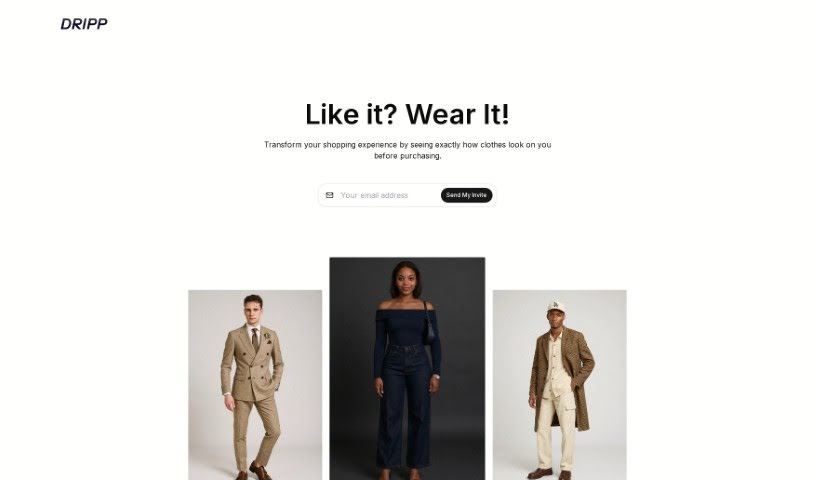
Screenshot of Wingman

Wingman

Discover what Wingman is and how to use it effectively in 2025. We'll explore its features, compare it to other AI assistants, and show you how to get the most out of it.

Screenshot

What is Wingman?

Wingman is an AI tool designed to make your conversations better. It works by giving you smart suggestions for replies based on what’s already been said. You can upload screenshots of your chats, and Wingman will look at them to offer personalized suggestions. You can even pick the tone you want – whether it’s casual, professional, or something a bit more unique. Plus, it supports many languages, so you can get suggestions in whatever language you prefer. If you’re juggling multiple conversations, Wingman can handle them all. Just add more screenshots to keep the dialogue flowing smoothly. The pricing is straightforward, and they really focus on keeping your conversations private and secure. There isn’t a free version because generating AI replies costs money, and they don’t store your chats with the AI model to protect your privacy. You can cancel your subscription anytime, and you’ll still be able to access any chats you’ve created with Wingman.

Who created Wingman?

Wingman was developed by a founder who wanted to improve how people communicate using AI-powered reply suggestions. The company offers features that let you manage several chats at once, adapt your tone, and keep your conversations private. You can choose responses that sound casual, professional, or distinct, in various languages, which helps make your interactions feel genuine and impactful. The platform really emphasizes privacy; they don’t store your chats or screenshots, which adds an extra layer of security.

What is Wingman used for?

  • Making conversations better: It provides smart reply suggestions.
  • Understanding context: It analyzes discussions to offer personalized responses.
  • Matching your tone: It helps you sound authentic and impactful by letting you choose a style (casual, professional, unique).
  • Multi-language support: Get reply suggestions in languages other than English.
  • Handling ongoing chats: It’s built for continuous conversations, easily managing multiple chats.
  • Prioritizing privacy: It keeps your conversations and screenshots secure.
  • Adapting to your style: It adjusts to your chosen tone for messages.
  • Seamless dialogue flow: You can add multiple screenshots from a conversation to keep things moving smoothly.
  • Continuous engagement: It’s great for managing multiple chats to keep conversations going.

Who is Wingman for?

Wingman is a great tool for anyone who communicates regularly and wants to improve their interactions. This includes:

  • Customer service representatives
  • Sales professionals
  • Business Executives
  • Marketing professionals
  • PR specialists
  • Customer Success Teams
  • Start-up founders
  • Social media managers

How to use Wingman?

Wingman is an AI-powered chat tool that really helps enhance your conversations by giving you smart reply suggestions. To get the most out of it, just follow these simple steps:

  1. Sign up: Start with the free trial to get a feel for the application.
  2. Upload your chats: Upload screenshots of the conversations where you need a little help.
  3. Provide context: Make sure the screenshots you upload clearly show the context for the response you need.
  4. Get suggestions: Wingman will analyze the context and offer personalized reply suggestions that match the tone you’ve chosen.
  5. Choose your tone: You can select from casual, professional, or unique tones, depending on what the situation calls for.
  6. Customize: Feel free to adjust and tweak the suggested replies to better fit your personal style and tone.
  7. Manage multiple chats: If you’re handling several conversations, just add screenshots from different chats to keep the dialogue flowing smoothly.
  8. Use multi-language support: Take advantage of the feature that provides suggestions in your preferred language.
  9. Rest assured about privacy: Remember, your chats and screenshots aren’t stored, so your privacy and security are protected.
  10. Give feedback: Help Wingman get even better by providing feedback directly within the application.

By following these steps, you’ll be able to really make the most of what Wingman offers and significantly improve the quality of your conversations.

Related AI Tools

Discover more tools in similar categories that might interest you

Stay Updated with AI Tools

Get weekly updates on the latest AI tools, trends, and insights delivered to your inbox

Join 25,000+ AI enthusiasts. No spam, unsubscribe anytime.