AI Tools for Project Management

Discover the best Project Management AI tools to enhance your productivity and creativity.

Page 14 of 23 • 270 total tools

Project management has always been about staying organized, communicating well, and planning ahead. But as teams get bigger and projects more complicated, keeping everything on track can feel like a lot. That’s where AI comes in—it’s changing the game for how we manage teams and get things done.

Today’s AI project management tools do more than just basic scheduling. They offer smart features that can predict delays, handle routine tasks automatically, and improve communication, helping to turn potential chaos into clear progress. The right tool can really make workflows better and boost collaboration, which ultimately means more gets done.

I’ve spent weeks looking at different AI project management platforms to see which ones really shine in this busy market. No matter if you’re managing a small team or several big projects, there’s a solution out there for you.

If you’re ready to change how you manage projects and help your team perform better, keep reading. Here’s a look at some of the top AI project management tools available right now.

The best AI Project Management Tools

  1. Odoo for making team collaboration on tasks easier.
  2. N8N for automatically updating project tools.
  3. Servicenow for smoother project tracking and reporting.
  4. Whimsical for simplifying project planning tasks.
  5. Mermaid Chart for creating visual project timelines.
  6. Pitch for getting real-time team updates and tracking progress.
  7. Git Mind for making project timelines and tasks run more smoothly.
  8. Motion for better team task coordination.
  9. Mindmap for visualizing project milestones and tasks.
  10. Contra for managing projects and contracts without a hitch.
  11. Creately for real-time project tracking and updates.
  12. Spike for making team communication effortless.
  13. Sintra for simplifying how team tasks are assigned.
  14. Reclaim AI for fitting project tasks into your calendar.
  15. Lucid for managing project timelines and workflows.

How do AI project management tools work?

AI project management tools use smart algorithms and data analysis to help teams plan, carry out, and keep an eye on their projects more effectively. Basically, these tools use machine learning models that look at lots of project data. This helps them guess where problems might pop up and suggest ways to fix them. Because they can predict issues, managers can make decisions ahead of time and stay on top of things.

When you enter project details, like deadlines, what resources you have, and the project’s scope, the AI algorithms analyze it all. Then, they give you actionable insights. These might include better timelines, how to best allocate resources, and what risks to watch out for, which really simplifies the planning stage. In short, the tools take complex data and make it easier to understand, helping teams see their progress more clearly.

Collaboration is also a key part of AI project management tools. These platforms often include ways for team members to talk about tasks and share updates as they happen. The AI can even summarize conversations, point out important decisions, and remind people about deadlines. This makes sure everyone is on the same page and accountable throughout the project.

As the project moves forward, AI tools keep learning from how people use them and what the results are. This feedback loop makes their suggestions better and more personalized over time. By looking at data from past projects, the algorithms can suggest the best ways to work based on your organization’s specific needs, which ultimately boosts overall productivity.

So, AI project management tools work by combining smart data analysis with easy-to-use interfaces. They offer a powerful way to manage projects, pulling insights from past data and making it easier for team members to work together. The future of project management looks bright, with AI playing a big part in how teams collaborate effectively.

Our best AI project management tools at a glance

RankNameBest forPlans and PricingRating
1OdooMaking team collaboration on tasks easier.N/A4.67 (6 reviews)
2N8NAutomatically updating project tools.Paid plans start at $50/month.4.58 (12 reviews)
3ServicenowSmoother project tracking and reporting.N/A4.45 (11 reviews)
4WhimsicalSimplifying project planning tasks.Paid plans start at $10/month.4.67 (27 reviews)
5Mermaid ChartCreating visual project timelines.N/A4.84 (19 reviews)
6PitchGetting real-time team updates and tracking progress.N/A4.75 (12 reviews)
7GitMindMaking project timelines and tasks run more smoothly.Paid plans start at $Free Trial/month.4.67 (6 reviews)
8MotionBetter team task coordination.N/A4.18 (11 reviews)
9MindmapVisualizing project milestones and tasks.N/A4.82 (11 reviews)
10ContraManaging projects and contracts seamlessly.N/A4.75 (12 reviews)
11CreatelyReal-time project tracking and updates.N/A5.00 (27 reviews)
12SpikeMaking team communication effortless.N/A4.15 (26 reviews)
13SintraSimplifying how team tasks are assigned.Paid plans start at $39/month.4.76 (17 reviews)
14Reclaim AIFitting project tasks into your calendar.Paid plans start at $10/month.4.25 (12 reviews)
15LucidManaging project timelines and workflows.N/A4.77 (13 reviews)
Screenshot of Onoco App

Onoco App

Freemium

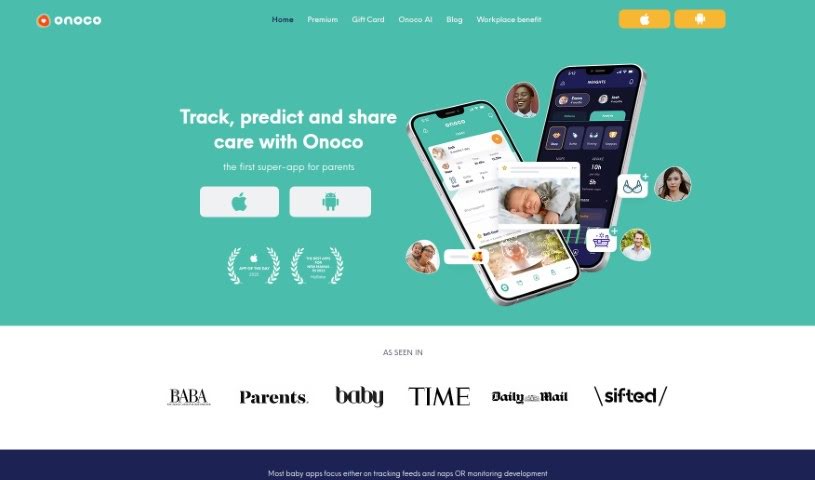
Onoco App is a really comprehensive tool designed to help parents out. It offers a bunch of helpful features, like predicting your baby's sleep schedule, offering support for their development, sending shared notifications, and integrating smoothly with other tools. Plus, you get tips for building your child's brain! The main idea behind the app is to give parents science-based education, let them create routines that work for their family, track milestones using the Early Years Foundation Stage framework, and easily share information with other caregivers. It's all about focusing on what makes each child unique and supporting parents every step of the way.

Screenshot of Operator App

Operator App

Freemium

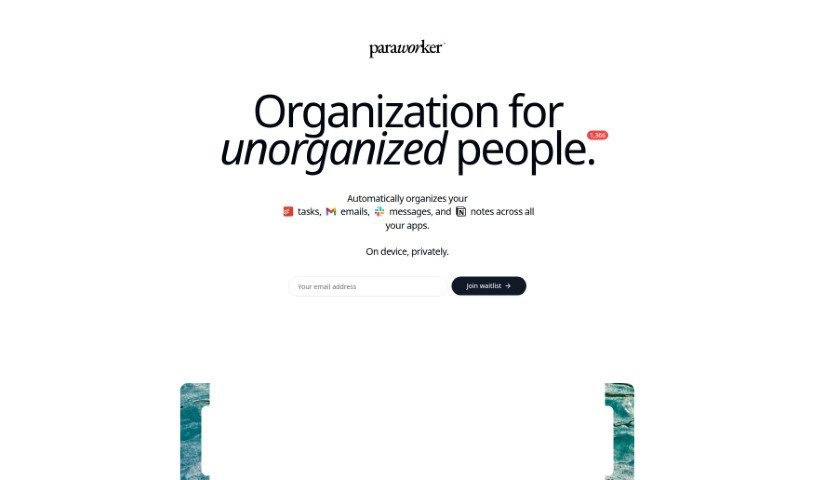
Operator is your personal assistant for getting your thoughts and to-dos in order. It’s built to help you capture those fleeting ideas and turn them into actual, manageable tasks. The app helps you figure out what’s most important by looking at both the impact a task will have and how much effort it’ll take. To keep things clear, it sorts your tasks into different lists, so your work life doesn't get mixed up with your personal life. There’s even a handy action button that lets you quickly jot down tasks using just your voice. Ultimately, Operator aims to take your scattered thoughts and shape them into a clear, organized agenda, making sure nothing important slips through the cracks.

Screenshot of OpsBerry AI

OpsBerry AI

Freemium

OpsBerry AI is a smart Copilot tool designed to turn your team's collective knowledge into clear, step-by-step guides. It is a way to easily capture all that 'tribal knowledge' and make it accessible. It uses artificial intelligence to transform Confluence articles into easy-to-follow how-to guides. Once created, these guides can be shared instantly with your team members and customers, really boosting how efficiently everyone learns and shares information. OpsBerry also plays nicely with other tools you might already use, offering integrations like a Chrome extension, Zendesk, Slack, and Notion. Plus, there's a web app for creating personalized guides. You'll find an AI-powered editor right in your browser for quick customizations, and the tool even offers automatic recommendations and updates to keep your guides current. It's built for collaboration too, making it simple to share guides and gather feedback.

Screenshot of Opteam Plans

Opteam Plans

Freemium

Opteam Plans is an AI-powered project management tool designed to help you schedule and optimize your project plans. It is your smart assistant for making projects run smoother. It connects with popular platforms like Primavera P6 and Microsoft Project, helping to streamline your projects by creating the best possible schedules based on what you want to achieve.

Screenshot of Paper

Paper

Freemium

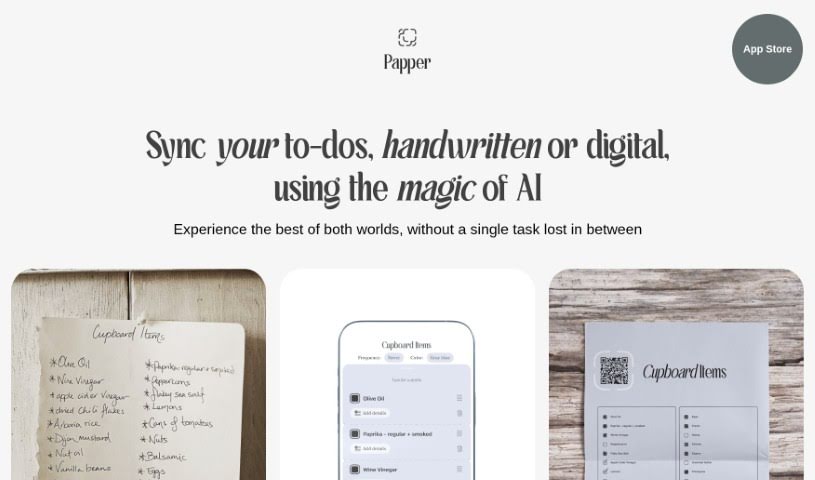
Paper is the best of both worlds: the familiar, tactile feel of pen and paper combined with the ease of digital convenience. It offers a really smooth way to manage your tasks. Paper uses smart AI technology to make sure your tasks are easily transformed and kept all in one place, so you won't miss anything important. It’s a neat tool that brings together the simple pleasure of handwriting with the efficiency of digital organization, making task management feel stylish, organized, and even enjoyable. Plus, it turns your digital tasks into attractive printouts, which really helps you get through your to-do lists with a fresh take on staying productive.

Screenshot of Personal AI

Personal AI

Freemium

Personal AI is your own smart digital assistant, a personalized AI extension built just for you or your brand. It uses your unique data, facts, and opinions to create a really responsive and interactive experience. This AI model learns from what's specific to you or your brand, using that to build what they call Personal Language Models. Essentially, Personal AI helps you tap into your own data and use its power in new ways. You can create experiences that are perfectly tailored to what you need, making sure it sounds like you, reflects your brand's personality, and stays true to your core values. It's more than just automating tasks; it gives you complete control over the content your AI generates, so it always matches your desired tone, style, and message. This makes it much easier to connect with your audience, create engaging content, and build a strong online presence.

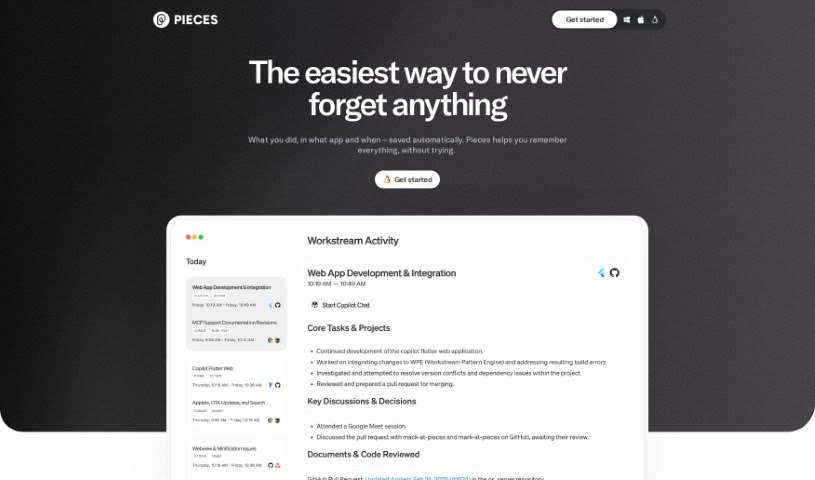
Screenshot of Pieces for Developers

Pieces for Developers

Freemium

Pieces for Developers is an AI-powered tool designed to make developers and creators more efficient. It is a smart assistant that helps you manage all the little pieces of your projects – like code snippets or design elements – right within your existing workflow. It uses advanced AI to make your daily tasks more intuitive and streamlined. Since it started, Pieces has grown a lot, thanks to significant funding that's helped improve the technology and expand the team. The goal? To really change how productive developers can be.

Screenshot of Pitch

Pitch

Freemium

Pitch is a presentation software built to make creating and sharing presentations much easier, more creative, and more effective. It is a tool that helps teams tell their stories with real precision. It comes with some really neat features, like AI that can help you draft content, templates you can tweak to fit your style, smart tools that make editing a breeze, and the ability to work with your team in real-time. Plus, you get detailed analytics to see how your presentations are actually performing. Pitch helps you share your ideas clearly, build impressive slides fast, and even connect your favorite apps so your data and visuals work together smoothly. Since it started in 2018, Pitch has been all about making ideas more valuable and work more enjoyable.

Screenshot of PixieBrix

PixieBrix

Freemium

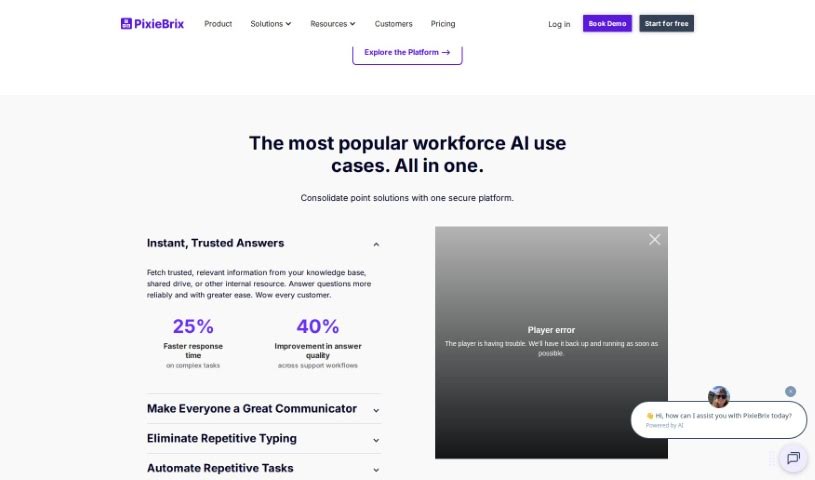
PixieBrix is a browser extension that many users say really boosts their workflow efficiency and productivity. People have found it super helpful for all sorts of things, like automating Trello tasks, building AI tools, and automating web processes in general. It's described as a game-changer, packed with features that benefit everyone, whether you're an individual looking to simplify your tasks or a business aiming to streamline operations and improve user experiences. PixieBrix was actually started back in 2020 by Todd Schiller and Michael Mirandi. Their core idea was to let people use basic coding skills to make big productivity gains and improve their daily lives. The platform lets you create custom tweaks for SaaS apps and web pages using common coding knowledge, with the long-term goal of making customization easy for absolutely everyone.

Screenshot of Plan Quest

Plan Quest

Freemium

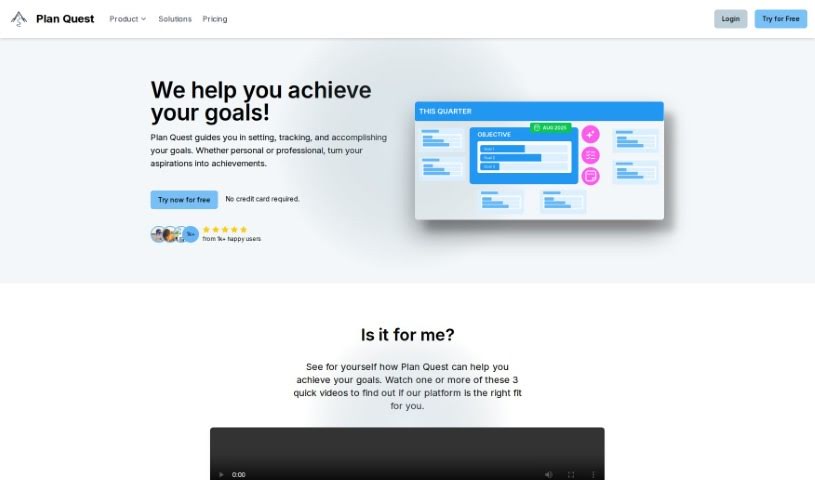
Plan Quest is a really thorough platform for planning out your projects. It's packed with features designed to help you set and actually reach your goals. It is your all-in-one project assistant. It offers AI-Powered Plan Creation, a Visual Timeline with Milestones so you can see your progress laid out, and it even helps you track your Objectives and Key Results (OKRs). Plus, there's a Notion-like Editor for taking super detailed notes, a Canvas of Reflection to look back on what you've achieved and plan ahead, and Plan Evolution Snapshots that show you how your plans have changed and grown over time.

Screenshot of Plexo

Plexo

Freemium

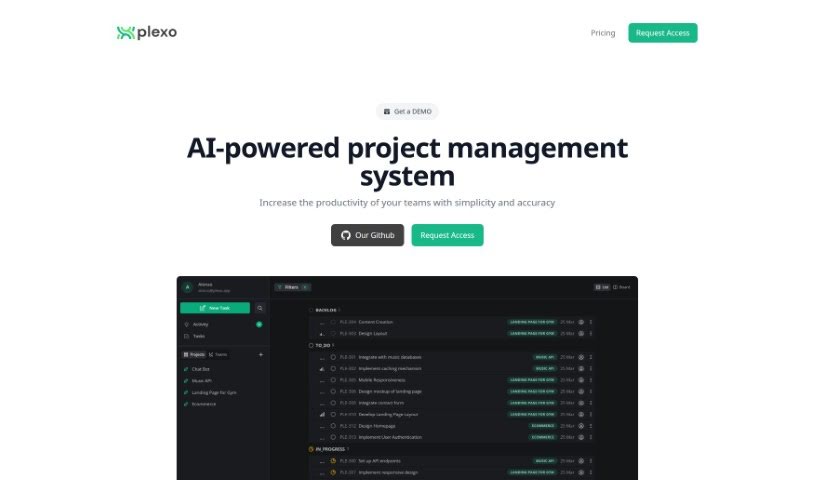
Plexo is an open-source project management system built for today's innovators who really value teamwork and collaboration. It makes managing projects much simpler by offering tools to create projects, assign tasks, set deadlines, and share files easily. Because it's open-source, Plexo can be tailored to fit exactly what your team needs, giving you lots of flexibility for all sorts of projects in any industry.

Screenshot of Pre.dev

Pre.dev

Freemium

Pre.dev is a smart web tool built to make project management smoother and speed up the whole development process. It really focuses on getting projects planned instantly and developing them quickly, helping teams work faster and get more done. This platform supports you from the very first planning steps all the way through to delivering the final project, making sure everything stays efficient and on track. It's especially helpful for product managers, founders, development teams, and any business that wants to collaborate better and be more efficient when building products.

Stay Updated with AI Tools

Get weekly updates on the latest AI tools, trends, and insights delivered to your inbox

Join 25,000+ AI enthusiasts. No spam, unsubscribe anytime.