What is Pitch?
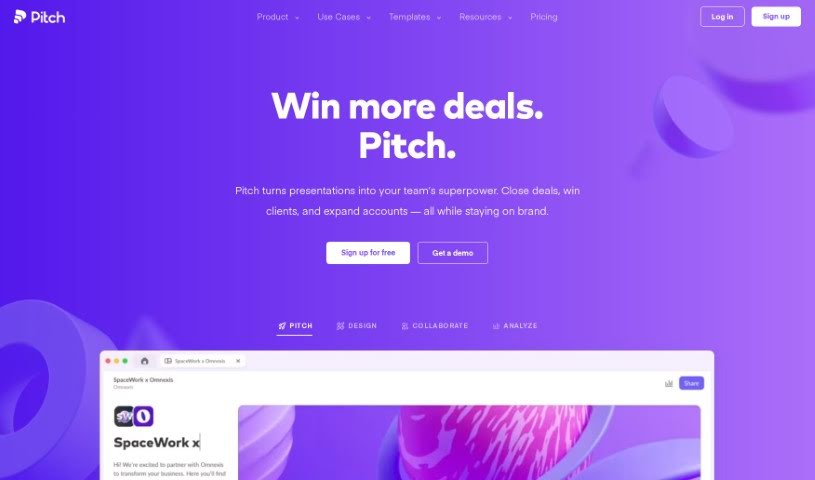
Pitch is a presentation software built to make creating and sharing presentations much easier, more creative, and more effective. It is a tool that helps teams tell their stories with real precision. It comes with some really neat features, like AI that can help you draft content, templates you can tweak to fit your style, smart tools that make editing a breeze, and the ability to work with your team in real-time. Plus, you get detailed analytics to see how your presentations are actually performing. Pitch helps you share your ideas clearly, build impressive slides fast, and even connect your favorite apps so your data and visuals work together smoothly. Since it started in 2018, Pitch has been all about making ideas more valuable and work more enjoyable.
Who created Pitch?
Adam Renklint is the person behind Pitch; he’s both the Founder and CEO. He kicked things off in 2018 with eight friends, all sharing a common goal: to boost the value of ideas worldwide and make work genuinely fun. The company is based in Berlin, but it operates as a remote-first business, meaning people from all over can jump in and use their presentation software.
What is Pitch used for?
Pitch is incredibly versatile. You can use it for:
- Important Meetings: Perfect for board meetings.
- Closing Deals: Make your sales pitches shine.
- Winning Clients: Impress potential customers.
- Expanding Accounts: Show existing clients the value you bring.
- Quick Slide Creation: Build sleek slides in no time.
- Adding Rich Media: Easily embed text, images, and videos.
- Elegant Animations: Create smooth, professional animations.
- Real-Time Collaboration: Work together with your team as you build.
- Easy Sharing: Share presentations with simple live links.
- Remote Persuasion: Convince people no matter where they are.
- Performance Tracking: Use analytics to see how your presentation is received.
- Fundraising: It’s been used for significant fund raises, like Perplexity’s.
- Internal Communications: Great for company-wide presentations.
- Branding: Build style guides with your own fonts.
- Template Editing: Make changes to templates effectively.
- Client Collaboration: Work directly with clients on shared presentations.
- Empowering Non-Designers: Help people without design backgrounds create professional-looking materials.
- Presenter Aids: Features a customizable speaker view.
- Slide Videos: Record videos directly on your slides.
- Public Sharing: Easily share links publicly.
- AI-Powered Drafts: Get a head start with AI-generated content, saving time and sparking ideas.
- Customizable Templates: Pick from over 100 professional templates and tailor them to your brand.
- Smart Editing: Intuitive tools let you craft slides and animations quickly and elegantly.
- Seamless Collaboration: Work with your team in real-time, making the process efficient and interactive.
- In-Depth Analytics: Track engagement to see who’s interested and which slides are most popular.
- Modern Design: Create beautiful, contemporary decks with AI help, captivating animations, and a modern interface.
- Integrated Data: Connect apps like Notion, Slack, and Google Sheets for seamless data and visual integration.
- Storytelling: Craft compelling stories visually for any purpose.
Who is Pitch for?
Pitch is a great tool for a wide range of professionals:
- Business professionals
- Designers
- Sales Representatives
- Marketing professionals
- Product Managers
- Marketers
- Anyone preparing for job interviews
- Design professionals
How to use Pitch?
Here’s a straightforward guide to using Pitch effectively:
- Getting Started with a Presentation:
- You can either generate a new template, find one you like, or build your own from scratch.
- Need a quick start? Use the AI feature, or browse through more than 100 customizable templates.
- Make it yours by adding your brand colors and custom fonts.
- Editing Your Slides:
- Populate your slides with text, images, and videos really easily.
- Create smooth animations in just a few seconds.
- Work alongside your team members in real-time to speed things up.
- Sharing Your Presentation:
- Share your work using a simple live link.
- When you present, you can use helpful tools like notes and timers.
- You can even embed your deck on various websites.
- Tracking How It Performs:
- Customize links for different people you’re sending it to.
- See when your presentation is actually opened.
- Keep an eye on which slides visitors look at most to get valuable insights.
- Key Features to Remember:
- AI-Powered Drafts: Get started fast with AI-generated content.
- Customizable Templates: Make your presentations look unique.
- Smart Editing: Efficiently create slides with user-friendly tools.
- Seamless Collaboration: Work smoothly with your team.
- In-Depth Analytics: Track engagement and see what’s working.
Pitch offers a complete environment for creating presentations that are not only visually appealing but also highly effective. With features like AI assistance, real-time teamwork, and detailed analytics, you can craft compelling stories and share them without a hitch. Signing up gives your team access to all the tools needed to really step up their presentation game and communicate their ideas with clarity and style.
Pitch’s interface is easy to use, it offers a wide variety of templates, and it connects with popular apps. This makes it a top choice for teams wanting to improve their presentation skills and make a real impact with their pitches. Start using Pitch today to turn your ideas into engaging visual stories that grab your audience’s attention.