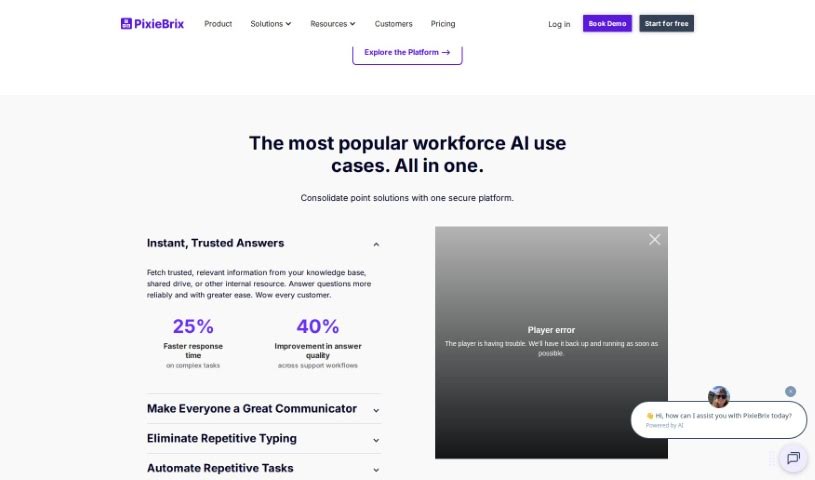
Screenshot of PixieBrix

PixieBrix

Discover what PixieBrix is and how to use it effectively in 2025. Explore its features and see how it stacks up against other Project Management Tools.

Screenshot

What is PixieBrix?

PixieBrix is a browser extension that many users say really boosts their workflow efficiency and productivity. People have found it super helpful for all sorts of things, like automating Trello tasks, building AI tools, and automating web processes in general. It’s described as a game-changer, packed with features that benefit everyone, whether you’re an individual looking to simplify your tasks or a business aiming to streamline operations and improve user experiences. PixieBrix was actually started back in 2020 by Todd Schiller and Michael Mirandi. Their core idea was to let people use basic coding skills to make big productivity gains and improve their daily lives. The platform lets you create custom tweaks for SaaS apps and web pages using common coding knowledge, with the long-term goal of making customization easy for absolutely everyone.

Who created PixieBrix?

Todd Schiller and Michael Mirandi are the co-founders behind PixieBrix, which they established in 2020. Todd Schiller first got the idea when he was automating repetitive tasks during an internship as an equities analyst. That experience led him to create PixieBrix, with the aim of giving users who have basic coding skills the power to boost their productivity and customize the SaaS apps and web pages they use every day. The platform requires common coding skills to make these customizations, and they offer plans for individuals, teams, businesses, and even enterprise-level clients.

What is PixieBrix used for?

  • Logistics: BusPatrol uses it for better processing and safer communities.
  • Healthcare: Resolve Medical Bills uses it to streamline billing.
  • Contact Centers: TaskUs improves customer experience with it.
  • Financial Services: SanzPayá uses it to speed up customer-centric teams.
  • Web Automation: Automating and customizing web interfaces to improve the customer experience.
  • Logistics: Powering AI, quality control, and automation in the logistics sector.
  • Healthcare: Speeding up and improving the accuracy of data collection.
  • Contact Centers: Resolving transactions and inquiries faster for higher accuracy.
  • Financial Services: Building long-term customer relationships.
  • Web Applications: Transforming web applications with low-code tools to get the exact output you need.
  • Rapid Development
  • Enterprise AI Search
  • Team Announcements
  • Writing Assist
  • Process Intervention
  • Enhanced Processing, Safer Communities
  • Take The Busywork Out of Billing
  • Build Efficiency Into Everything
  • Industry-Leading NPS & AHT
  • Businesses Run On PixieBrix

Who is PixieBrix for?

  • Logistics professionals
  • Healthcare organizations
  • Contact Centers
  • Financial Services
  • Business Systems specialists
  • RPA (Robotic Process Automation) users
  • Product Management teams
  • Healthcare Organizations
  • Automation Developers
  • Software Engineers
  • Engagement Managers
  • Sales Engineers
  • Developer Evangelists
  • Project Management Consultants
  • Software Developers
  • Principal Architects specializing in RPA
  • Managers of Product Management
  • Business Systems Specialists
  • Engagement Managers focused on RPA
  • Founders and Automation Developers
  • Global Heads of Generative AI
  • Heads of Generative AI

How to use PixieBrix?

Getting started with PixieBrix is pretty straightforward. Here’s a simple breakdown:

  1. Get Started: First, head over to the PixieBrix website and sign up for a free account. You won’t need a credit card to get going.
  2. Explore What’s Possible: Once you’re logged in, dive into PixieBrix’s low-code web app mod builder. Get a feel for the platform and see how you can add automation to your existing web tools.
  3. Build Your Own Modifications: With PixieBrix, you can quickly create and deploy custom modifications right in your browser. This means you can streamline your workflow directly within the apps you’re already using.
  4. Integrate and Collaborate: PixieBrix brings together automation, AI, collaboration features, and various integrations. This helps you get more done without constantly switching between different screens.
  5. Lean on Community Support: PixieBrix offers great community support, which is fantastic for developers all over the world. You can access a bunch of innovative low-code “bricks” and connect with a helpful community.
  6. Choose Your Plan: Pick the plan that best suits your needs, whether you’re using it solo, with a team, for your business, or at an enterprise level. Each plan comes with different features and capabilities.
  7. Discover More Features: Look into premium bricks, API credits, credit pooling, and other advanced options available with the higher-tier plans.
  8. Use Learning Resources: Take advantage of PixieBrix’s resources, like their professional certification courses and one-on-one sessions. These can really help you sharpen your skills and make the most of the tool.

Basically, PixieBrix offers a user-friendly, low-code platform that empowers you to customize web applications, automate your processes, and make your workflows much more efficient. By following these steps and exploring all the different features PixieBrix has to offer, you can really improve your web experience and boost your productivity.

Related AI Tools

Discover more tools in similar categories that might interest you

Stay Updated with AI Tools

Get weekly updates on the latest AI tools, trends, and insights delivered to your inbox

Join 25,000+ AI enthusiasts. No spam, unsubscribe anytime.