AI Tools for Image Generation

Discover the best Image Generation AI tools to enhance your productivity and creativity.

Page 21 of 36 • 429 total tools

In the fast-paced world of digital creativity, AI image generators have become real game-changers. You no longer need advanced skills or expensive software to create amazing visuals. Now, with just a few clicks, you can conjure breathtaking artwork, realistic portraits, or imaginative landscapes using simple text prompts.

This technology has really grown in sophistication. It’s gone from being just simple tools to powerful creative partners. What started as a novelty is now an essential asset for artists, marketers, and anyone looking to improve their visual storytelling.

I’ve spent time exploring various AI image generators to see which ones really stand out in a crowded market. Whether you need something that excels in realism or something that plays with abstraction, there’s a tool for every creative need.

If you’re looking to elevate your visuals and make your design process smoother, let’s dive into the top AI image generators making waves right now. Your next masterpiece might just be a prompt away.

The Best AI Image Generators

  1. Leonardo AI: Perfect for custom artwork for product listings.
  2. Photoroom: Great for creating unique branding backgrounds.
  3. Pixlr: Ideal for making unique visuals for marketing.
  4. Midjourney: Excellent for artistic concept visualization.
  5. Tensor.art: Use it for unique artwork creation from sketches.
  6. PixAI: Best for creating custom anime characters.
  7. Freepik Pikaso: Transforms sketches into art in real-time.
  8. Adobe Firefly: Use it for custom social media graphics.
  9. Luma AI: Craft 3D imagery with dynamic effects.
  10. Recraft: Easily generate brand-consistent visuals.
  11. Microsoft Designer: Create unique visuals for your projects.
  12. Artguru AI: Turn selfies into anime art.
  13. Deep AI Text to Image: Visualize concepts artistically.
  14. Topaz Labs: Enhance AI-generated images for better clarity.
  15. Freepik AI Image Generator: Make custom illustrations for marketing content.

How Do AI Image Generators Work?

When you search online for AI image generators, you’ll find tons of tools, and many claim to do similar things. This often happens because they use the same core models, like diffusion models or generative adversarial networks (GANs). Most tools simply act as user-friendly interfaces for these complex algorithms, adding helpful features while often hiding the technical details behind marketing language.

At their heart, AI image generators work with detailed prompts that users provide. Once you enter a prompt, the model processes it and generates images. It does this by predicting pixel values based on patterns it learned from massive datasets. These datasets usually include millions of images, covering all sorts of styles, subjects, and artistic influences. This allows the models to produce very varied and detailed results.

Training an image generation model involves analyzing countless images and their text descriptions. This helps the models understand how words relate to visual features. The outcome is a sophisticated network that can create visually coherent images reflecting the nuances of your prompt, whether you’re aiming for a realistic scene or an abstract idea.

Many popular applications now include these image generation capabilities, improving creative tools like Adobe Photoshop and Canva. These companies often partner with major AI developers, using powerful existing models instead of building their own. This means users can easily create custom visuals without needing deep technical knowledge.

If you’re keen to experiment yourself, various platforms offer intuitive interfaces for crafting unique images. Some even let you adjust the style and content, giving artistically inclined individuals the freedom to innovate without starting from scratch.

So, in short, AI image generators combine advanced algorithms with huge datasets to turn text prompts into compelling visuals. As these technologies keep developing, their ability to produce impressive artwork only grows, encouraging both creativity and exploration in digital art.

Our Best AI Image Generators at a Glance

RankNameBest ForPlans and PricingRating
1Leonardo AICustom artwork for product listingsPaid plans start at $9/month.4.73 (11 reviews)
2PhotoroomCreating unique branding backgroundsPaid plans start at $7.50/month.4.74 (38 reviews)
3PixlrCreating unique visuals for marketing.Paid plans start at $0.99/month.4.73 (11 reviews)
4MidjourneyArtistic concept visualizationN/A4.73 (11 reviews)
5Tensor.artUnique artwork creation from sketches.N/A4.78 (23 reviews)
6PixAICreating custom anime charactersN/A4.80 (5 reviews)
7Freepik PikasoReal-time art transformation from sketches.N/A4.67 (21 reviews)
8Adobe FireflyCustom social media graphicsN/A4.67 (6 reviews)
9Luma AICrafting 3D imagery with dynamic effectsN/A4.76 (25 reviews)
10RecraftGenerate brand-consistent visuals easily.N/A4.67 (3 reviews)
11Microsoft DesignerGenerate unique visuals for projects.N/A4.64 (11 reviews)
12Artguru AITransform selfies into anime artN/A4.58 (12 reviews)
13Deep AI AI Text to ImageArtistic visualization of concepts.N/A4.82 (11 reviews)
14Topaz LabsEnhance AI-generated images for clarityN/A4.70 (10 reviews)
15Freepik AI Image GeneratorCustom illustrations for marketing contentN/A4.55 (11 reviews)
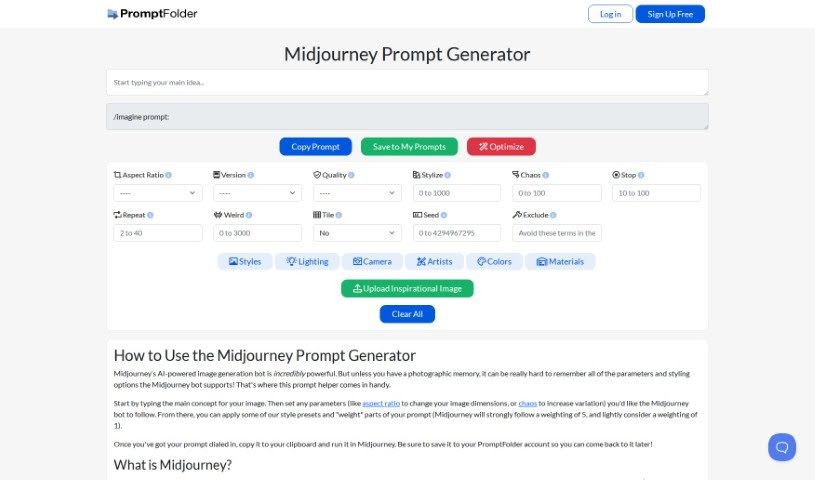
Screenshot of Midjourney Prompt Tool

Midjourney Prompt Tool

Freemium

The Midjourney Prompt Tool is a really handy assistant designed to help you craft the perfect prompts for Midjourney, that amazing AI image generator. You can type in the core idea for the image you're dreaming up, then tweak settings like the aspect ratio and how 'chaotic' you want the results to be. Plus, you can apply style presets and even tell Midjourney which parts of your prompt are more important by assigning weights. Essentially, it makes creating effective prompts for the AI bot much simpler, helping you get exactly the image you're after. Don't forget to save your creations in your PromptFolder account – it's super convenient for later!

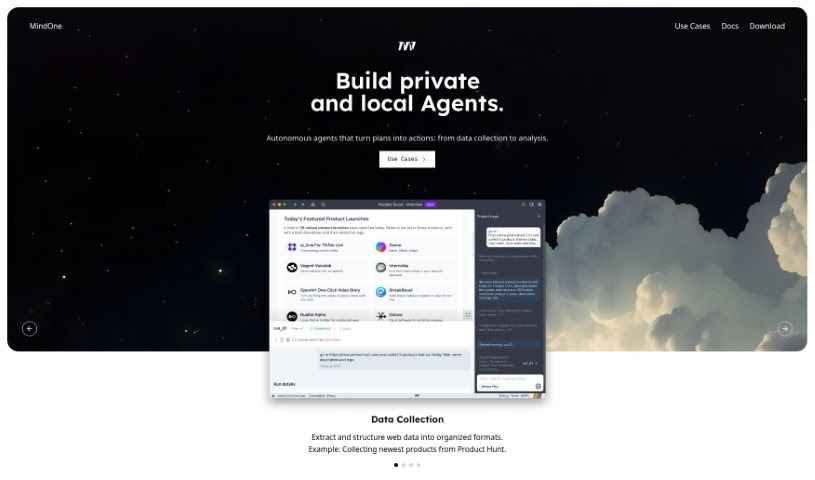
Screenshot of Mindone

Mindone

Freemium

MindOne is a platform that gives you access to top-tier AI services, all bundled into one subscription. It also offers a single, easy-to-use mobile app interface. With MindOne, you can create images in specific styles or play around with the latest GPT models. The most recent update, MindOne 0.6, actually introduces a new way to generate images. It uses presets, which are basically pre-set styles, to help you find exactly the look you're going for much more easily.

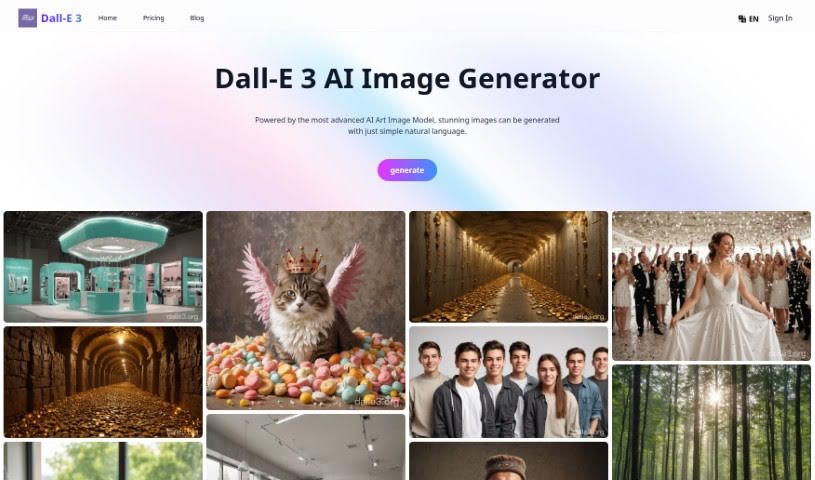
Screenshot of Mini Dalle 3 Online

Mini Dalle 3 Online

Freemium

Mini Dalle 3 Online is a really flexible AI tool that helps you create images, and you can find it on a bunch of different websites. It is the newest version of OpenAI's DALL-E AI image generator. It's famous for how well it can take your written descriptions, or "prompts," and turn them into super realistic and detailed pictures. Mini Dalle 3 Online first became available to people using ChatGPT Plus and Enterprise back in October 2023. It works really closely with ChatGPT, which makes it much simpler to come up with good prompts and keep track of the image context as you create. The tool also has built-in safety features to prevent harmful content, follows ethical guidelines, and includes privacy controls. All of this is to say that Mini Dalle 3 Online really aims to change how we turn our ideas into exact visuals. To use it, you'll typically need a subscription, which usually gives you a set number of image generations within a certain period.

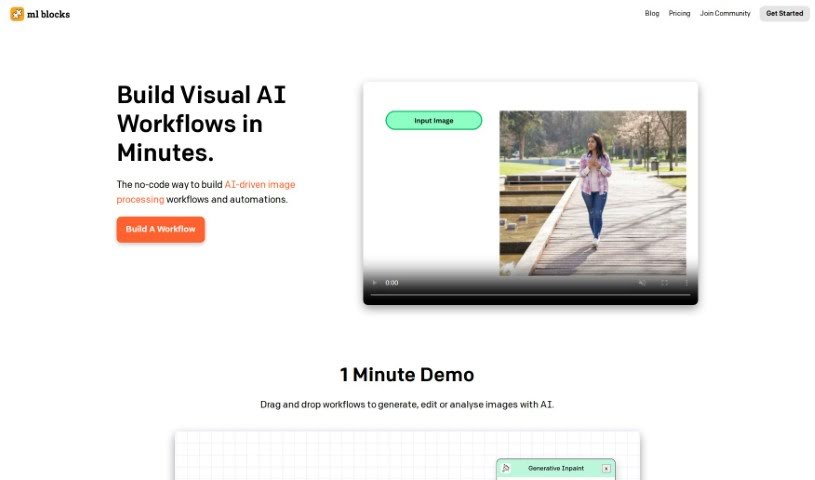
Screenshot of ML Blocks

ML Blocks

Freemium

ML Blocks is a handy tool that lets you build image processing workflows without writing a single line of code. It is a visual way to create custom image tasks. You can use AI models, like Stable Diffusion, to generate, edit, and even analyze images. Need to create a new image, crop it, resize it, change its colors, or pull specific data out of it? ML Blocks can handle all of that. What's really great is their pricing – you only pay for what you actually use, with no pesky subscriptions or monthly limits. Plus, its drag-and-drop interface makes it super easy for anyone, even if you're not tech-savvy, to jump right in.

Screenshot of Mockey

Mockey

Freemium

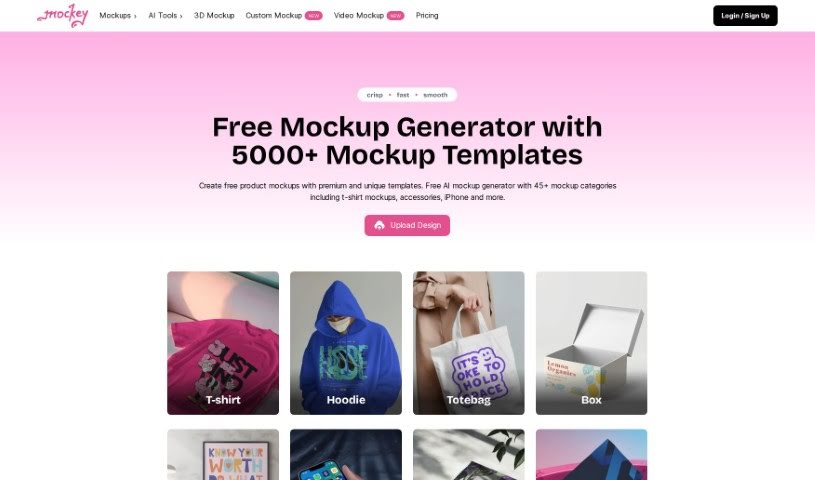
Mockey is a fantastic online tool that acts as an AI Mockup Generator, making it super easy for anyone to create free mockups. Whether you're looking to design product mockups for t-shirts, hoodies, other apparel, or accessories, Mockey's got you covered. It comes packed with a variety of helpful tools, including AI mockup bundles, 3D mockups, an AI image background remover, AI Photography features, a blur background tool, and other handy image editing capabilities. You can simply upload your own designs as image files (PNG or JPEG), place them onto different products, tweak the colors and backgrounds to your liking, and then download the final mockup without any annoying watermarks. The whole idea behind Mockey is to make creating high-quality mockups a quick and straightforward process, perfect for designers and creative folks who want to focus on their ideas.

Screenshot of MockoFUN

MockoFUN

Freemium

MockoFun offers a really neat AI Face Swap tool. It lets you easily put your face onto someone else's body, creating some pretty fun and amusing image edits. This feature is actually part of MockoFun's broader online graphic design tool, which they've designed to make graphic design more accessible and enjoyable for everyone. So, whether you're a seasoned pro or just starting out, it's meant to be easy to use and generate entertaining results for all sorts of image editing needs. Plus, if you decide to use their premium features, MockoFun makes sure your transactions are secure, working with trusted partners like Braintreegateway and PayPal. It’s a safe platform for both your creative work and your payments.

Screenshot of ModelsLab

ModelsLab

Freemium

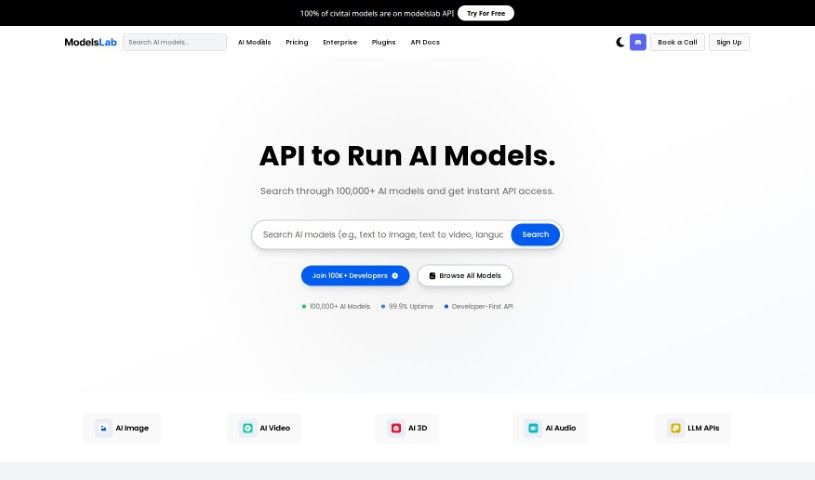
ModelsLab is your go-to for top-notch image generation APIs. It lets you create high-quality images quickly and affordably for all sorts of projects. It is AI-powered image creation without needing fancy, expensive hardware. You can even train your own custom models! Plus, it offers a range of API services, from turning text into images to voice cloning and chatbots. With dedicated servers, you can count on 99.99% uptime, meaning it's almost always available when you need it. ModelsLab also gives you access to over 1000 pre-trained models, covering pretty much any image generation need you might have. It’s really built for businesses and developers who want an easy, efficient way to add image generation to their apps.

Screenshot of Monica AI Image Generator

Monica AI Image Generator

Freemium

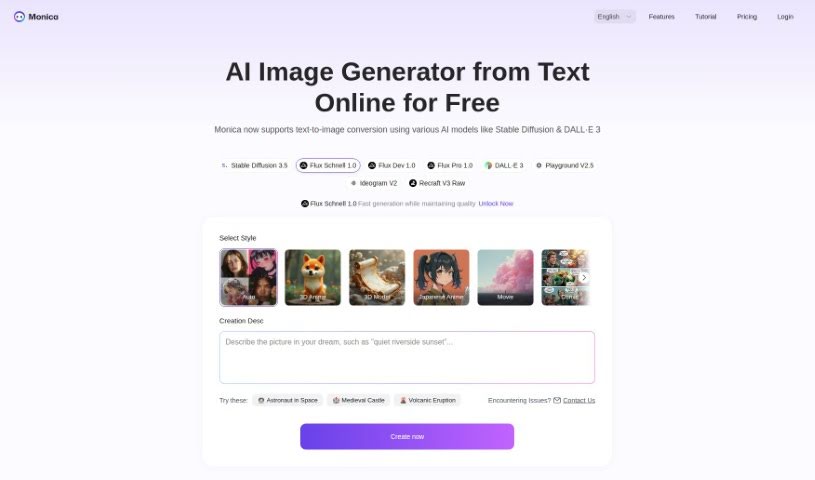
Monica AI Image Generator is a really cool tool that uses advanced AI to create images. You can either describe what you want in words, or give it an existing image to work with. It’s pretty neat because you can generate images in all sorts of styles – think artwork, cartoons, you name it – just by typing in a description or uploading a picture. It also has features like making images clearer (upscaling), changing their style, and creating them super fast. This makes it a fantastic resource if you're an artist, a designer, or just someone who likes making cool visuals. It doesn't just spark your creativity; it also makes the whole image-making process much smoother, blending technology and art for some truly amazing results.

Screenshot of Musavir.ai

Musavir.ai

Freemium

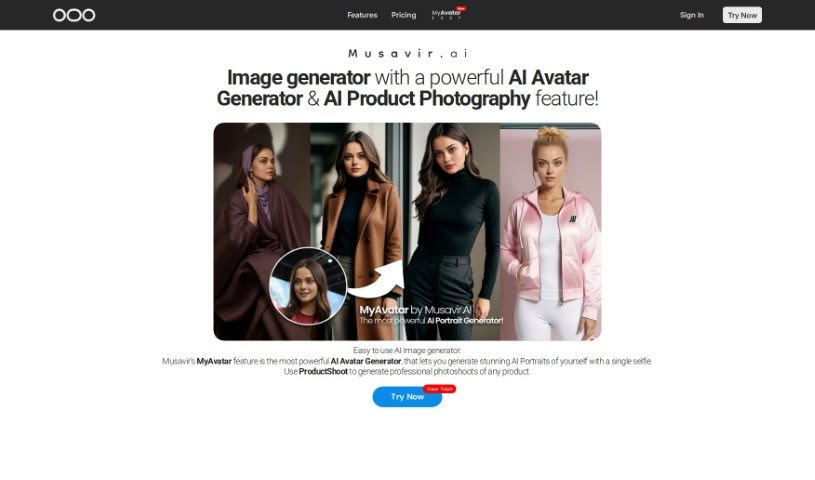
Musavir.ai is a user-friendly tool that creates realistic and stylized images, including hyper-localized ones and avatars. It's great for businesses, offering custom models and team training alongside features like AI Generative Art and Avatar generators. You can easily create AI images just by typing text prompts. Plus, it supports high-resolution exports, simple customization, and multiple languages. Musavir.ai also has MyAvatar for making AI avatars and ProductShoot for professional product photos.

Screenshot of My Future Children

My Future Children

Freemium

So, what exactly is "My Future Children"? It's a neat AI tool that lets you create an image of what your future child might look like. All you have to do is upload pictures of both parents. The tool uses some pretty advanced image processing to look at the facial features of the parents and then creates a visual guess of what their child could be. You won't have to wait long – you'll get your firstborn's picture in about 30 seconds! While it's definitely a fun way to pass the time and the interface is super easy to use, it's important to remember it's based on algorithms, so it can't guarantee an exact match. Still, people seem to really enjoy it and often comment on how accurate and good the generated images look.

Screenshot of Mywaifus AI

Mywaifus AI

Freemium

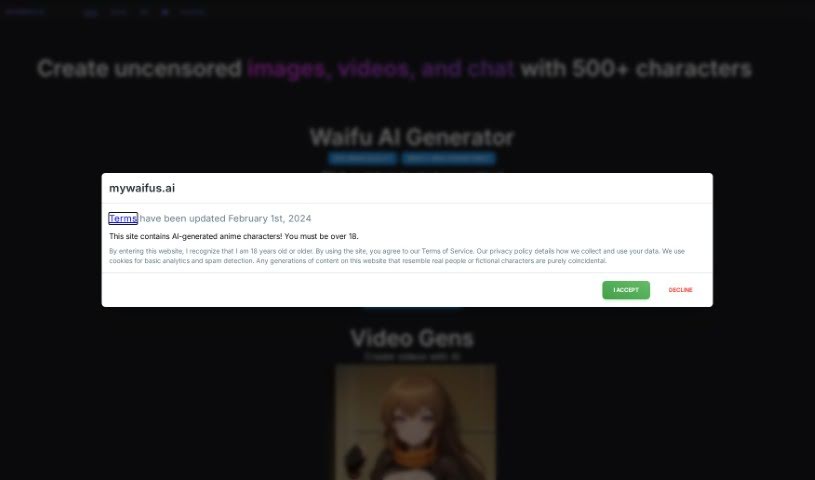
MyWaifus AI is a really cool platform where you can explore and create SFW (Safe For Work) Waifu characters using artificial intelligence. They're always adding new characters every week, and the image quality is top-notch. You can get started by just clicking on an image to kick off the generation process, or if you want to get more hands-on, you can jump into "Edit Mode" to upload and tweak your own photos. The platform lets you pick whether you want your characters to have an anime look or a more realistic style. Plus, there's a live feed that shows off what other users are creating, which is pretty neat for inspiration. With a solid backing of over 300 Patreon supporters, a massive library of 300K images, and a lively Discord community of 7K members, MYWAIFUS.AI has definitely made its mark in the world of AI-generated anime characters.

Screenshot of Nail Designs Pro

Nail Designs Pro

Freemium

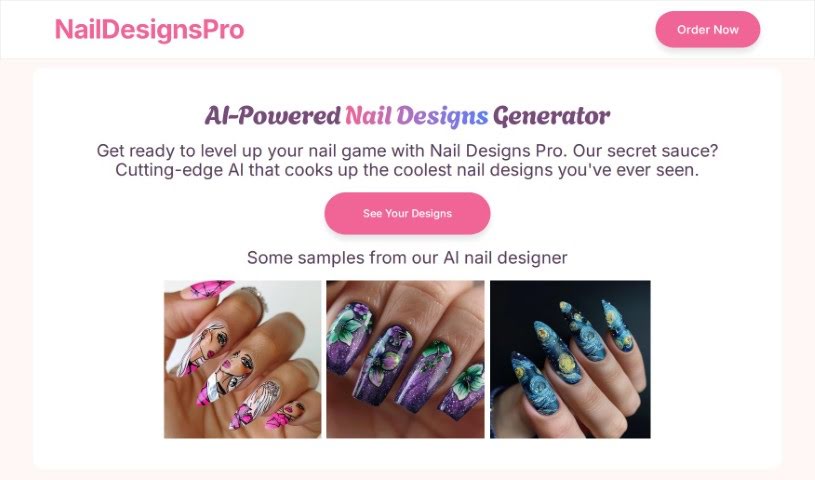
Nail Designs Pro is a really neat service that uses advanced AI to create one-of-a-kind nail designs just for you. All you have to do is describe the nail art you're imagining, and the AI will whip up some custom designs. You'll get four different versions to pick from. What's great is you don't even need to sign up! They also make data privacy a big deal, keeping your information safe on servers right here in the United States. You'll get your nail design photos sent straight to your email, and you're free to use them however you like – on social media, your website, or anywhere else. While it's mostly for fun, it can also be a fantastic source of inspiration for professional nail artists. Basically, anyone who loves creating personalized and imaginative nail art will find Nail Designs Pro super useful.

Stay Updated with AI Tools

Get weekly updates on the latest AI tools, trends, and insights delivered to your inbox

Join 25,000+ AI enthusiasts. No spam, unsubscribe anytime.