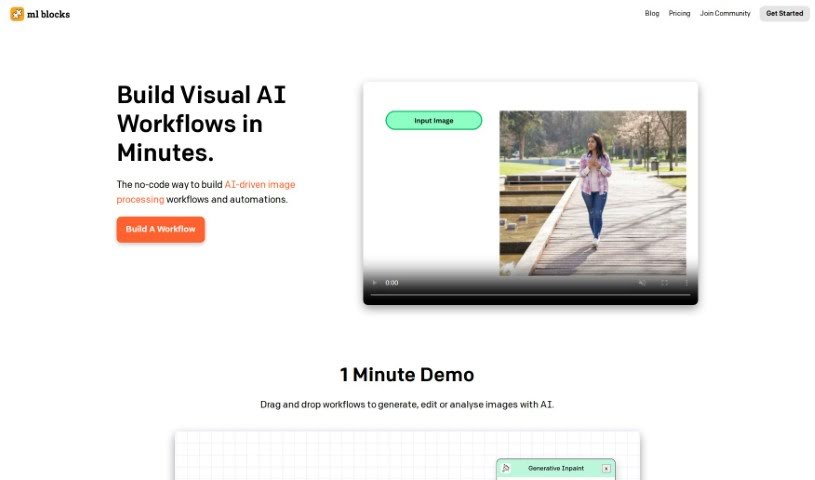
Screenshot of ML Blocks

ML Blocks

Discover ML Blocks in 2025! Learn what it is, how to use its no-code image processing features, and how it stacks up against other AI image generators.

Screenshot

What is ML Blocks?

ML Blocks is a handy tool that lets you build image processing workflows without writing a single line of code. It is a visual way to create custom image tasks. You can use AI models, like Stable Diffusion, to generate, edit, and even analyze images. Need to create a new image, crop it, resize it, change its colors, or pull specific data out of it? ML Blocks can handle all of that. What’s really great is their pricing – you only pay for what you actually use, with no pesky subscriptions or monthly limits. Plus, its drag-and-drop interface makes it super easy for anyone, even if you’re not tech-savvy, to jump right in.

Who created ML Blocks?

ML Blocks was developed by a company called ML Blocks Inc., with Thomas Lee at the helm. They launched the tool on June 25, 2024. Their goal was to offer a no-code way for people to build AI-powered image processing workflows and automations. It really shines because you can generate, edit, and analyze images using popular AI models like Stable Diffusion, all through a simple interface that uses drag-and-drop functionality.

What is ML Blocks used for?

ML Blocks is incredibly versatile! Here’s a rundown of what you can do with it:

  • User-Friendly Interface: It’s designed to be easy to navigate.
  • Image Analysis: Understand and process image data.
  • Community Support: Get help and share your creations with others.
  • Image Editing: Easily crop, resize, and recolor your images.
  • Image Generation/In-painting: Create new images or fill in missing parts of existing ones.
  • Data Extraction: Pull specific information directly from images.
  • Workflow Creation: Build custom, multi-step processes for image automation.
  • Generative AI Integration: Combine powerful AI models like OpenAI or Stable Diffusion with editing functions.
  • No-Coding Workflow Creation: Build complex automations without needing to code.
  • Drag-and-Drop Functionality: Simply drag and drop blocks to build your workflows.
  • OpenAI Integration: Connects with OpenAI for expanded capabilities.
  • Community Support: Learn from and share with a community of users.
  • AI-Powered Workflows: Create automated image processes using AI.
  • Accessible for Non-Technical Users: No coding skills are required.
  • Free to Start: You can begin using it without needing a credit card.

Who is ML Blocks for?

ML Blocks is a fantastic tool for a wide range of professionals and enthusiasts:

  • Graphic Designers
  • Marketing Professionals
  • Content Creators
  • E-commerce Professionals
  • Photographers
  • Social Media Managers
  • Digital Marketers
  • Image Editors
  • Data Analysts
  • AI Specialists
  • Image Processing Engineers
  • AI Enthusiasts
  • Non-Technical Users
  • Image Analysts
  • Data Scientists
  • Artists

How to use ML Blocks?

Ready to build your own no-code image processing workflows with ML Blocks? It’s straightforward! Just follow these simple steps:

  1. Sign Up: First, create your account on the ML Blocks platform. It’s a quick process.
  2. Access Dashboard: Once you log in, you’ll land on your personal user dashboard.
  3. Start a New Workflow: Look for the “Create New Workflow” button and click it to start building your custom image process.
  4. Drag-and-Drop Functionality: This is where the magic happens! Use the drag-and-drop feature to add different AI blocks. You can add blocks for generating images, editing them, or analyzing them.
  5. AI Models Selection: If you’re generating images, you can pick from powerful AI models like Stable Diffusion.
  6. Image Editing: Need to tweak an image? You can easily apply editing commands like cropping, resizing, or recoloring.
  7. Data Extraction: ML Blocks can also help you pull specific data out of images as part of your analysis.
  8. Workflow Construction: Want to do multiple things in a row? You can build multi-step workflows by linking Generative AI blocks with your image editing functions.
  9. User-Friendly Interface: You’ll find the interface really intuitive, which makes creating workflows much simpler.
  10. No-Coding Requirement: The best part? You don’t need any coding skills at all!
  11. Community Support: Don’t hesitate to check out the ML Blocks community. It’s a great place to learn more and share what you’ve created.

By following these steps, you’ll be able to use ML Blocks effectively to create all sorts of AI-driven image processing workflows, all without needing to write any code.

Related AI Tools

Discover more tools in similar categories that might interest you

123RF AI Image Generator

Creative Image Generation
Learn More

Stay Updated with AI Tools

Get weekly updates on the latest AI tools, trends, and insights delivered to your inbox

Join 25,000+ AI enthusiasts. No spam, unsubscribe anytime.