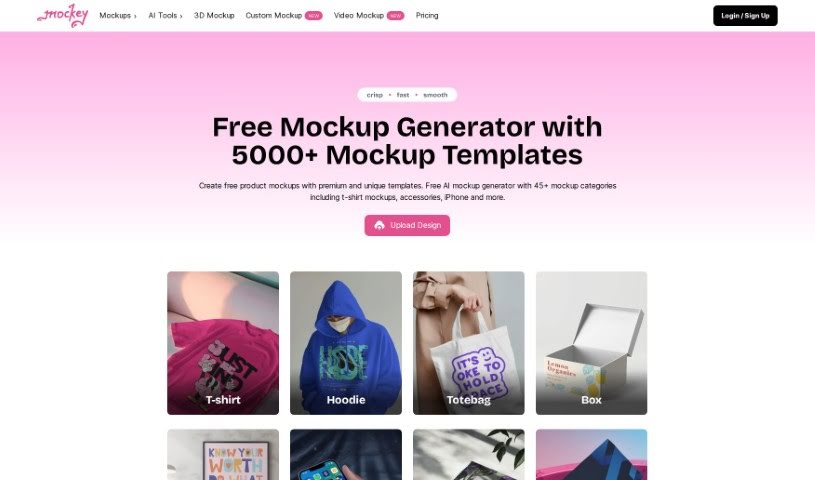
Screenshot of Mockey

Mockey

Discover Mockey, your go-to online AI Mockup Generator for 2025. Learn how to create stunning product mockups for apparel and more, explore its features, and see how it stacks up against other AI image generators.

Screenshot

What is Mockey?

Mockey is a fantastic online tool that acts as an AI Mockup Generator, making it super easy for anyone to create free mockups. Whether you’re looking to design product mockups for t-shirts, hoodies, other apparel, or accessories, Mockey’s got you covered. It comes packed with a variety of helpful tools, including AI mockup bundles, 3D mockups, an AI image background remover, AI Photography features, a blur background tool, and other handy image editing capabilities. You can simply upload your own designs as image files (PNG or JPEG), place them onto different products, tweak the colors and backgrounds to your liking, and then download the final mockup without any annoying watermarks. The whole idea behind Mockey is to make creating high-quality mockups a quick and straightforward process, perfect for designers and creative folks who want to focus on their ideas.

Who created Mockey?

Mockey was brought to life by a dedicated team of developers, designers, and marketers. Their shared vision was to make life simpler for creative professionals by letting them concentrate on their brilliant ideas. This team is really committed to improving Mockey all the time, aiming to set a new standard for creating top-notch mockups. We’ve seen Mofid mentioned as one of the key people involved, which suggests a hands-on approach. The company behind Mockey is all about enabling AI-driven quality mockup creation, helping people unleash their creative potential without getting bogged down by technical hurdles.

What is Mockey used for?

  • Creating product mockups for your designs
  • Generating mockups specifically for t-shirts
  • Designing mockups for hoodies
  • Producing mockups for various apparel items
  • Developing mockups for accessories like bags or hats
  • Using AI mockup bundles for quick design options
  • Creating eye-catching 3D mockups
  • Utilizing the AI image background remover to clean up your designs
  • Leveraging AI Photography tools for enhanced visuals
  • Applying a blur background effect with AI for a professional look

How to use Mockey?

Using Mockey, your go-to online AI Mockup Generator, is pretty straightforward. Just follow these simple steps:

  1. Upload Your Design: Start by uploading your design file, which can be a PNG or JPEG. For the best results, make sure your design has a transparent background and is in high resolution.
  2. Select Products: Once uploaded, your design will automatically appear on a variety of products within Mockey. Browse through these and pick the product mockups you like best and want to download.
  3. Customize: Feel free to adjust your design’s placement, change colors, or swap out background images to perfectly match your vision.
  4. Download: When you’re happy with how your mockup looks, you can download it completely free of charge.

Mockey really does offer a smooth way to create professional-looking mockups for all sorts of products – think t-shirts, hoodies, stickers, tote bags, and much more. What makes it stand out as a top mockup generator is the high quality of the image downloads you get, all without any watermarks.

Related AI Tools

Discover more tools in similar categories that might interest you

123RF AI Image Generator

Creative Image Generation
Learn More

Stay Updated with AI Tools

Get weekly updates on the latest AI tools, trends, and insights delivered to your inbox

Join 25,000+ AI enthusiasts. No spam, unsubscribe anytime.