AI Tools for Excel

Discover the best Excel AI tools to enhance your productivity and creativity.

Page 3 of 4 • 42 total tools

Excel’s always been a go-to for data analysis and number crunching. But let’s be honest, figuring out its many functions can sometimes feel like wrestling with a puzzle—it’s tough and takes ages. What if you could really ramp up your Excel game with AI?

The newest AI Excel tools are packed with features that can handle those boring, repetitive tasks for you. They offer smart data analysis and can even predict trends based on the data you already have. This tech uses machine learning to make your spreadsheets work smarter and faster.

After spending a good chunk of time checking out and testing different AI-powered Excel tools, I’ve put together a list of the best ones out there right now. These tools don’t just make you more productive; they also free you up to focus on the important strategic decisions.

Whether you’re a seasoned analyst or just someone looking to get better with Excel, there’s something here for you. Let’s jump into the tools that are set to change how you work with spreadsheets.

The Best AI Excel Tools

  1. GPT Excel: Great for automating data analysis.
  2. Coefficient: Quickly generate Excel reports with ease.
  3. Numerous.ai: Clean and summarize data in Excel.
  4. Quadratic: Analyze business data trends quickly.
  5. Formula Bot Excel Formula Generator: Create dynamic reports using formulas.
  6. Ajelix: Streamline complex data analysis tasks.
  7. AI Excel Bot: Easily automate repetitive calculations.
  8. Super GPT: Automate complex spreadsheet calculations.
  9. Formulas HQ: Automate complex spreadsheet calculations.
  10. Excelformulabot: Efficient project milestone tracking.
  11. Prompt Loop: Automate data analysis in Excel.
  12. Arcwise: Automate data processing tasks.
  13. AI Doc Gpt: Automated data analysis in Excel.
  14. Tuesday: Streamline data analysis with Excel tools.
  15. Spreadsheet.com: For sales tracking and analytics dashboards.

How Do AI Excel Tools Work?

AI Excel tools make data manipulation and analysis simpler by using smart algorithms and machine learning. Basically, these tools often connect with Excel’s built-in features to work more efficiently and smoothly. Many of them learn from large datasets, spotting patterns so they can make predictions or offer insights based on the data you give them.

When you give a query or a dataset to an AI tool, it processes that information, pointing out trends and anything unusual. For example, if you’re looking at sales data, the AI can show you which products are selling best and even guess future trends based on past performance. This ability to predict helps users make smart decisions fast.

These tools often use natural language processing (NLP), which means you can talk to them using everyday language. Instead of hunting for complicated, pre-set formulas, you can just ask questions or request specific analyses. This really lowers the barrier to entry for people who aren’t data analysis experts.

By connecting with cloud services, these models can be trained continuously. As they get new data, they tweak their algorithms to stay up-to-date. This means AI Excel tools will not only get smarter over time but also adjust to how users work and to market changes, making them more useful.

In the end, AI Excel tools are built to boost productivity by automating routine tasks and offering advanced analysis capabilities. As they keep developing, they have the potential to completely change how people and businesses interact with data, making complex analysis accessible to more people.

Our Top AI Excel Tools at a Glance

RankNameBest ForPlans and PricingRating
1GPT ExcelAutomating data analysisPaid plans start at $6.99/month.4.87 (23 reviews)
2CoefficientQuickly generating Excel reports with ease.N/A4.37 (19 reviews)
3Numerous.aiCleaning and summarizing data in Excel.N/A4.79 (39 reviews)
4QuadraticAnalyzing business data trends quickly.N/A4.78 (27 reviews)
5Formula Bot Excel Formula GeneratorCreating dynamic reports with formulas.N/A4.68 (22 reviews)
6AjelixStreamlining complex data analysis tasks.Paid plans start at $75/yearly.4.70 (20 reviews)
7AI Excel BotEasily automating repetitive calculations.N/A4.67 (45 reviews)
8SuperGPTAutomating complex spreadsheet calculations.N/A4.78 (23 reviews)
9Formulas HQAutomating complex spreadsheet calculationsPaid plans start at $599/month.3.91 (11 reviews)
10ExcelformulabotEfficient project milestone trackingPaid plans start at $6.99/month.4.70 (10 reviews)
11PromptLoopAutomating data analysis in Excel.N/A4.83 (23 reviews)
12ArcwiseAutomating data processing tasksN/A4.76 (21 reviews)
13AI Doc GptAutomated data analysis in ExcelN/A3.75 (8 reviews)
14TuesdayStreamlining data analysis with Excel tools.N/A4.60 (25 reviews)
15Spreadsheet.comSales tracking and analytics dashboardsPaid plans start at $7/month.4.18 (11 reviews)
Screenshot of Luminal

Luminal

Freemium

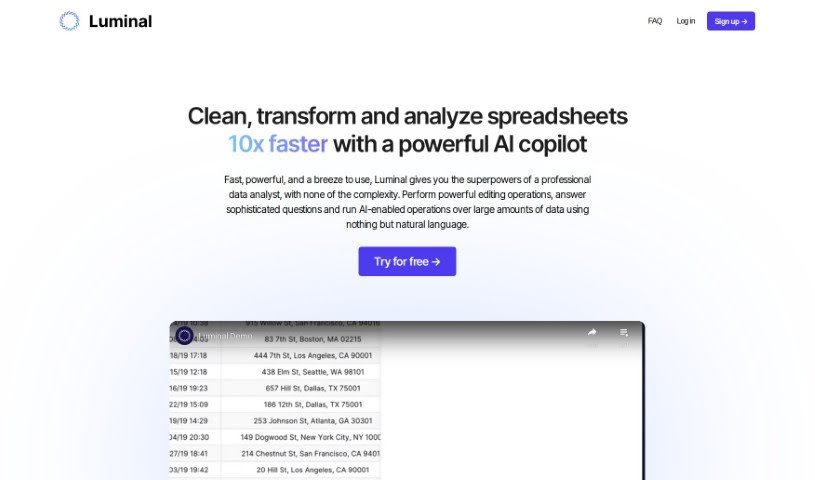
Luminal is a really powerful AI tool that's changing how we manage spreadsheets. It lets you clean, transform, and analyze your spreadsheets super fast, almost like magic. It is your reliable AI copilot for all things spreadsheets, making your work simpler and way more effective. It takes care of those boring, repetitive tasks, saving you a ton of time and effort. Plus, it's designed for accuracy and speed, so you can process spreadsheets up to 10 times faster than you normally would. This means you can get to real-time analysis and make decisions much quicker. Luminal also really focuses on keeping your data clean. It helps you spot and fix errors, inconsistencies, and duplicates, which is crucial for making good decisions. It fits right in with the productivity tools you already use and works with different spreadsheet software, so it's easy for pretty much anyone to use, no matter their skill level. Honestly, Luminal is an essential AI copilot for anyone who works with spreadsheets, helping you be more productive and confident in your data-driven decisions.

Screenshot of Lychee Ai

Lychee Ai

Freemium

Lychee AI is a really neat data visualization platform that makes working with spreadsheets a breeze. It instantly turns your spreadsheets into dynamic graphs, and you don't need any coding skills to use it. It's got this cool "Blink of an Eye" feature that speeds up graph creation, making the whole process super fast. Plus, it's cost-effective, focusing on what users actually need. People have been giving it great reviews for its efficiency and simplicity, whether they're in academia or the professional world. One of the best parts? You get lifetime access with a one-time purchase – no monthly subscriptions ever. This means you're all set with all current and future updates and features.

Screenshot of Magicformula

Magicformula

Freemium

MagicFormula is a handy Chrome Extension built to make data analysis easier, whether you're working in Excel, Google Sheets, Airtable, or SQL. It fits right into your workflow, helps you create formulas without errors, and generally speeds things up. Basically, it uses AI to turn your plain text descriptions into perfect formulas, saving you a ton of time and making your data tasks much more efficient.

Screenshot of Numerous.ai

Numerous.ai

Freemium

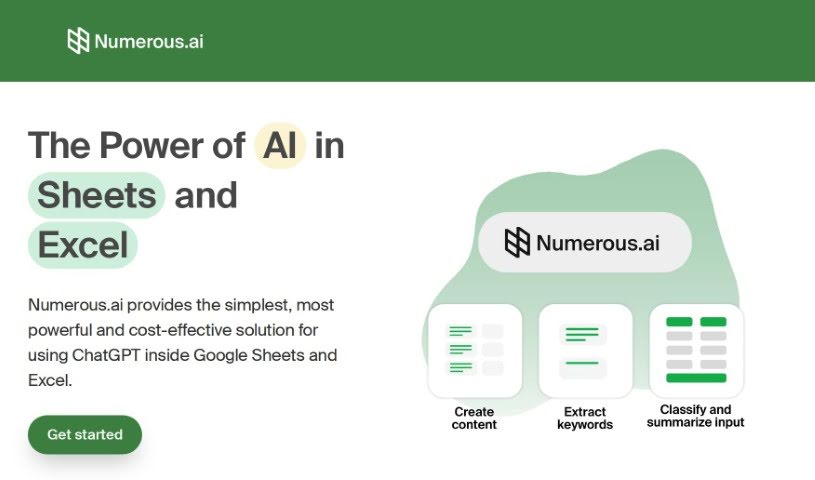
Numerous.ai is an AI platform designed to make your work in Google Sheets and Excel much simpler and better. It is a smart assistant that can help you with all sorts of tasks. For digital marketing, it can whip up AdWords keywords, ad copy, and even Facebook campaign structures. Beyond marketing, it's incredibly versatile for handling large amounts of text – it can summarize, sort, classify, and clean it up. This makes it a real lifesaver for research, creating content, or just keeping your data organized. What's great is that it's super easy to use; you don't need any complicated API keys, and it works fast without costing a fortune. It's a go-to tool for content creators, digital marketers, students, researchers, and product folks who want to speed up their workflow and work together on AI projects.

Screenshot of Onnix AI

Onnix AI

Freemium

Onnix AI is a platform built specifically to transform how banking professionals work. It is your AI co-pilot, designed to give you fast, accurate answers and help you create deliverables much quicker. This means banking teams can save a significant amount of time. For instance, you can build custom slide decks up to ten times faster than you normally would. It also connects smoothly with data sources like FactSet and CapIQ, making your Excel analysis much easier. Plus, you can ask questions about your data instantly and always see where the information came from. Because Onnix AI was developed by bankers, for bankers, it's perfectly suited to your specific needs, helping you boost productivity and efficiency in everything from data analysis to putting together presentations.

Screenshot of Parallel GPT

Parallel GPT

Freemium

Parallel GPT is a platform built to help teams process ChatGPT queries in bulk, all through a familiar spreadsheet interface. It’s designed to make handling complex tasks much easier by letting you import and export data in CSV or JSON formats. Whether you're new to this or a seasoned developer, Parallel GPT works for you. You can start with very little technical know-how and then add more features as you go with its low-code options. Your data, including the prompts you send and the responses you get, stays private and is stored securely within your own Google Cloud project. It also makes it simple for teams to work together, offering custom roles and ways to scale up your ChatGPT interactions. Some of the main things it does include importing and exporting CSV/JSON, managing your conversations in a spreadsheet, keeping your data safe in Google Cloud, offering low-code ways to customize things, and supporting collaboration to boost team productivity.

Screenshot of PromptLoop

PromptLoop

Freemium

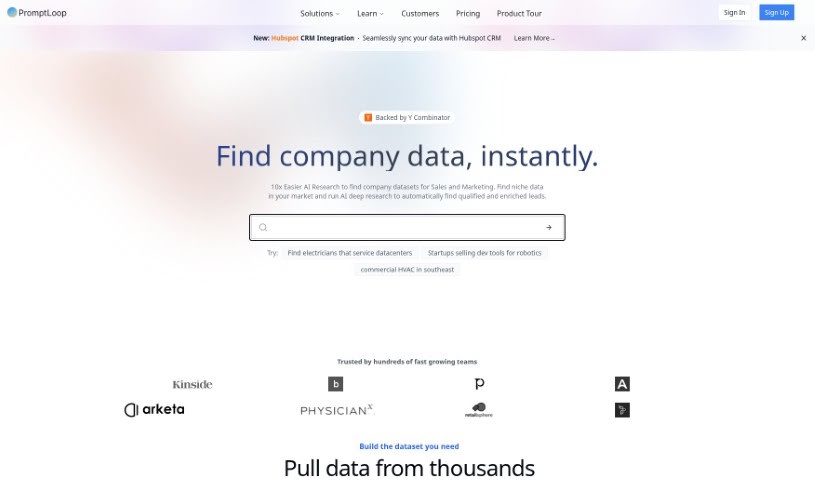
PromptLoop is an AI tool built to help businesses and market researchers. It brings powerful AI models, like ChatGPT and GPT4, right into the platforms you already use, such as Google Sheets and Excel. It is a way to easily add AI smarts to your spreadsheets. You can use PromptLoop to make market research tasks much simpler, uncover key insights, and automate things like tagging data, labeling information, and even browsing the web for research. By using these advanced AI capabilities directly within your spreadsheets, PromptLoop saves you a lot of time and effort, making your market research more efficient and insightful.

Screenshot of Quadratic

Quadratic

Freemium

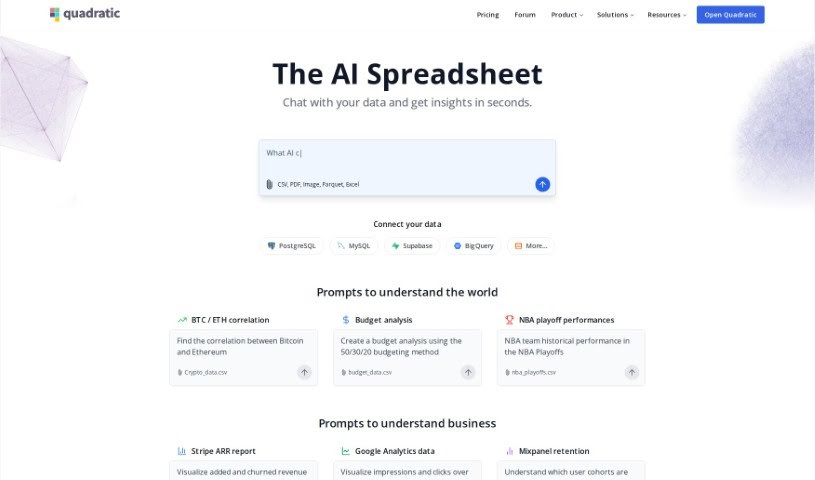
Quadratic is a really neat, modern data spreadsheet. It is a blend – it's got the familiar simplicity of traditional spreadsheets, but it also packs in the advanced power you'd expect from programming languages and database management systems. It all happens right in your web browser, giving you a huge, expansive canvas to work with even really large datasets, and it handles them efficiently. This tool is built for people who work with data every day, like data scientists, business analysts, and engineers. It even offers AI-enhanced autocomplete suggestions, powered by GPT 4.0, to make writing code and formulas a breeze. Quadratic currently supports Python, and they're planning to add SQL and JavaScript soon, which will make manipulating and analyzing your data even more seamless. You can also collaborate with others in real-time, thanks to its multiplayer functionality. Plus, it includes data visualization tools like Plotly, and direct SQL queries are on the way. The team really focused on performance, so you get a smooth, fast user experience thanks to technologies like Web Assembly and WebGL.

Screenshot of R2 Copilot

R2 Copilot

Freemium

R2 Copilot is an AI assistant designed for business communications, with a strong focus on privacy. It's powered by GPT technology and works as an add-in for Microsoft Office 365 products, social media platforms, and as an extension for various online services and applications. The main goal of R2 Copilot is to boost your productivity and give you peace of mind by keeping your AI interactions private and secure.

Screenshot of Rocket Statements

Rocket Statements

Freemium

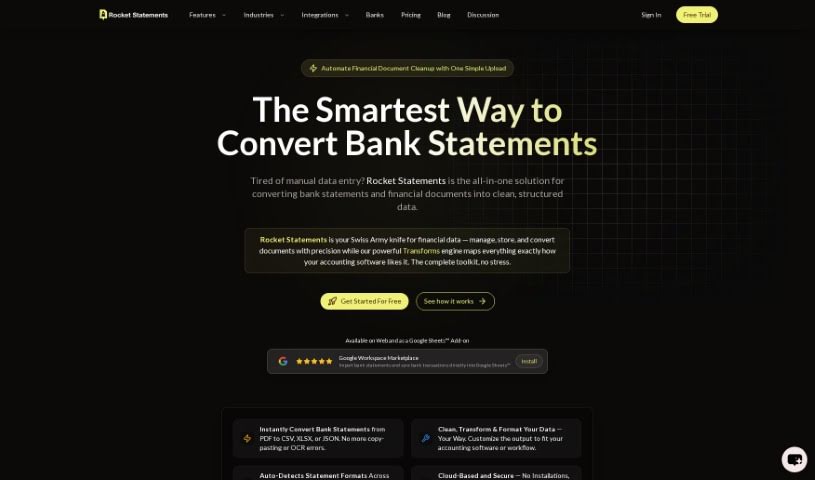
Rocket Statements is a top-tier tool designed specifically for converting bank statements. It takes your PDF bank statements and instantly transforms them into Excel, CSV, PDF, or Google Sheets. What's great about it is the clean data formatting it provides, plus you can process multiple files at once (bulk processing). It even has an AI copilot to make sure the conversions are smooth and accurate. Professionals all over the world use this tool to make their data conversion process much simpler and get rid of tedious manual data entry. Rocket Statements works with over 100 major banks globally, and they take your data security seriously, using enterprise-grade encryption protocols.

Screenshot of Searchgpt

Searchgpt

Freemium

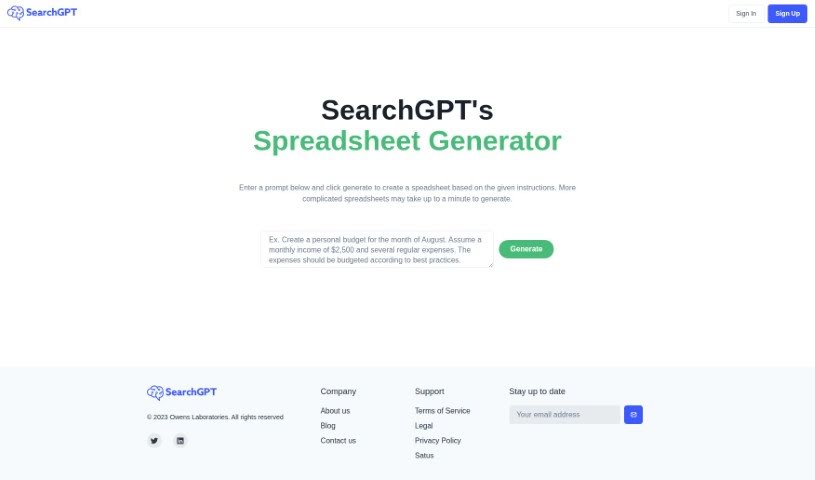
SearchGPT is a really neat AI tool from Owens Laboratories. Its main job is to create spreadsheets based on whatever you tell it or ask for. You just type in your instructions, and SearchGPT builds the spreadsheet for you. What makes it stand out from other tools that do this is its use of deep learning. This means it's really good at understanding what you want and then making it happen in a spreadsheet. It’s designed to boost your productivity and cut down on all that tedious manual work. Plus, it’s super easy to use, with a simple prompt-based interface that anyone can figure out, no matter their tech background. They also offer good support and take data privacy very seriously, which you can read all about in their privacy policy on their website.

Screenshot of Sheeter

Sheeter

Freemium

Sheeter.ai is a smart tool that uses AI to help you create complex Excel formulas much faster and easier. Sunny Bundel and Sunny Kumar, both experts in Excel automation, founded it in 2022. Their goal was to completely change how people work with Excel, Google Sheets, and similar platforms. Sheeter.ai offers some great features, like generating advanced formulas, working smoothly with both Excel and Google Sheets, making your workflow much simpler, and saving you valuable time. You can use it to manage your spreadsheets more efficiently, automatically create formulas, and even browse a collection of popular formulas. Just a heads-up, though: Sheeter.ai doesn't work offline and is currently only compatible with Excel and Google Sheets, without support for multiple languages.

Stay Updated with AI Tools

Get weekly updates on the latest AI tools, trends, and insights delivered to your inbox

Join 25,000+ AI enthusiasts. No spam, unsubscribe anytime.