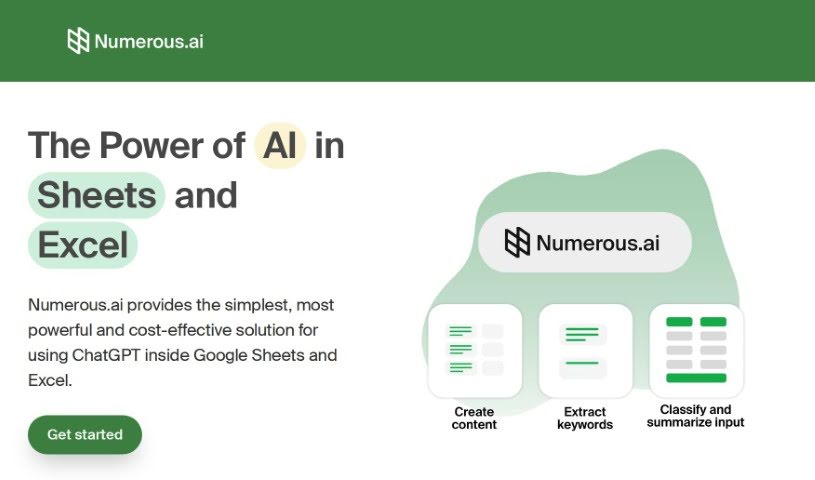
Screenshot of Numerous.ai

Numerous.ai

Discover Numerous.ai in 2025! Learn what it is, how to use its features effectively, and how it stacks up against other Excel tools.

Screenshot

What is Numerous.ai?

Numerous.ai is an AI platform designed to make your work in Google Sheets and Excel much simpler and better. It is a smart assistant that can help you with all sorts of tasks. For digital marketing, it can whip up AdWords keywords, ad copy, and even Facebook campaign structures. Beyond marketing, it’s incredibly versatile for handling large amounts of text – it can summarize, sort, classify, and clean it up. This makes it a real lifesaver for research, creating content, or just keeping your data organized. What’s great is that it’s super easy to use; you don’t need any complicated API keys, and it works fast without costing a fortune. It’s a go-to tool for content creators, digital marketers, students, researchers, and product folks who want to speed up their workflow and work together on AI projects.

Who created Numerous.ai?

Numerous.ai was actually started by a team based right in San Francisco. They set out to create a really user-friendly way to bring ChatGPT’s power into Google Sheets and Excel, cutting out the hassle of API keys. This makes it easier for teams to collaborate on AI projects. Their specialty? Generating things like AdWords keywords, ad copy, and Facebook campaign structures for digital marketing. They’re also fantastic at summarizing, categorizing, and cleaning up big chunks of text. Plus, the platform lets you easily test and work on AI ideas, brainstorm content, and generally make your spreadsheet tasks more efficient and AI-powered.

What is Numerous.ai used for?

  • Coming up with topic ideas and creating content.
  • Organizing and building digital marketing materials.
  • Cleaning, summarizing, and categorizing data directly in Google Sheets and Excel.
  • Trying out different prompt structures and building early versions of AI features.
  • Generating things like AdWords keywords, ad copy, Facebook campaign structures, and SEO content.
  • Summarizing, rewriting, and pulling out key information from open-ended text.
  • Sorting content into specific categories.
  • Cleaning up and standardizing messy user input.
  • Working together on AI projects and prototypes.
  • Using ChatGPT for all sorts of things, like writing marketing copy, SEO descriptions, or customer messages.
  • Generating topic ideas and planning social media schedules for content creators.
  • Organizing and creating digital marketing materials for digital marketers.
  • Cleaning, summarizing, and categorizing data for students and researchers.
  • Experimenting with prompt structures and building AI feature prototypes for product engineers and managers.
  • Creating AdWords keywords, ad copy, and more for digital marketing campaigns.
  • Summarizing, categorizing, classifying, and cleaning up large bodies of text.
  • Testing and collaborating on AI prototypes.
  • Creating content based on the topics you generate.
  • Generating formulas and handling complex functions like VLOOKUP and QUERY.
  • Collaborating across different roles using templates and getting prompt customer support.
  • Generating topic ideas and content specifically for content creators.
  • Cleaning, summarizing, and categorizing data in Google Sheets and Excel for students and researchers.
  • Experimenting with various prompt structures and collaborating on GPT input and outputs for product engineers and managers.
  • Generating AdWords keywords, ad copy, Facebook campaign structures, ad titles, SEO content, and much more for digital marketing campaigns.
  • Summarizing, categorizing, classifying, and cleaning up large text bodies like articles, user surveys, and social media content.
  • Bringing the power of AI right into your Google Sheets and Excel.
  • Using ChatGPT directly within your spreadsheet cells for tasks like writing marketing copy, SEO descriptions, and customer messages.
  • Supporting functions like VLOOKUP, QUERY, and REGEX with a little help from Numerous.ai.

Who is Numerous.ai for?

  • Content creators
  • Digital marketers
  • Students & researchers
  • Product engineers & managers

How to use Numerous.ai?

Ready to get the most out of Numerous.ai? Here’s a simple guide:

  1. Getting Started: It’s super easy to jump in. You can access Numerous.ai right from Google Sheets or Excel – no need for any tricky API keys. Just set up the add-on, and you can start using it in any cell with the simple =AI function.
  2. Features: You’ll love how easy it is to use. It offers a bunch of helpful features, from research and organizing digital marketing campaigns to summarizing, categorizing, and cleaning up large text bodies. You can even test and collaborate on AI prototypes.
  3. Usage Scenarios: Numerous.ai is built for everyone – content creators, digital marketers, students, researchers, product engineers, and managers. For example, content creators can use it to brainstorm topic ideas, plan social media schedules, and draft posts. Digital marketers can efficiently manage all their digital marketing materials.
  4. Collaboration: It’s also great for teams! Everyone can work on the same plan, making it seamless to collaborate on AI initiatives across your entire organization.
  5. Implementation: You can really transform your spreadsheet tasks with Numerous.ai. It integrates AI smoothly into your workflow, letting you write text, generate formulas, and sort data efficiently using simple English commands. You can even easily implement AI learning with the =infer() function to boost your productivity.

By following these steps, you can really harness Numerous.ai’s power to streamline your tasks, improve teamwork, and boost efficiency in all sorts of work situations.

Related AI Tools

Discover more tools in similar categories that might interest you

Stay Updated with AI Tools

Get weekly updates on the latest AI tools, trends, and insights delivered to your inbox

Join 25,000+ AI enthusiasts. No spam, unsubscribe anytime.