R2 Copilot (Productivity)
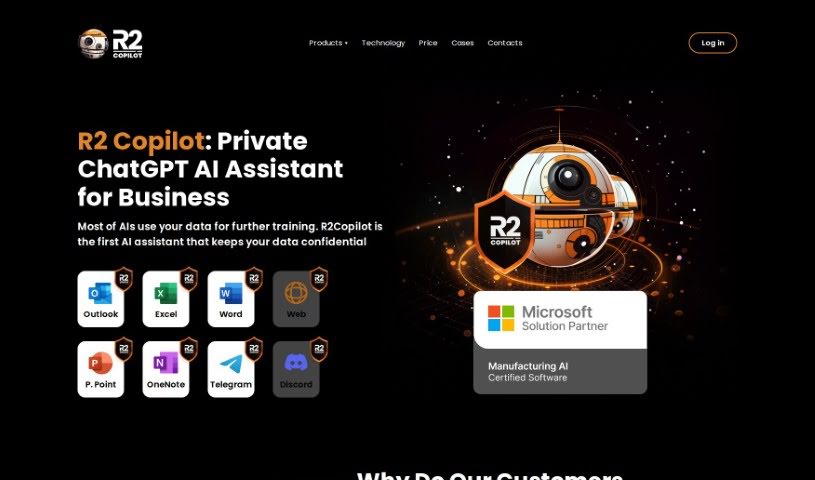
Screenshot of R2 Copilot

R2 Copilot

Discover what R2 Copilot is, a privacy-focused GPT-powered AI assistant for business communications available as an Office 365 add-in and browser

Screenshot

What is R2 Copilot?

R2 Copilot is an AI assistant designed for business communications, with a strong focus on privacy. It is powered by GPT technology and works as an add-in for Microsoft Office 365 products, a Telegram Bot, and an extension for various online services and applications. Its main goal is to boost productivity while keeping AI interactions private and secure.

Who Created R2 Copilot?

R2 Copilot was created by Awais, who also founded a marketing agency. His company is dedicated to privacy in business communications and offers this privacy-focused, GPT-powered AI assistant as an add-in for Microsoft Office 365 products and other online services.

What Can You Use R2 Copilot For?

R2 Copilot supports a range of business communication tasks:

  • Boosts productivity when communicating for business
  • Keeps AI-powered business tasks private and confidential
  • Enhances security and compliance within communication workflows
  • Makes integrating AI into professional work easier without sacrificing data privacy
  • Offers a privacy-focused alternative to other AI assistants, like ChatGPT
  • Integrates with Microsoft Office 365 products, social media platforms, and online services
  • Supports multiple users through enterprise plans
  • Offers a GPT-trainer bot for early access to new features
  • Provides personalized recommendations tailored to specific needs
  • Uses updated algorithms and a knowledge base to deliver accurate answers
  • Adheres to strict security and privacy standards

Who Should Use R2 Copilot?

R2 Copilot is particularly useful for:

  • Marketing professionals
  • Compliance officers
  • IT security officers
  • Writers

How Do I Use R2 Copilot?

Getting started is straightforward:

  1. Install – Get R2 Copilot as an add-in for Microsoft Office 365 products, as a Telegram Bot, or as an extension for various online services and applications.
  2. Access – Open the platform where you installed it, whether Microsoft Office 365 or another online service.
  3. Use – Activate R2 Copilot and use it to improve business communications, such as drafting emails, creating content, or general writing assistance.
  4. Rely on privacy – Its privacy-first approach keeps your data and communications secure and protected.

Key Takeaway

R2 Copilot is a privacy-centric, GPT-powered AI assistant for business communications. It suits professionals who want the productivity benefits of AI without compromising data privacy, and it integrates directly into the tools many teams already use.

Related

Related AI Tools

Discover more tools in similar categories

New tools, in your inbox.

Weekly picks of the best AI tools we've researched and added — no spam, unsubscribe anytime.

Join 25,000+ AI enthusiasts. No spam, unsubscribe anytime.