AI Tools for Chatbots

Discover the best Chatbots AI tools to enhance your productivity and creativity.

Page 23 of 38 • 447 total tools

The world of AI chatbots has really changed a lot lately. What started as simple tools for interaction has grown into a whole ecosystem of conversational agents. You can now use different models, each with its own strengths, all designed to improve how we talk to machines.

Today’s chatbots can have more meaningful chats, remember what you’ve talked about before, and even offer personalized help just for you. Instead of being stuck with one option, you’ve got tons of choices right at your fingertips.

To save you from sifting through endless reviews and downloads, I’ve done the hard work. After testing out a bunch of chatbots myself, I’ve put together a list of the ones that really stand out. Whether you’re looking for a fun companion, a helpful assistant, or a tool to create content, there’s something here for everyone.

With technology moving so fast, it’s important to keep up. The chatbot market is growing quickly, and new features pop up all the time. Let’s look at the AI chatbots that are making a real impact right now and see which one might be the best fit for you.

The best AI Chatbots

  1. ChatGPT for real-time travel help
  2. DeepSeek for smart customer support chats.
  3. Gemini for engaging customer support conversations
  4. Claude for integrating customer support chatbots
  5. Grok for smart FAQ answers for users.
  6. Microsoft Copilot for resolving customer support questions.
  7. DeepAI for creating images for chatbot avatars
  8. Meta AI for conversational customer support agents
  9. Chat Blackbox for improving user support with automated chatbots
  10. Monica for smart customer query handling
  11. CHAI for interactive customer support chatbots
  12. Yeschat for interactive customer support chats
  13. You.com for conversational support for user questions
  14. Popai for creating and managing chatbot content
  15. MaxAI.me for customer support automation tools.

How do AI chatbots work?

AI chatbots use smart algorithms and natural language processing (NLP) to understand and reply to what users say. Basically, these chatbots rely on large language models (LLMs) that have been trained on huge amounts of data. This training includes everything from books to articles, which helps the chatbots predict text in a way that makes sense for the conversation.

When you send a message, the chatbot figures out what you mean by looking at the words and phrases. Then, it creates a response by predicting what should come next, based on the patterns it learned during its training. This lets chatbots have conversations that feel smooth and make sense.

Lots of chatbots today use APIs from big companies like OpenAI. This means they use shared models instead of building their own from scratch. Tools like ChatGPT and Google’s Bard are good examples of this, offering powerful chatbot features without needing a lot of in-house development.

To keep users interested, chatbots often add personalization. They can remember past conversations, which makes the experience feel more tailored to you. This ability to keep track of context really adds depth to chats, making them seem more natural and engaging.

Even though they’re pretty advanced, AI chatbots do have limits. They might have trouble with unclear questions or really complex emotions. But as technology gets better and the data they learn from grows, we can expect these tools to get much better at handling all sorts of conversations.

If you’re curious about how they work under the hood, looking into machine learning and NLP resources can give you more details. The way this field is always changing suggests that chatbots will only get better at sounding like they’re having human-like conversations. They have a huge potential to improve customer service, educational tools, and personal assistants.

Our best AI chatbots at a glance

RankNameBest forPlans and PricingRating
1ChatGPTReal-time travel helpN/A4.69 (54 reviews)
2DeepSeekSmart customer support interactions.N/A4.73 (11 reviews)
3GeminiEngaging customer support conversationsN/A4.69 (26 reviews)
4ClaudeCustomer support chatbot integrationN/A5.00 (11 reviews)
5GrokSmart FAQ answers for users.N/A4.36 (11 reviews)
6Microsoft CopilotCustomer support question resolution.N/A4.82 (11 reviews)
7DeepAIImage creation for chatbot avatarsPaid plans start at $5/API call.4.74 (47 reviews)
8Meta AIConversational customer support agentsN/A3.85 (13 reviews)
9Chat BlackboxImproving user support with automated chatbotsN/A4.67 (12 reviews)
10MonicaSmart customer query handlingN/A4.27 (11 reviews)
11CHAIInteractive customer support chatbotsN/A4.30 (10 reviews)
12YeschatInteractive customer support chatsN/A4.18 (11 reviews)
13You.comConversational support for user queriesN/A4.71 (17 reviews)
14PopaiChatbot content creation and managementN/A4.67 (6 reviews)
15MaxAI.meCustomer support automation tool.N/A4.68 (19 reviews)
Screenshot of Legacyai

Legacyai

Freemium

LegacyAI is a special kind of ChatGPT client, built specifically for older Mac systems. Think Macintosh computers running anything from System 7 all the way up to 10.11 (El Capitan). It essentially gives you an AI personal assistant right on your classic Mac, bringing the power of today's AI to Apple's vintage technology. You can even generate images with DALL-E, save and load your chats, tweak the AI models to your liking, and use your own proxy servers. Plus, it’s designed with security in mind, especially when sending information over older Mac OS versions like 7-9. The software itself is free to use; donations help cover API access and proxy server costs, which keeps some of these features running.

Text Generation View Tool →
Screenshot of Lemon Squeezy AI Chatbot

Lemon Squeezy AI Chatbot

Freemium

An AI chatbot is a smart computer program built to chat with people. It's designed to help you out or give you information, either by typing or talking. These chatbots use artificial intelligence, or AI, to figure out what you're asking. This way, they can give you the right answers or get things done for you. You'll often find AI chatbots on websites, in messaging apps, or used by customer service teams. They're great for making communication smoother and handling common tasks. As they chat with more people, they learn and get better at responding, offering more personalized help over time. Basically, AI chatbots are a big deal for keeping customers engaged and automating everyday jobs, all thanks to natural language processing and machine learning.

Text Generation View Tool →
Screenshot of Lennybot

Lennybot

Freemium

Lennybot is a specialized chatbot. It's been trained using Lenny's Newsletter, Lenny's Podcast, and some of his favorite writings on product development, growth strategies, and career advice. Because of this focused training, it can give you really specific answers based on that content. It is a direct line to the insights from Lenny's work.

Text Generation View Tool →
Screenshot of Letsask.ai

Letsask.ai

Freemium

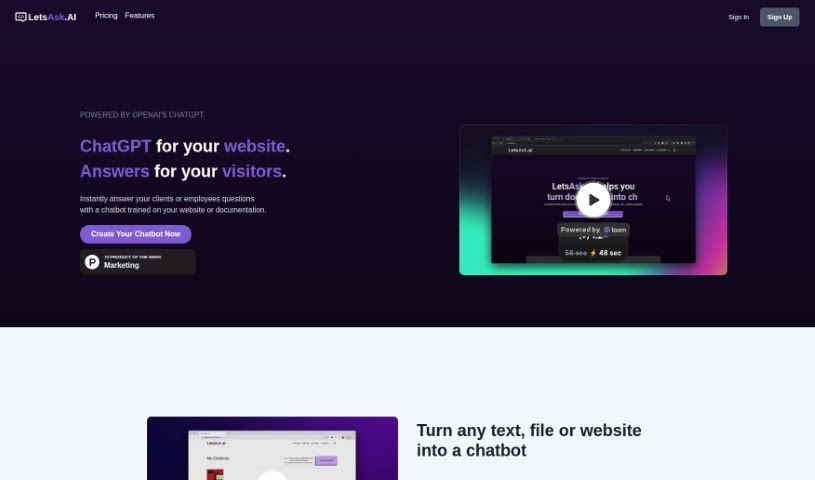
LetsAsk.AI is a really neat platform that uses OpenAI's ChatGPT technology. What it does is let you build custom chatbots for your website. These chatbots can then give your visitors instant answers to pretty much any question they might have. The platform comes packed with features like chatbots you can totally customize, super easy ways to add them to your website, support for lots of different languages, solid security, and it's all GDPR compliant. Plus, they have different plans to fit what businesses need. You don't need to know any coding to build and launch these chatbots. They're designed to help you connect with and assist your audience, handle tasks automatically, and they've got these intuitive design tools and ready-made templates to make the whole user experience even better.

Text Generation View Tool →
Screenshot of Libraria

Libraria

Freemium

Libraria is a really flexible platform designed for managing virtual assistants. It lets you build your own AI assistants, tailored specifically to your needs, by using your own data and OpenAI's embeddings. It is a way to create a smart helper that knows exactly what you know. You can easily bring in your documents, connect it with other services through APIs, and then tweak things like the assistant's name, its picture (avatar), the instructions you give it (prompts), and its connections. This way, your AI assistant really fits what you're trying to do.

Text Generation View Tool →
Screenshot of Lipsumgen

Lipsumgen

Freemium

Lipsumgen is a handy web app that lets you generate custom Lorem Ipsum text for free, and it supports over 10 different languages. It's a real lifesaver for developers and designers who need placeholder text while they're busy with visual design or building software. What makes Lipsumgen special is that it's completely free and packed with features. You get support for multiple languages, you can generate text exactly how you want it, there's an AI chatbot to help you out, an API for developers, and it even plays nice with HTML tags. It all started as a personal project by a developer who wanted to create a more interactive and inclusive tool for everyone needing Lorem Ipsum text.

Text Generation View Tool →
Screenshot of Llama2 Chat

Llama2 Chat

Freemium

Llama2 Chat is an open-source chatbot that really stands out for being super easy to use. It's packed with advanced natural language processing, handles conversations smoothly, and puts a big emphasis on keeping your data private. What's great about it are features like its ability to really understand text, proactively start conversations, learn as it goes, and give you accurate answers almost every time. You can customize it a lot, connect it easily with different platforms, and it supports multiple languages. Plus, it's built with strong security in mind, using end-to-end encryption. It also offers fast responses, can connect with other APIs, convert text to speech, and comes with a bunch of SDKs for various platforms. Now, it's not perfect, of course. Some things to note are that it doesn't support as many languages as some others, it doesn't have text-to-speech built-in, can't handle multimedia messages, and its interface isn't something you can change.

Text Generation View Tool →
Screenshot of LlamaChat

LlamaChat

Freemium

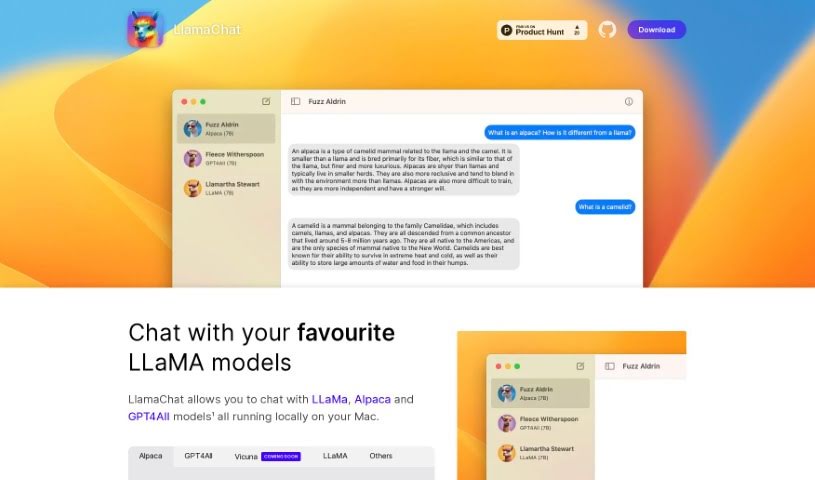
LlamaChat is a really neat platform that lets you have engaging conversations with advanced AI models right on your Mac. It's designed so you can easily chat with popular LLaMa LLM models, like the Alpaca model. Alpaca is a 7B-parameter LLaMa model that Stanford fine-tuned to be a fantastic chatbot. What makes LlamaChat special is that it's completely open-source. This means you can use it for free, forever, and even get involved in its development. You can convert and import models using raw PyTorch checkpoints or .ggml files, which is pretty handy. It’s all thanks to open-source libraries like llama.cpp and llama.swift. The app is built for macOS 13, working with both Intel processors and Apple Silicon, and you can get it up and running with a simple brew command.

Text Generation View Tool →
Screenshot of Loopgpt

Loopgpt

Freemium

LoopGPT is a project that popped up in the document I reviewed, mentioned as a ChatGPT wrapper, right alongside a tool called perpend.in. The person who wrote the document noted that LoopGPT hasn't been updated to work with the newest OpenAI API endpoints. They also didn't think there was much demand for it, but they did hint at plans to refine the concept down the road.

Text Generation View Tool →
Screenshot of LoveGenius Sidekick

LoveGenius Sidekick

Freemium

LoveGenius Sidekick is your personal AI wingman, designed to make dating a whole lot easier and more fun. It helps you craft awesome dating profiles, come up with clever pickup lines, and even suggests witty replies for your chats. It works seamlessly with most dating apps and messaging platforms, and importantly, it really respects your privacy. The goal is to help you have more captivating conversations that actually lead to great dates.

Text Generation View Tool →
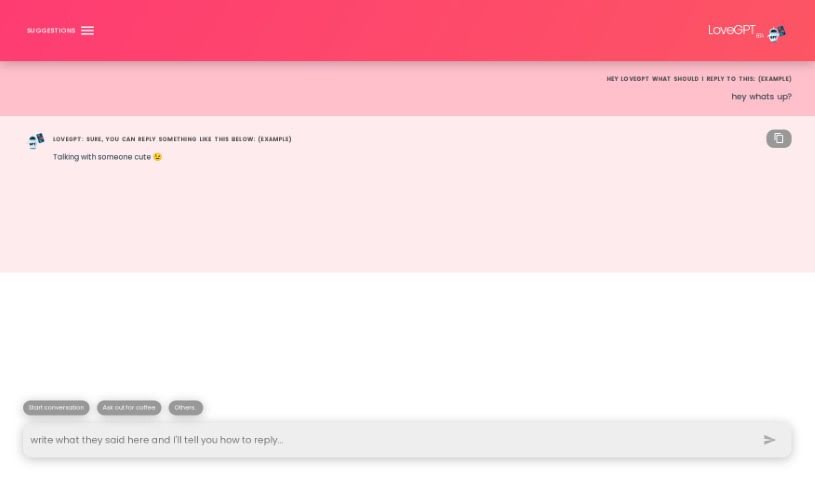
Screenshot of LoveGPT

LoveGPT

Freemium

LoveGPT is a really interesting AI platform designed to make romantic relationships even better. It gives you a bunch of tools and features to help you have more engaging chats and build stronger bonds with your partner. Its AI chatbot is a helpful guide; it's great at understanding feelings and responding with empathy, making your conversations feel more natural and human. You can find conversation starters, fun icebreakers, relationship quizzes, and helpful advice all about communicating better, working through disagreements, and keeping your relationship healthy. Ultimately, LoveGPT wants to help you deepen your connection, have more meaningful talks, and explore new subjects with your partner in a way that's both enjoyable and engaging.

Text Generation View Tool →
Screenshot of LukeW

LukeW

Freemium

LukeW Chat is a really neat feature on the LukeW platform. It lets you chat directly with LukeW himself, kind of like having a conversation. It's a place where you can ask him questions about all sorts of digital design topics. The whole platform is designed to help you connect with LukeW, dive into his many writings, and learn from someone who's a real leader in digital product design. Plus, LukeW uses AI models to pull out key insights from everything he's written, making his extensive knowledge super accessible. You can chat about things like why building whole systems is often better than just fixing individual problems, how to weave interaction into web applications, the best ways to make things look good and feel great to use, and even the core ideas behind how the World Wide Web has changed design.

Text Generation View Tool →

Stay Updated with AI Tools

Get weekly updates on the latest AI tools, trends, and insights delivered to your inbox

Join 25,000+ AI enthusiasts. No spam, unsubscribe anytime.