Lemon Squeezy AI Chatbot: Features, Pricing & Overview
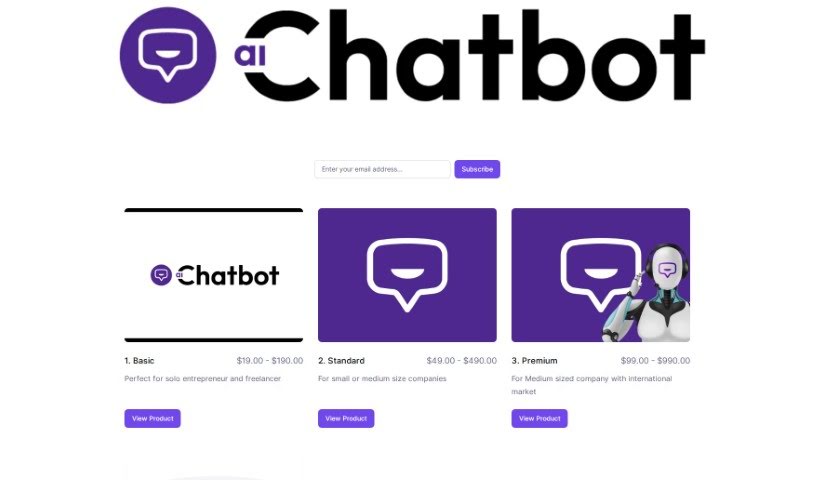
Screenshot of Lemon Squeezy AI Chatbot

Lemon Squeezy AI Chatbot

Discover what Lemon Squeezy AI Chatbot is, who it's for, and how its automated replies, data analysis, and integrations support customer communication.

Screenshot

What is Lemon Squeezy AI Chatbot?

Lemon Squeezy AI Chatbot is an AI-powered chatbot built to converse with people via text or voice. It uses natural language processing and machine learning to interpret questions, provide answers, and handle everyday tasks. AI chatbots like this typically appear on websites, in messaging apps, and in customer service workflows, where they streamline communication and automate routine jobs. As they interact with more people, they learn and deliver more personalized responses over time.

Who created Lemon Squeezy AI Chatbot?

The chatbot was made by AiChatbot, which you can find online at store.aichatbot.so. The founder’s name is not publicly documented in the available sources.

Who is Lemon Squeezy AI Chatbot for?

The tool is aimed at professionals who handle customer or internal communication, including:

  • Customer service representatives
  • Sales associates
  • Healthcare professionals
  • HR managers
  • Technical support specialists
  • Marketing specialists
  • Education administrators
  • Content creators
  • Travel agents
  • Financial advisors
  • Legal assistants
  • E-commerce managers
  • Real estate agents
  • Event planners
  • IT specialists

How to use Lemon Squeezy AI Chatbot?

  1. Choose a plan that fits your needs, whether you’re a solo entrepreneur or part of a larger company.
  2. Access the chatbot using the link provided after signing up.
  3. Explore the features, which include automatic replies, data analysis, and integrations with other tools.
  4. Customize responses to match your business — welcome messages, FAQs, and handling of specific query types.
  5. Integrate it into your website or chosen platform and verify it works smoothly.
  6. Test thoroughly before launch to catch and fix any issues.
  7. Go live and monitor performance.
  8. Iterate: review interactions and feedback, and tweak responses to improve efficiency.
  9. Maintain it by updating information, responses, and features over time.
  10. Train your team so whoever manages the chatbot understands how to use it fully.

Related

Related AI Tools

Discover more tools in similar categories

New tools, in your inbox.

Weekly picks of the best AI tools we've researched and added — no spam, unsubscribe anytime.

Join 25,000+ AI enthusiasts. No spam, unsubscribe anytime.