AI Tools for Automation

Discover the best Automation AI tools to enhance your productivity and creativity.

Page 14 of 40 • 478 total tools

Automation isn’t just a trendy term anymore; it’s fundamentally changing how we work digitally. As businesses and individuals look for ways to be more efficient, the demand for solid automation tools has exploded. These tools promise to transform our operations, from simplifying workflows to cutting down on repetitive tasks.

Just a few years back, automation felt like something only tech experts could handle. But now, there’s a whole host of easy-to-use AI-powered options available. Not only do these tools save you time, but they can also improve the quality of your work by reducing mistakes that humans sometimes make.

As I looked into the best AI automation tools, I explored many different options that fit various needs and situations. Whether you’re running a small business or just a busy professional, there’s definitely a tool out there to make your life simpler.

The world of automation is always changing, so keeping up is key. Here’s a list I’ve put together of some of the most effective AI automation tools you can find right now. They’ll help you work smarter, not just harder. Let’s dive into these game-changers.

The Best AI Automation Tools

  1. Databricks: Great for automating data pipeline workflows.
  2. Cal.ai: Makes scheduling tasks easy.
  3. UiPath: Automates invoice processing.
  4. Glean: Automates insights with custom AI bots.
  5. Kaiber: Streamlines video editing.
  6. Text Blaze: Helps you breeze through repetitive tasks.
  7. Phantom Buster: Automates LinkedIn outreach campaigns.
  8. God of Prompt: Streamlines repetitive tasks effectively.
  9. MyMind: Automates capturing and organizing notes.
  10. SlidesGPT.com: Automates presentation creation.
  11. Carepatron: Streamlines medical documentation.
  12. HiPDF: Automates splitting PDFs by page ranges.
  13. HARPA AI: Automates email replies and notifications.
  14. Fibery: Streamlines task workflows efficiently.
  15. Tome: Streamlines reporting workflows efficiently.

How Do AI Automation Tools Work?

AI automation tools make tasks easier by essentially copying how humans make decisions, using algorithms and machine learning. At their heart, these tools look at data, learn from patterns they see, and then take action based on specific rules you set. You can set them up to handle repetitive jobs that would normally need someone to do them, which really boosts efficiency and productivity.

The technology behind these tools often involves connecting different kinds of data. They can link up with APIs, databases, and various software platforms to grab information and start workflows. This connection allows information to flow smoothly between systems, cutting down the time you’d spend manually entering data or managing processes.

Machine learning is a big part of making automation better. As these tools work with more data, they fine-tune their algorithms, getting smarter and more adaptable over time. For example, they can improve marketing campaigns, manage inventory, or analyze customer feedback with more and more detailed accuracy.

Developers often use platforms like Zapier or Microsoft Power Automate to build custom automations without needing to write a lot of code. By setting up specific triggers and actions, users can automate tasks across different apps and services. This makes complicated workflows manageable and efficient.

Ultimately, AI automation tools save businesses time and money while also reducing human errors. As they keep developing, their uses are growing, making them essential for companies today that want to stay competitive in this fast-paced world.

Our Top AI Automation Tools at a Glance

RankNameBest ForPlans and PricingRating
1DatabricksAutomating data pipeline workflowsN/A4.82 (11 reviews)
2Cal.aiAutomating scheduling tasks effortlesslyPaid plans start at $15/month.4.33 (6 reviews)
3UiPathInvoice processing automation systemN/A4.00 (18 reviews)
4GleanAutomating insights with tailored AI botsN/A4.33 (12 reviews)
5KaiberStreamlining video editing processesPaid plans start at $5/month.4.62 (13 reviews)
6Text BlazeStreamlining repetitive tasks effortlesslyN/A4.76 (25 reviews)
7PhantomBusterAutomating LinkedIn outreach campaignsN/A3.80 (5 reviews)
8God of PromptStreamlining repetitive tasks effectivelyN/A4.00 (11 reviews)
9MyMindAutomating note capturing and organizationPaid plans start at $6.99/month4.69 (39 reviews)
10SlidesGPT.comAutomating presentation creation tasksN/A4.72 (25 reviews)
11CarepatronStreamlined medical documentation processPaid plans start at $12/Month4.78 (81 reviews)
12HiPDFAutomating PDF splitting by page rangesN/A4.73 (22 reviews)
13HARPA AIAutomating email replies and notificationsPaid plans start at $12/month4.27 (11 reviews)
14FiberyStreamlining task workflows efficientlyN/A4.64 (11 reviews)
15TomeStreamlining reporting workflows efficientlyN/A4.82 (11 reviews)
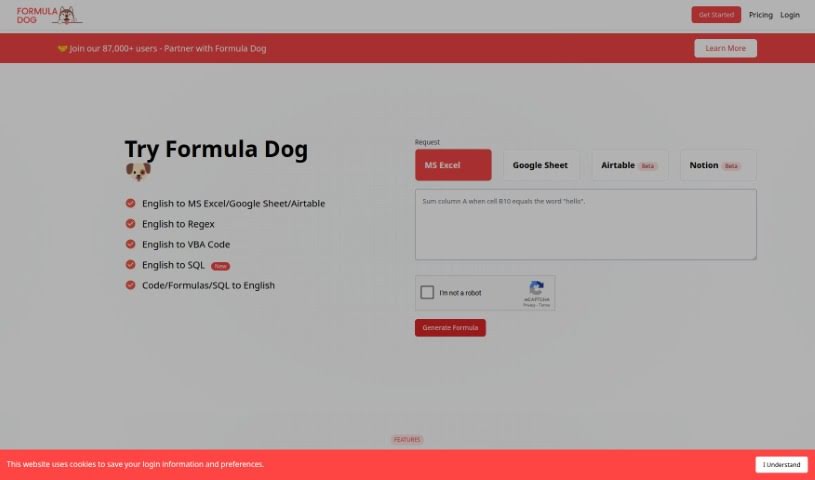
Screenshot of Formula Dog

Formula Dog

Freemium

Formula Dog is a really smart tool that makes working with Excel so much simpler, all thanks to artificial intelligence. Basically, you can type out what you want an Excel formula or VBA code to do, and Formula Dog will create it for you, fast and accurately. This kind of automation really speeds things up, making sure your data is processed efficiently. It also helps simplify tricky calculations or setting up automated tasks in your spreadsheets. Whether you're just starting out with Excel or you're a seasoned pro, Formula Dog can make your spreadsheet tasks feel much more manageable and efficient. Plus, you can try it out for free to see just how capable it is!

Screenshot of Formulas HQ

Formulas HQ

Freemium

Formulas HQ is an AI-powered platform built to make working with spreadsheets, especially Excel and Google Sheets, a whole lot easier. It is your smart assistant for all things formulas! It can automatically create complicated Excel formulas for you, or even break down and explain the ones you're struggling with. Plus, it's great with regular expressions, helps you automate tasks using VBA and Apps Script, and even gives you access to Python for really deep data analysis. It's designed for everyone, even if you're not a coding whiz, making spreadsheet management and data tasks feel much more manageable and, dare I say, revolutionary.

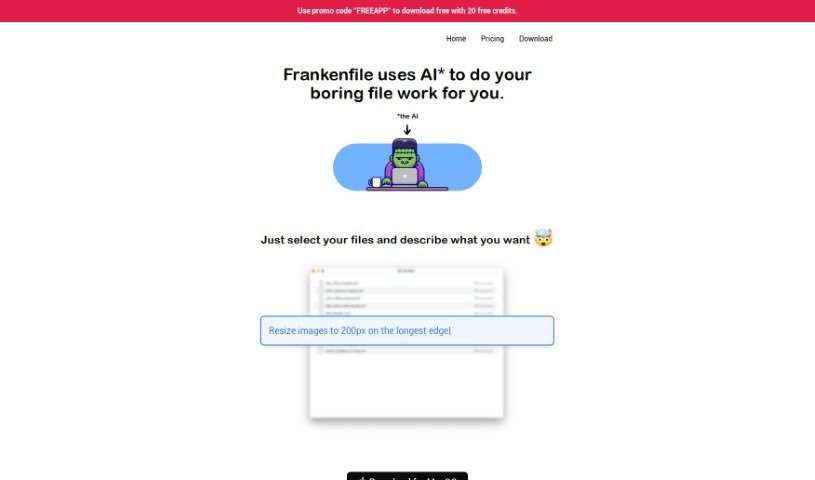
Screenshot of Frankenfile

Frankenfile

Freemium

Frankenfile is a really smart, AI-driven file manager. It is your go-to assistant for all sorts of file tasks, whether you're dealing with images, videos, or PDFs. It makes handling them much simpler by letting you give straightforward instructions. Need to resize an image? Convert a file format? Add a watermark? Clip a video? Or even pull the audio out of a video file? Frankenfile can do that.

Screenshot of Franklyai

Franklyai

Freemium

FranklyAI acts as a smart gateway within Microsoft Teams, connecting your teams to approved generative AI models, including powerful large language models like ChatGPT. It is a secure, controlled way to bring AI into your organization. It's designed to boost staff productivity, help integrate AI smoothly, enable smart automation, and crucially, keep your AI privacy intact. Because it's built with corporate security in mind, FranklyAI gives your employees a safe space to use AI's benefits without the risks that come from uncontrolled web browser access. By integrating directly with Microsoft Teams, it offers a really convenient and potent AI tool. You can use it for everything from simple chatbots to digging into complex data and finding key insights.

Screenshot of Frigate NVR

Frigate NVR

Freemium

Frigate NVR is a fantastic open-source Network Video Recorder, and its real superpower is real-time AI object detection. What's really neat is that it runs entirely on your own hardware, meaning your camera feeds never leave your home. This gives you a lot of control and privacy. People love Frigate because it's highly customizable, super fast at spotting objects, and integrates beautifully with Home Assistant. It works by sending the analysis to a Google Coral TPU, which efficiently figures out what's happening in your video feeds – like spotting a person or a car – and this really cuts down on those annoying false alarms. Plus, you can tweak alerts to only trigger for specific zones, and it plays nicely with other automation tools like Home Assistant, OpenHab, and NodeRed. Basically, Frigate gives you a robust, locally controlled security camera system with smart object detection and very little reliance on the cloud, making it a top choice for home security.

Screenshot of Fusion App

Fusion App

Freemium

Fusion is a platform designed to help you manage and improve your well-being, productivity, and overall health. It works by looking at your sleep, activity, and behavior data to give you insights into how these things affect your day-to-day life. Think of it like having a virtual "copilot" that offers personalized advice. The app also includes engaging prompts to help you notice changes in your behavior, and you can dive into research or join "quests" for self-discovery. What's really great is how Fusion handles your data: all your prompts and responses are stored right on your device. This means only you can access them, and the app never sells your data or sends you spam. It's all about keeping your information private and secure. You can grab Fusion on the App Store and Play Store, perfect for anyone with a smartphone who wants to keep tabs on their eating habits, exercise, and progress toward their personal goals. Many users have shared that Fusion has been a big help in managing their routines, building better habits, and becoming more aware of their health.

Screenshot of Fusion Brain

Fusion Brain

Freemium

Fusion Brain is a really neat platform that AIRI developed. It's designed to completely change how we interact with digital technology. It is a super-smart system that blends advanced AI with easy-to-use interfaces, making everything feel smooth and engaging. It uses the latest neural networks to really get to know what you like and how you work, so using technology becomes more personal and gets things done faster.

Screenshot of Galileo AI

Galileo AI

Freemium

Galileo Icon is an AI tool built to help you be more productive and creative. It is your all-in-one assistant for a variety of tasks. It offers features for generating content, automating repetitive parts of your workflow, helping with design, making your website better for search engines (SEO), and analyzing data. Essentially, it gives you tools to create great content, automate those tedious jobs, design eye-catching visuals without a fuss, get your website noticed by Google, and dig into big datasets to make smarter, data-backed decisions. Its interface is really easy to use, and its powerful algorithms are designed to help you improve your online presence and make your website work better. If you're looking at pricing, Galileo Icon is categorized under Interface Design, UI Design, Artificial Intelligence, Design Tools, and Design Automation.

Screenshot of Gapier

Gapier

Freemium

Gapier is a platform built specifically for ChatGPT users. It offers a fantastic collection of 50 free, yet really powerful, Action APIs. These tools are designed to help you create practical and imaginative GPT apps. If you're building GPTs, Gapier lets you seamlessly integrate these tools in about 60 seconds – no tech skills needed! It basically boosts GPT-4's capabilities, giving it extra functions beyond what it can do on its own, which makes it much more efficient for all sorts of tasks. You can easily add an Action by importing a link and key from Gapier. This lets GPT-4 handle a wide range of jobs efficiently, tapping into over 50 different abilities. Best of all, Gapier's Action APIs are completely free for all ChatGPT Plus users, which is a huge plus for creators who don't code.

Screenshot of Geniea

Geniea

Freemium

Geniea is a smart, AI-driven web app that's really good at prompt engineering and making prompts better. It's specifically designed to help you optimize your Midjourney prompts, offering custom solutions to boost your efficiency and get more done. Geniea uses artificial intelligence to look at your prompts and suggest better ways to get the results you're looking for.

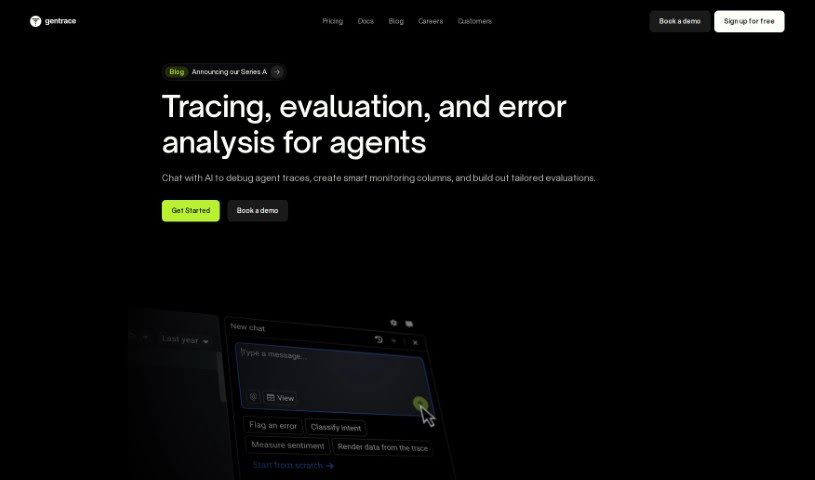
Screenshot of Gentrace

Gentrace

Freemium

Gentrace is a platform built to help you evaluate and keep an eye on generative AI models. It really focuses on things like how good the AI's output is, how fast it works, and how much it costs to run. It is a smart system that blends human know-how, AI tech, and clever rules (heuristics) to give you a deep dive into your AI models. It even automates a lot of the grading, which makes managing them much smoother.

Screenshot of GetOData

GetOData

Freemium

GetOData is a handy Chrome extension that uses AI to help you pull data right off any website. It is your personal web data collector! You can grab information in different formats, pick exactly which data points you want, easily move through multiple pages of a site thanks to its pagination support, and then export all that data as CSV, Excel, or JSON files. Plus, they're serious about keeping your OpenAI API key and your data safe, offer refunds, and have plenty of happy customers sharing their experiences.

Stay Updated with AI Tools

Get weekly updates on the latest AI tools, trends, and insights delivered to your inbox

Join 25,000+ AI enthusiasts. No spam, unsubscribe anytime.