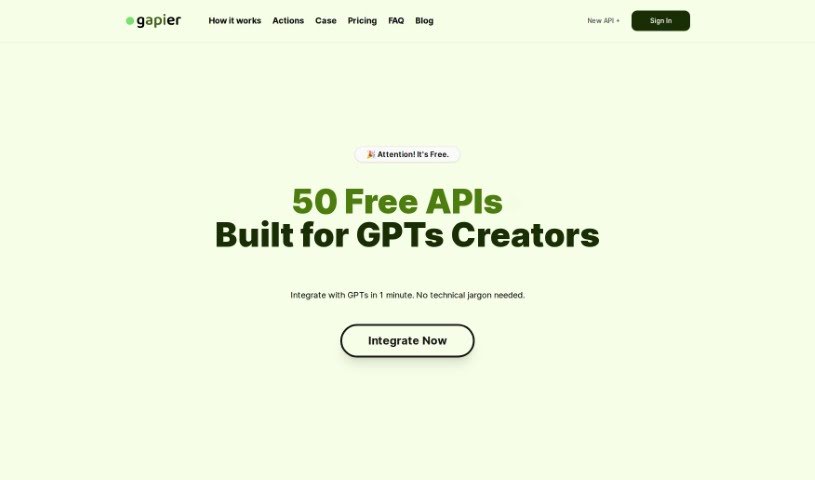
Screenshot of Gapier

Gapier

Discover Gapier in 2025! Learn what it is, how to use its 50 free Action APIs with ChatGPT's GPT-4, and how it stacks up against other Automation Tools.

Screenshot

What is Gapier?

Gapier is a platform built specifically for ChatGPT users. It offers a fantastic collection of 50 free, yet really powerful, Action APIs. These tools are designed to help you create practical and imaginative GPT apps. If you’re building GPTs, Gapier lets you seamlessly integrate these tools in about 60 seconds – no tech skills needed! It basically boosts GPT-4’s capabilities, giving it extra functions beyond what it can do on its own, which makes it much more efficient for all sorts of tasks. You can easily add an Action by importing a link and key from Gapier. This lets GPT-4 handle a wide range of jobs efficiently, tapping into over 50 different abilities. Best of all, Gapier’s Action APIs are completely free for all ChatGPT Plus users, which is a huge plus for creators who don’t code.

Who created Gapier?

Gapier was developed with ChatGPT users in mind. It provides a set of 50 free Action APIs, created by a founder who prefers to remain anonymous. The company focuses on offering tools that enhance GPT-4’s abilities, aiming for a smooth user experience. Gapier’s main goal is to make integration with GPTs simple, especially for creators who don’t have coding backgrounds.

What is Gapier used for?

  • Creating AI chatbots
  • Developing writing assistants
  • Integrating GPTs with ChatGPT’s GPT-4 for various tasks
  • Effortlessly importing links and keys to get things connected
  • Setting up tasks within GPTs that GPT-4 can perform using over 50 different abilities
  • Controlling these tasks by simply writing instructions
  • Smartly choosing the right APIs based on the specific tasks you need done
  • Testing out all the APIs and features using the assistant GPT provided by Gapier
  • Suggesting new features you’d like to see
  • Enjoying Action APIs that are free forever
  • Upgrading to Pro for ongoing maintenance, access to costlier actions, and higher usage quotas
  • Keeping your user data private and secure
  • It’s a great option for no-code platforms

Who is Gapier for?

  • Anyone who uses ChatGPT
  • People who create GPTs

How to use Gapier?

Using Gapier with ChatGPT is pretty straightforward. Just follow these simple steps:

  1. Start with Integration: Begin by integrating Gapier with your GPTs. You can create tasks, and then just let GPT-4 work its magic using its over 50 abilities.
  2. Get Your Link and Key: Grab a link and a Key from Gapier. You’ll add this as an Action when you’re setting up your GPT tasks for a smooth connection.
  3. Write Instructions: Control the tasks by writing instructions within your GPT chats. This allows GPT-4 to efficiently handle multiple tasks at once.
  4. Understand the Actions: Each Gapier Action API comes with a clear description. GPTs are designed to pick the right APIs automatically based on the tasks, but you can also tell it your preferences directly in the Prompts.
  5. Data Security: Your user data is handled very securely. Gapier follows strict privacy protocols to keep your information safe.
  6. Ideal for Plus Users: Gapier’s Actions are perfect for all ChatGPT Plus users, especially creators who prefer a no-code approach.
  7. Go Pro for More: If you want advanced features, ongoing API maintenance, more powerful actions, and increased quotas, you can upgrade to the Pro version.
  8. Suggest New Features: Have ideas for new features? You can submit them through the request page on Gapier’s platform.
  9. Test Everything: Try out all the APIs and features using Gapier’s own assistant GPT. It’s a great way to explore the full range of capabilities.
  10. Feedback and Reporting: For reporting issues or giving feedback, head over to ProductHunt. The Gapier team is actively engaged there.

By following these steps, you can really make the most of Gapier’s free Action APIs and easily boost your ChatGPT experience.

Related AI Tools

Discover more tools in similar categories that might interest you

Stay Updated with AI Tools

Get weekly updates on the latest AI tools, trends, and insights delivered to your inbox

Join 25,000+ AI enthusiasts. No spam, unsubscribe anytime.