AI Tools for Audio

Discover the best Audio AI tools to enhance your productivity and creativity.

Page 10 of 40 • 471 total tools

We’re really entering a new age for creating and changing audio, thanks to AI. You know, those days of needing tons of skills and pricey gear for good audio are pretty much over. Now, with smart AI audio tools, anyone can make professional-sounding audio for podcasts, music, or any cool audio project.

These tools aren’t just for making music; they can create voiceovers, improve sound quality, and even help with sound design. It’s amazing how much AI is changing the audio world, and the ways we can use it are endless.

After spending a lot of time trying out different platforms and features, I’ve put together a list of the top AI audio tools out there. Whether you’re just starting out and need something simple, or you’re a pro looking for powerful options, there’s definitely something here to help you make your audio sound even better.

So, if you’re ready to see what AI can do for sound, let’s jump into the best tools that will totally change how you work with audio.

The Best AI Audio Tools

  1. ElevenLabs: Great for making multilingual video voiceovers if you’re a creator.
  2. Suno: Perfect for creating custom soundscapes to help you relax.
  3. BandLab: Lets you mix and master tracks smoothly.
  4. TurboScribe: Helps improve audio for clearer transcriptions.
  5. Voicemod: Lets you change your voice for creative projects.
  6. Adobe Podcast: Enhances audio with simple, one-click AI tools.
  7. Transkriptor: An automated tool for transcribing lectures.
  8. Speechify: Makes it easy to listen to articles and documents.
  9. NaturalReader: Good for creating voiceovers for your video content.
  10. Riffusion: Offers real-time audio manipulation for creators.
  11. Narakeet: Converts subtitles into synchronized audio.
  12. PlayHT: Useful for voiceovers in audio editing.
  13. Lalal.ai: Lets you remove vocals seamlessly for remixes.
  14. Ttsmaker: Effortlessly create voiceovers for videos.
  15. Udio: Craft unique sounds using its audio tools.

How Do AI Audio Tools Work?

AI audio tools work a lot like AI writing software. They use advanced models that have been trained on huge amounts of data. Many of these tools use deep learning to analyze and create sound patterns, which lets them generate or change audio. You’ll often see them used for making speech, composing music, and sound design, all thanks to the vast libraries of audio samples and language data they learn from.

Basically, these tools use neural networks that are designed to process sound much like we do. They look at audio input, find patterns, and then predict the best sound to produce based on what they’ve learned. This means they can create a wide range of outputs, from voices that sound really real to music that feels both familiar and new.

When it comes to making voices, the process usually involves feeding a neural network thousands of hours of spoken audio. This teaches it subtle things like intonation and how to vary speech. Then, when you type something in, the model uses its training to create speech that matches the tone and context you’re going for. The result? Voices that sound lifelike and can deliver text with emotion and clarity.

In a similar way, AI music tools study huge collections of music to understand what makes a good hook, rhythm, or harmony. By breaking down existing songs, these models learn how to create new music that sounds like popular styles or even comes up with completely new soundscapes. You can tell the AI what genre or mood you want, and it’ll tailor the results to your taste.

Beyond just creating content, AI audio tools can also improve existing sounds. Things like reducing noise, fixing pitch, and adding effects are all powered by algorithms that have learned from the details in audio files. This lets you make your recordings sound better or create entirely new sound experiences without much effort.

If you’re curious about the technical side, there are plenty of resources that explain how audio processing and machine learning work in sound. All in all, AI audio tools are really changing how we create and interact with sound, opening up amazing possibilities for musicians, podcasters, and audio engineers.

Our Best AI Audio Tools at a Glance

RankNameBest ForPlans and PricingRating
1ElevenLabsMultilingual video voiceovers for creatorsN/A4.83 (29 reviews)
2SunoCreate custom soundscapes for relaxationN/A4.82 (11 reviews)
3BandLabMix and master tracks seamlessly.N/A4.75 (44 reviews)
4TurboScribeEnhance audio for clear transcriptionPaid plans start at $10/month.4.80 (5 reviews)
5VoicemodTransform your voice for creative projectsN/A4.78 (27 reviews)
6Adobe PodcastEnhance audio with one-click AI toolsN/A4.67 (12 reviews)
7TranskriptorAutomated lecture transcription tool.N/A.4.31 (13 reviews)
8SpeechifyListen to articles and documents.N/A4.80 (54 reviews)
9NaturalReaderCreate voiceovers for video contentN/A4.75 (44 reviews)
10RiffusionReal-time audio manipulation for creatorsN/A4.18 (11 reviews)
11NarakeetConvert subtitles to synchronized audioN/A4.72 (18 reviews)
12PlayHTVoice over for audio editingN/A4.59 (27 reviews)
13Lalal.aiSeamless vocal removal for remixesN/A4.64 (11 reviews)
14TtsmakerCreate voiceovers for videos effortlessly.N/A4.60 (5 reviews)
15UdioCraft unique sounds with audio toolsN/A4.18 (11 reviews)
Screenshot of Ebby

Ebby

Freemium

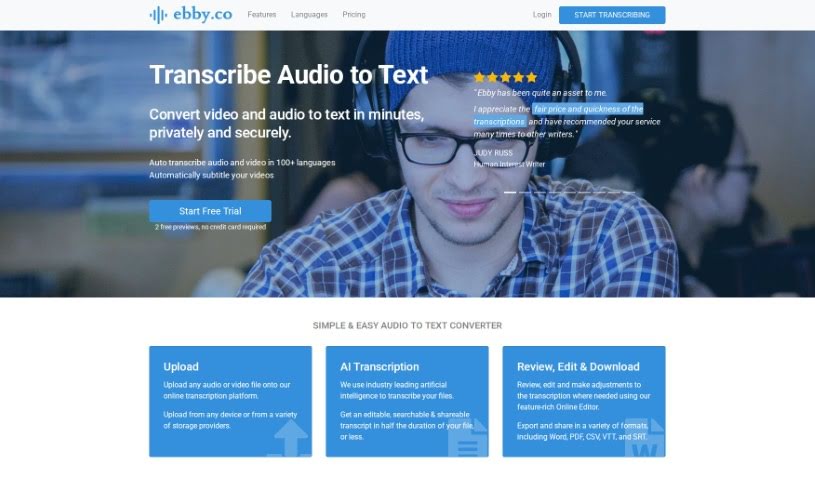
Ebby.co is a smart transcription software that uses AI to turn your audio and video files into text. It's pretty versatile, supporting over 100 languages and even creating automatic captions for videos. What's really handy is its easy-to-use online editor, perfect for tweaking your transcripts. You can export them in all sorts of formats too – think Word, PDF, CSV, VTT, and SRT. Plus, Ebby makes sharing and collaborating on transcripts simple, giving others editing permissions if you choose. They also take data security and privacy seriously, automatically label speakers, and handle a wide variety of audio and video file types.

Screenshot of Echo Voice Ai

Echo Voice Ai

Freemium

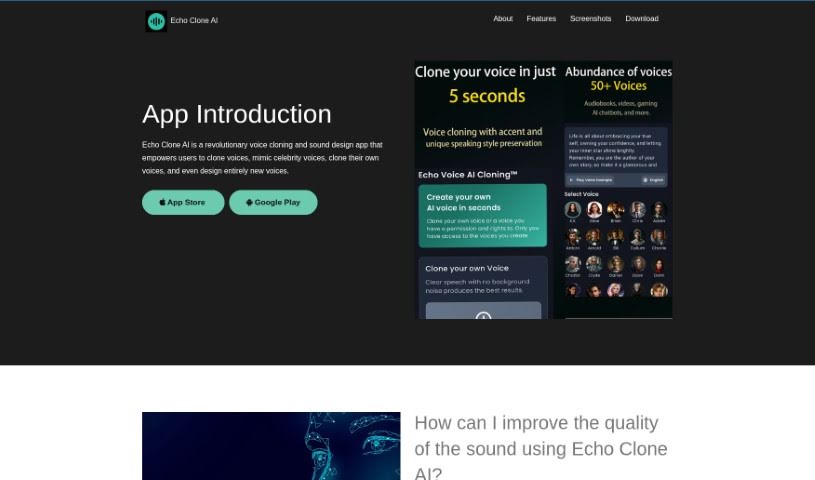
Echo Voice AI is a really cool tool for cloning voices and designing sounds. You can use it to clone voices, copy celebrity voices, clone your own voice, or even create brand new ones from scratch. It uses smart algorithms to let you tweak things like pitch, timbre, and speed, helping you craft unique voice effects. Whether you're a beginner or a pro, this tool is easy to get the hang of. It lets you clone voices, mimic famous people, process voice samples, clone voices in real-time, customize voices, and so much more. You can really play around with parameters like pitch, timbre, and speed to design custom voices that sound incredibly realistic and expressive. Plus, Echo Voice AI makes it simple to create entirely new voices, all through a user-friendly interface that makes the whole experience enjoyable.

Screenshot of Echofox

Echofox

Freemium

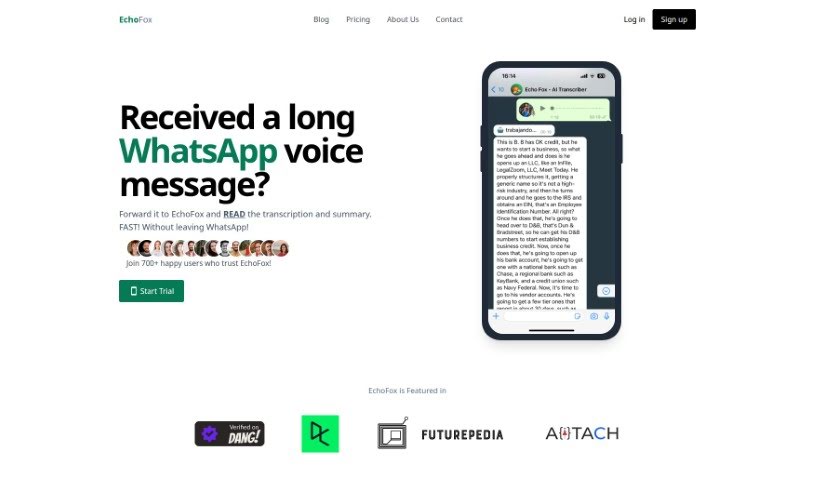
EchoFox is your personal assistant for WhatsApp voice messages. It's a service that quickly transcribes and summarizes those audio notes, so you can get the gist of them without having to listen through them multiple times. Fran, the founder, created EchoFox to tackle the common problem of wading through long voice messages. It's designed to be super accurate and works with many different languages. You interact with it right within WhatsApp, like a regular contact. It offers instant transcriptions, so you can access them on the go, makes searching through your messages a breeze, really boosts your productivity, and keeps everything private with advanced encryption.

Screenshot of ElevenLabs

ElevenLabs

Freemium

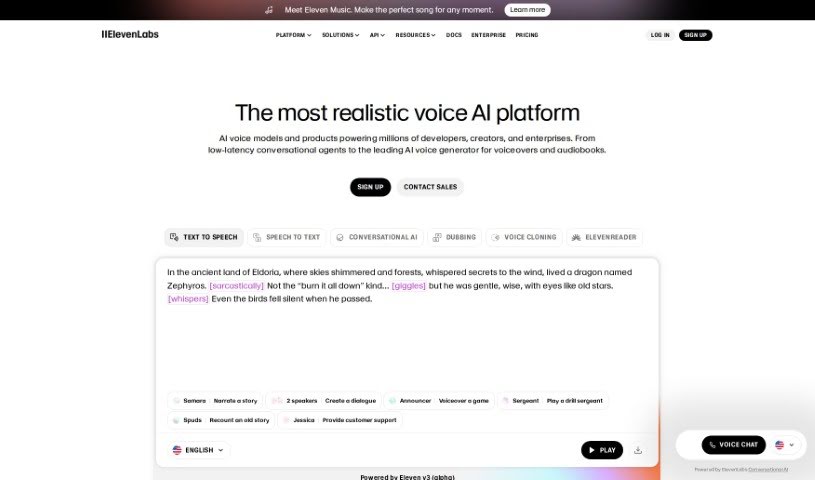
ElevenLabs Dubbing is a neat AI tool that helps you dub and translate your videos into many different languages. You can use it for platforms like YouTube, TikTok, X.com, and even podcasts. This tool uses smart AI to let you dub your videos into 28 languages. It really helps make your videos more accessible and engaging for a wider audience by giving them translated voiceovers. It’s especially handy for global brands, content creators, and businesses that want to reach people all over the world.

Screenshot of ElevenLabs Reader

ElevenLabs Reader

Freemium

Reader is a really versatile app from ElevenLabs that lets you turn text into speech in all sorts of languages. It is an AI-powered narrator that can read aloud from books, articles, PDFs, newsletters, and pretty much anything else, using incredibly realistic AI voices. With the ElevenReader app, you can seriously upgrade how you consume content by just listening to it. Plus, it's super convenient because you can use it on both Android and iOS devices, meaning you can take your text-to-speech experience anywhere. Basically, Reader by ElevenLabs wants to make it easy and enjoyable for everyone to get their written content through audio.

Screenshot of ElevenLabs Voice Cloning

ElevenLabs Voice Cloning

Freemium

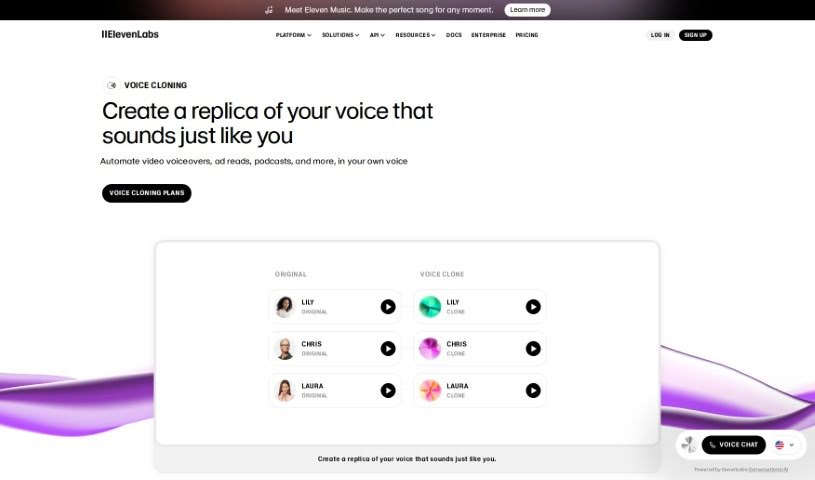
Voice cloning is essentially the process of creating a digital copy of someone's voice. You do this by feeding audio samples into a system, which then learns to mimic that specific voice. This digital replica can be used for all sorts of things – think presentations, podcasts, audiobooks, or even video voiceovers.

Screenshot of Elfmessages

Elfmessages

Freemium

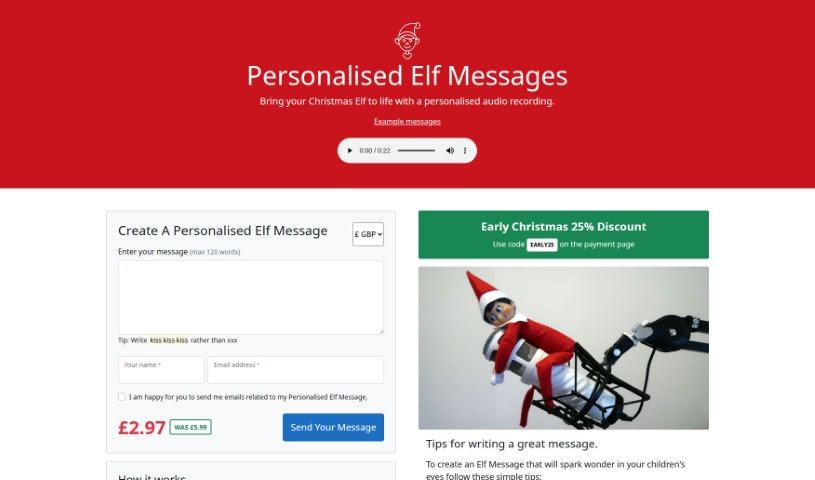
ElfMessages is a really neat tool that lets you create custom audio messages. Imagine getting a special Christmas greeting recorded by actual Elves straight from the North Pole! It's pretty straightforward to use: you just pop your message, the recipient's name, and your email onto their website. They'll then send you back a recorded message that can include all sorts of personal details – think family members, recent achievements, or even those must-have Christmas gifts. Each message is capped at 120 words, and they cost £2.97. Plus, if you get your order in early, you can snag a 25% discount with the code 'EARLY25' at checkout. What's great is how personal you can make these messages; you can even weave in family jokes to make them truly one-of-a-kind.

Screenshot of eMastered

eMastered

Freemium

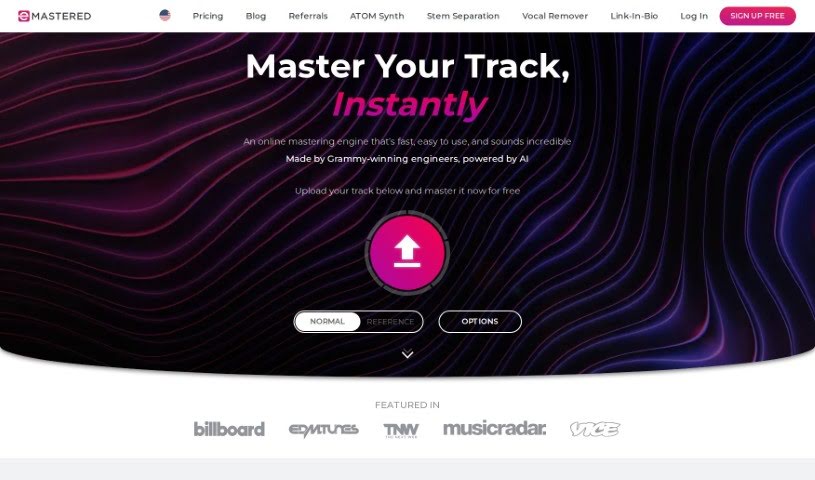
eMastered is an online audio mastering tool that's been developed with input from Grammy-winning engineers and enhanced with AI. It's designed to offer musicians and music creators a quick, easy-to-use, and high-quality way to master their tracks. Essentially, eMastered takes the audio tracks you upload and applies professional studio techniques – think EQ, compression, and saturation – to really boost the sound quality. You can easily compare the mastered version side-by-side with your original file, preview it, and then download the improved track in either WAV or MP3 format. The system works by analyzing your uploaded audio, creating custom masters that are specifically tailored to your song's unique characteristics, and it actually gets smarter with every track processed, thanks to machine learning. Plus, you have the flexibility to tweak sound parameters yourself through advanced mastering options, like adjusting compression, EQ, stereo width, and volume.

Screenshot of Emlo

Emlo

Freemium

Emotion Logic, or Emlo for short, is a really interesting AI tool. It's built for analyzing emotions in real-time and has some neat cognitive computing abilities. What makes Emlo special is its knack for decoding and measuring genuine emotions directly from human voices. It does this without any bias, meaning it doesn't matter what language someone speaks, their culture, how they say things, or their unique expressive style – Emlo can still get to the heart of it. This technology has a ton of uses across different industries, helping to make experiences better, boost customer satisfaction, increase engagement, lower risks, and really give us a deeper understanding of what people are feeling.

Screenshot of Emusion

Emusion

Freemium

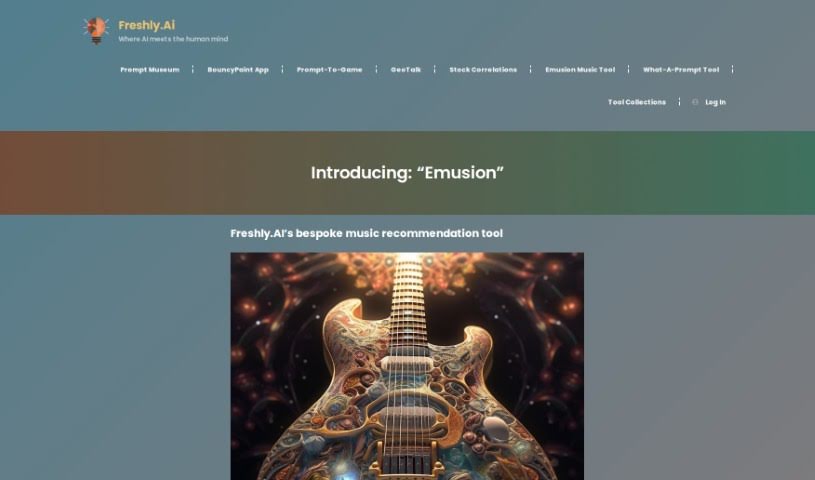
Emusion is a neat tool that uses artificial intelligence to help you find and analyze music. Developed by Freshly.ai, it's designed to look at the musical qualities of songs you like and then create custom playlists just for you, based on what you're feeling and what you generally enjoy. It has this cool feature called 'Musi-psyche Type' that really gets a handle on your musical mood and tastes, leading to recommendations that feel spot-on. Right now, Emusion is still in beta, which means it's learning and getting better with every song you input. It's worth noting that it doesn't directly connect with music streaming services yet, so you'll need to pop over to places like Spotify, YouTube, or Apple Music yourself to find the songs it suggests.

Screenshot of Emvoice

Emvoice

Freemium

Emvoice is a really cool, next-generation vocal synthesizer plugin. It lets you create realistic vocal sounds right on your Mac or PC, and the best part? You only pay for it once. It comes packed with a bunch of voice options, lets you sing across extended vocal ranges, and even lets you draw out musical phrases. You can type in lyrics, and it'll sing them for you – it's called the text-to-sing function. Plus, you can easily create harmonies, fix pitch and timing, and add expressive touches like vibrato and vocal runs. Just so you know, Emvoice One needs an internet connection to work, but it does have a demo mode so you can try it out. It also fits right into your Digital Audio Workstation (DAW). You get to customize note lengths and vocal styles, and the whole plugin is designed to be super user-friendly. It’s great for all sorts of things, from making music to developing video games and sound design.

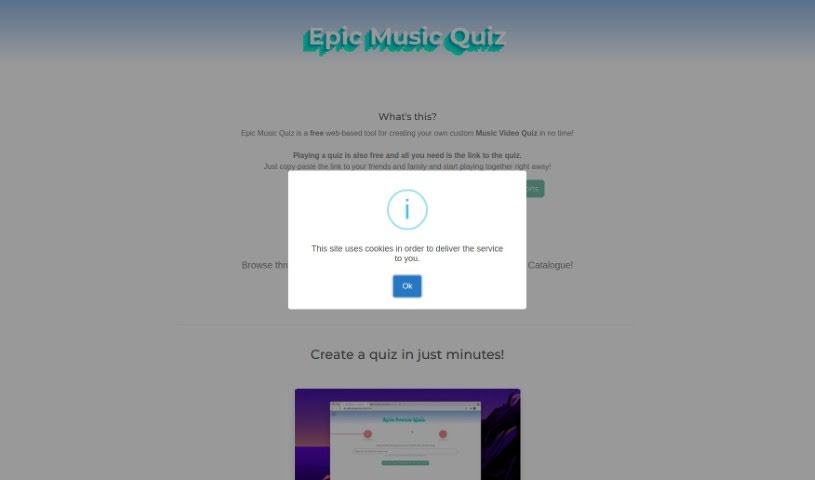
Screenshot of Epic Music Quiz

Epic Music Quiz

Freemium

So, what's this "EpicMusicQuiz" all about? It's a really neat web app, brought to you by a company called Crossroad (or xRoad, as they're known). Basically, it lets you create your very own music video quizzes. It is a free, super flexible way to test your music knowledge and have fun with friends. You can add as many videos as you like, play with pals in a multiplayer mode, and even chat with each other using your webcam and microphone. If you want to stay in the loop and get new quizzes every day, you can follow EpicMusicQuiz on Twitter. Just a heads-up, it needs JavaScript to run, a screen that's at least 800px wide, and of course, an internet connection. While it doesn't have support for different languages or a dedicated mobile app just yet, it really shines when it comes to getting people together, letting you play and interact with your friends in real-time.

Stay Updated with AI Tools

Get weekly updates on the latest AI tools, trends, and insights delivered to your inbox

Join 25,000+ AI enthusiasts. No spam, unsubscribe anytime.