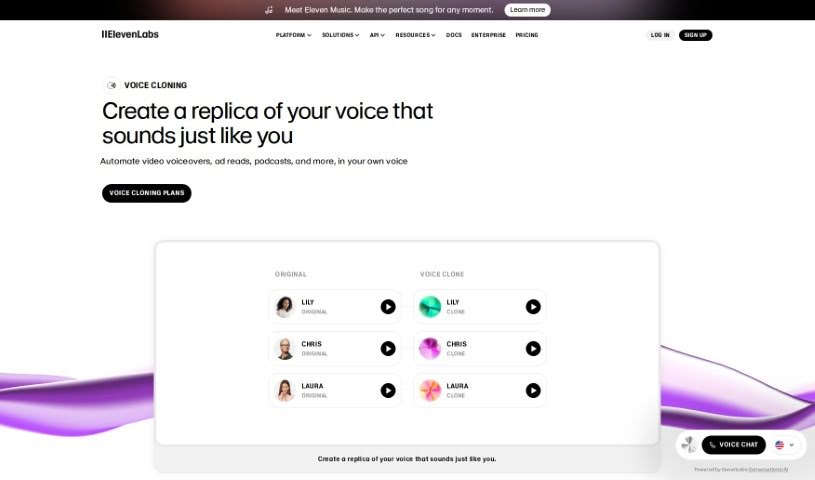
Screenshot of ElevenLabs Voice Cloning

ElevenLabs Voice Cloning

Discover ElevenLabs Voice Cloning in 2025. Learn how to use it effectively, explore its features, and see how it stacks up against other voice cloning tools.

Screenshot

What is ElevenLabs Voice Cloning?

Voice cloning is essentially the process of creating a digital copy of someone’s voice. You do this by feeding audio samples into a system, which then learns to mimic that specific voice. This digital replica can be used for all sorts of things – think presentations, podcasts, audiobooks, or even video voiceovers.

There are a couple of ways to go about it:

  • Professional Voice Cloning (PVC): This is the high-fidelity option. It needs a good chunk of audio data – at least 30 minutes – to train. The result? A voice replica that’s incredibly close to the original, perfect for professional projects like videos, audiobooks, and podcasts where quality really matters.
  • Instant Voice Cloning (IVC): If you need something faster, IVC is your go-to. It works with shorter audio samples and generates a voice replica almost immediately. While it’s super convenient, the quality might be a little less refined than with PVC.

Who created ElevenLabs Voice Cloning?

ElevenLabs is the company behind this voice cloning technology. They’ve developed a platform that lets users train their own custom voice models. You just provide your recordings, and the system captures your unique voice characteristics – your tone, how you emphasize words, and even your emotional range – to create a personalized AI voice clone.

How to use ElevenLabs Voice Cloning?

Want to create your own AI voice clone? Here’s a straightforward guide:

  1. Get Your Audio Ready: For the best results, you’ll want about 30 minutes of clean audio of yourself speaking. Make sure there’s no background noise, music, or extra sound effects messing with the recording.
  2. Upload Your Audio: Feed those clean audio files into the Voice Cloning tool. This is how it learns to build your voice model.
  3. Let it Train: The tool will then work on replicating your voice, picking up on your tone, inflection, and how you express emotions.
  4. Pick Your Cloning Type:
    • Professional Voice Cloning: This gives you a really high-quality clone that sounds very much like you. It needs at least 30 minutes of audio, but around 3 hours is ideal for the best outcome.
    • Instant Voice Cloning (IVC): This is the quick option. You can replicate your voice using just short audio samples, though the quality won’t be quite as high as PVC.
  5. Verify Your Voice: You’ll need to go through a voice captcha to confirm the voice being cloned is actually yours and matches the samples. If you run into any issues, the help center is there to assist.
  6. Generate Your Voice Clone:
    • Professional Voice Cloning: Expect your voice clone to be ready in about 2-4 hours.
    • Instant Voice Cloning: You’ll get your results right away.
  7. Start Using It: Once your voice clone is all set, you can use it for all sorts of projects – videos, audiobooks, podcasts, you name it!

By following these steps, you can effectively create a personalized AI voice clone that truly captures what makes your voice unique.

Related AI Tools

Discover more tools in similar categories that might interest you

Stay Updated with AI Tools

Get weekly updates on the latest AI tools, trends, and insights delivered to your inbox

Join 25,000+ AI enthusiasts. No spam, unsubscribe anytime.