The digital world is always changing, and mixing image and video creation is becoming really popular. You don’t need to be a software expert or know complicated techniques anymore to animate still images. Now, AI tools can easily turn static pictures into engaging videos with just a few clicks.
These new tools use smart algorithms to bring images to life. They let you craft dynamic stories that grab your audience’s attention. Whether you’re a marketer wanting to boost your campaigns or a creator aiming to tell better stories, the possibilities are huge.
After looking into many options, I’ve put together a list of the best AI tools for converting images to video. Each one has unique features for different needs, making it simpler than ever to make your visuals more lively.
In this guide, you’ll find not only the best tools but also tips on how to get the most out of them. Let’s jump in and see how these AI solutions can really change your content creation.
- Invideo AI AI Image to Videos: Great for turning product images into ads.
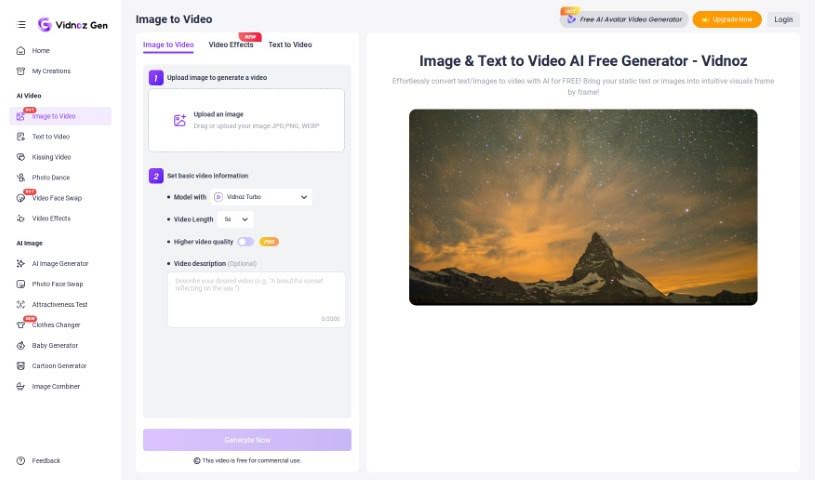
- Vidnoz AI Image to Video: Perfect for transforming photos into engaging videos.
- Haiper AI: Use this to transform images into captivating videos.
- Canva Photo to Video Converter: Ideal for creating marketing promotional videos.
- Getimg.ai AI Image to video: Transforms artwork into dynamic videos.
- Artificial Studio: Turns still images into captivating videos.
- Kapwing AI Image to Video: Use it for creating social media posts from images.
- Steve.ai Photo Video Maker: Good for social media content creation.
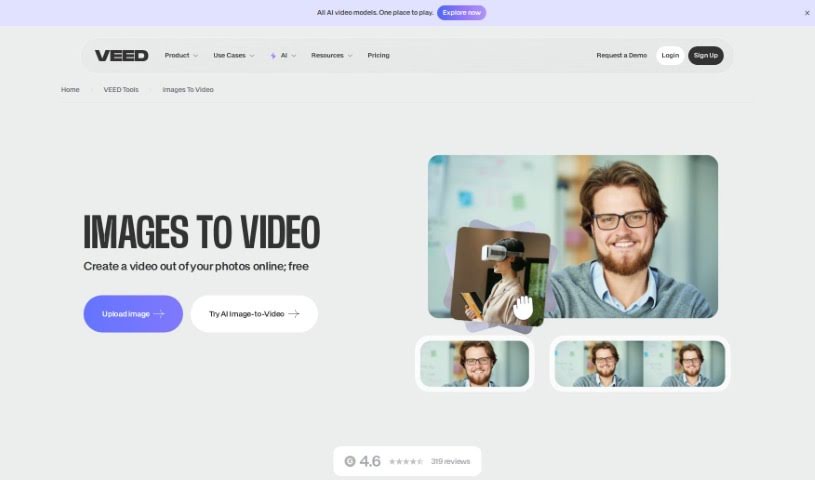
- VEED Image to Video: Helps create animated social media posts.
- Adobe Express Convert Images to Video: Perfect for social media story creation.
- Biteable Image to Video: Turns photos into engaging slideshows.
- Simplified AI Image to Video: Transforms slideshows into dynamic videos.
- Fancy Tech: Use this to transform product photos into dynamic videos.
- Stable Videtable Video Diffusion Online: Transforms still art into animations.
- Mind Video: Turns still images into dynamic videos.
AI image-to-video tools work by using advanced deep learning, especially neural networks. These tools take still images, look at what’s in them—like objects, scenes, and actions—and then figure out how those things might move over time. This lets them turn a static picture into a dynamic video.
At their core, these technologies often use Generative Adversarial Networks (GANs) or similar systems. Think of it like having two parts: one that creates videos and another that checks how good they are. This back-and-forth helps make the videos more realistic and smoother, matching what you’d expect from the original image.
Plus, many of these tools are trained on huge amounts of data, with millions of images and videos. This training teaches the models about different styles, movements, and situations. Because of this, they can create videos that not only look like the original picture but also have the kind of style and smooth motion you see in real videos.
Some tools offer simple interfaces, so people without technical skills can easily upload images and change things like motion style and how long the video lasts. This means anyone, whether you’re a content creator or a marketer, can quickly make engaging videos without needing lots of training or special resources.
As this technology keeps getting better, AI image-to-video tools can do more and more. They’re useful in areas like entertainment, education, and marketing, making them a great way to improve visual storytelling and keep your audience interested.
| Rank | Name | Best for | Plans and Pricing | Rating |
|---|
| 1 | Invideo AI AI Image to Videos | transforming product images into ads. | N/A | 4.59 (29 reviews) |
| 2 | Vidnoz AI Image to Video | transforming photos into engaging videos | N/A | 4.80 (10 reviews) |
| 3 | Haiper AI | transform images into captivating videos. | N/A | 4.62 (21 reviews) |
| 4 | Canva Photo to Video Converter | creating marketing promotional videos. | N/A | 4.70 (10 reviews) |
| 5 | Getimg.ai AI Image to video | transform artwork into dynamic videos | N/A | 4.67 (12 reviews) |
| 6 | ArtificialStudio | transform still images into captivating videos. | N/A | 3.57 (7 reviews) |
| 7 | Kapwing AI Image to Video | creating social media posts from images. | N/A | 4.50 (6 reviews) |
| 8 | Steve.ai Photo Video Maker | social media content creation. | N/A | 4.55 (11 reviews) |
| 9 | VEED Image to Video | creating animated social media posts | N/A | 4.64 (11 reviews) |
| 10 | Adobe Express Convert Images to Video | social media story creation. | N/A | 4.60 (10 reviews) |
| 11 | Biteable Image to Video | turning photos into engaging slideshows | N/A | 4.56 (9 reviews) |
| 12 | Simplified AI Image to Video | transforming slideshows into dynamic videos. | N/A | 4.75 (24 reviews) |
| 13 | Fancy Tech | transform product photos into dynamic videos. | N/A | 4.72 (25 reviews) |
| 14 | Stable Videtable Video Diffusion Online | transforming still art into animations | N/A | 5.00 (19 reviews) |
| 15 | Mind Video | transforming still images into dynamic videos. | N/A | 5.00 (12 reviews) |