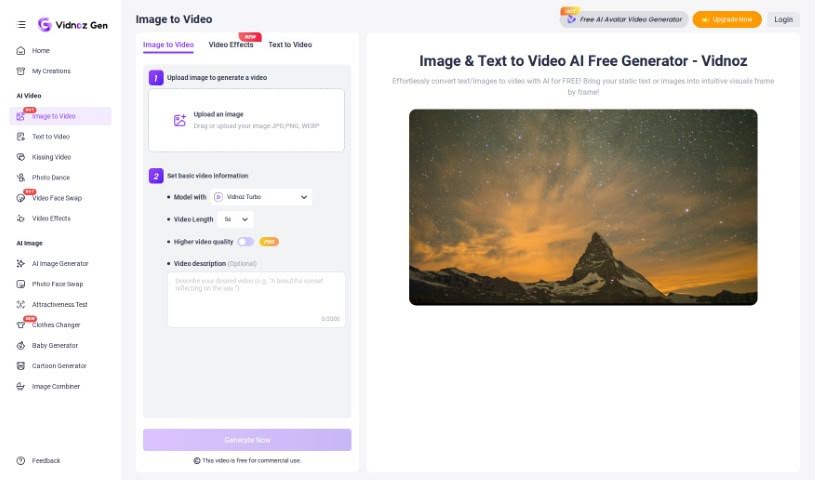
Screenshot of Vidnoz AI Image to Video

Vidnoz AI Image to Video

Discover Vidnoz AI Image to Video in 2025! Learn exactly what it is, how to use its features to turn photos into engaging videos, and see how it stacks up against other Image to Video tools.

Screenshot

What is Vidnoz AI Image to Video?

Vidnoz AI Image to Video is a really handy tool that makes it simple for anyone to turn their pictures into dynamic videos, all thanks to AI. It’s a pretty neat solution packed with features that let you tweak your videos for different social media platforms. You can easily trim, crop, resize, and even add extras like music and text to make your videos pop. Plus, with over 30 different styles available, you can create something that looks exactly how you want it – whether that’s classic, modern, or something a bit more playful. What’s great is that Vidnoz AI Image to Video promises high-quality, smooth video effects without a steep learning curve, making it super user-friendly and efficient for crafting eye-catching visual content.

Who created Vidnoz AI Image to Video?

Vidnoz AI Image to Video comes from a company called Vidnoz. They offer a free tool that lets you generate videos from images using AI, making the whole process straightforward, even if you’ve never done it before. It’s completely free to use, and you can even do more editing afterward to really fine-tune your video.

Who is Vidnoz AI Image to Video for?

This tool is a fantastic option for a wide range of professionals and creatives, including:

  • Digital marketers looking to create more engaging campaigns.
  • Social media managers aiming to boost their content’s appeal.
  • Content creators who need a quick way to produce video assets.
  • Graphic designers wanting to add motion to their static visuals.
  • Educators creating visual aids for lessons.
  • Advertising professionals developing promotional material.
  • Real Estate Agents showcasing properties with dynamic videos.
  • Event Planners creating promotional or recap videos.
  • Photographers looking to bring their stills to life.
  • Small Business Owners wanting to create professional-looking videos without a big budget.

How to use Vidnoz AI Image to Video?

Using the Vidnoz AI Image to Video tool is quite straightforward. Here’s a quick rundown of the steps:

  1. Upload an Image: First, you’ll need to upload the image you want to use from your computer. If you prefer, you can also switch to the Text to Video option and type in a description of the video you envision.
  2. Convert to Video: Once your image is uploaded, just hit the “Generate Video” button. The AI will then work its magic to process your content and create the video.
  3. Export and Share: When the conversion is finished, you can either click “Download” to save your video or “Share” it directly. You’ll also find advanced editing tools available if you want to make further adjustments and really polish your video.

The Vidnoz AI Image to Video tool is really designed to be incredibly easy to use, it’s free, converts videos fast, generates HD quality output, and importantly, doesn’t add any watermarks. It also handles different video formats smoothly. By following these simple steps, you can effortlessly transform your static images into captivating videos.

Related AI Tools

Discover more tools in similar categories that might interest you

Stay Updated with AI Tools

Get weekly updates on the latest AI tools, trends, and insights delivered to your inbox

Join 25,000+ AI enthusiasts. No spam, unsubscribe anytime.