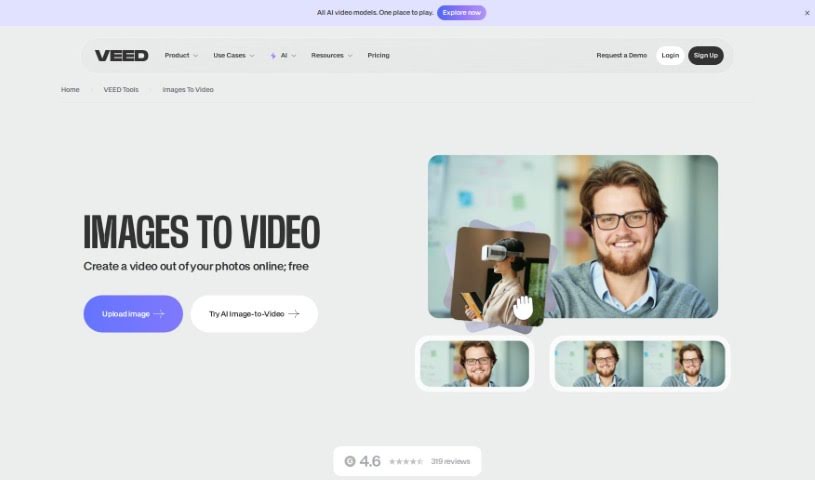
Screenshot of VEED Image to Video

VEED Image to Video

Discover VEED's Image to Video feature in 2025. Learn how to create engaging videos from your images, explore its tools, and see how it stacks up against other Image to Video converters.

Screenshot

What is VEED Image to Video?

Turning a series of pictures into a video is what we mean by ‘Image to Video.’ You can do this easily with online tools like VEED. They let you put your images together into a video without needing to download any software. You just upload your pictures, arrange them how you like, and then add things like music, text, animations, and transitions to make them look even better. You can also add subtitles, pick from a music library, and animate text. The final video is really eye-catching and great for telling stories, marketing, or just for personal use.

Who created VEED Image to Video?

VEED created this Image to Video tool. VEED offers a complete video editing software that makes it simple for anyone to create videos from images or a sequence of images. You can add all sorts of things like music, text, subtitles, and animations to make your videos stand out. VEED is super user-friendly, so you don’t need any prior video editing experience, and there are no software downloads required. Plus, you can add transitions and use their library of royalty-free music to make professional-looking videos for whatever you need.

How to use VEED Image to Video?

Ready to make a video from your images? It’s pretty straightforward:

  1. Upload Your Pictures: First, get your images into the Image to Video tool. You can upload them straight from your computer or just drag and drop them into the editor.
  2. Add Music, Text, and Transitions: Want to make your video pop? Add music, text, subtitles, transitions, and more. VEED gives you a whole range of editing tools to customize everything.
  3. Tweak and Edit: Make any adjustments you need. You can animate text, add different effects, and really personalize the video to make it your own.
  4. Export Your Masterpiece: Happy with how it looks? Just hit ‘Export.’ This lets you download your video so you can share it on social media or wherever else you like.

Following these simple steps makes it easy to create engaging videos from your photos. It’s a really effective way to turn your pictures into captivating video content.

Related AI Tools

Discover more tools in similar categories that might interest you

Stay Updated with AI Tools

Get weekly updates on the latest AI tools, trends, and insights delivered to your inbox

Join 25,000+ AI enthusiasts. No spam, unsubscribe anytime.