AI Tools for Email Writing

Discover the best Email Writing AI tools to enhance your productivity and creativity.

Page 6 of 6 • 66 total tools

Email can feel like a lot, right? When you’re juggling tons of messages, trying to draft the perfect one can be tough. It’s easy to get stuck trying to find the right tone or make sure everything’s clear. Wouldn’t it be nice to have a little help with all that digital communication?

That’s where AI tools designed for email writing come in. Forget just basic templates; today’s advanced apps can really improve your messages, save you time, and even boost your whole communication strategy.

This past year, these technologies have changed incredibly fast. From real-time suggestions to smart templates that match your personal style, these tools can now make your email tasks much simpler than ever before.

I’ve spent time checking out and testing the best AI tools out there for writing emails. Below, I’ve put together a list of great options that don’t just help you draft emails but also make your workflow smoother. Let’s find the perfect tool to help you write better emails!

The best AI Email Writing Tools

  1. Superhuman to simplify your email writing.
  2. Lead IQ to easily write personalized outreach emails.
  3. Toolsaday for crafting professional emails.
  4. Spark Mail for AI-assisted email writing to draft quickly.
  5. Voila for writing clear, concise emails.
  6. Trimbox for easy email drafting and editing.
  7. Mail Maestro for quick, personalized email replies.
  8. Compose AI for efficient email autocompletion.
  9. Writemail for writing persuasive sales outreach emails.
  10. Friday Email for an effective email writing tool.
  11. Reimagine AI for engaging your audience well.
  12. Scribo Writer for creating business emails more smoothly.
  13. Mailbutler to improve email content with smart suggestions.
  14. AIm Reply for writing professional email responses.
  15. Politepost.net to make casual emails sound more professional.

How do AI email writing tools work?

AI email writing tools work much like other AI writing software, using advanced language models. Most of these tools tap into large language models (LLMs), such as OpenAI’s GPT or similar systems, to generate text. While they might seem unique, many simply package these core technologies with extra features made for email.

When you give them a prompt or some context, these AI models analyze your input. Then, based on patterns learned from huge amounts of data – billions of emails, articles, and other writings – they predict the next words. This helps them get really good at copying different tones and styles for various email situations.

These tools can help draft everything from formal business letters to casual notes, making them handy for both work and personal messages. They make writing easier by suggesting full sentences or even complete replies, which saves you time and helps beat writer’s block.

Plus, many AI email writing solutions let you customize. You can adjust suggestions based on your preferred tone, how formal you want to be, and what you want to say. By changing these settings, the AI can create replies that feel genuine and match your own voice.

Finally, the technology behind these tools is always learning and getting better. Through how people use them and the feedback they get, the models improve over time. This makes them better at understanding context and improving your writing quality. So, AI email writing tools don’t just help; they also aim to make your email crafting process better.

Our best AI email writing tools at a glance

RankNameBest forPlans and PricingRating
1SuperhumanSimplifying your email writing process.N/A4.33 (6 reviews)
2LeadIQWriting personalized outreach emails easily.Paid plans start at $36/month.4.70 (10 reviews)
3ToolsadayCrafting professional emails.N/A4.33 (12 reviews)
4Spark MailAI-assisted email writing for quick drafts.N/A4.60 (5 reviews)
5VoilaWriting clear, concise emails.N/A4.83 (12 reviews)
6TrimboxEffortless email drafting and editing.N/A4.80 (20 reviews)
7Mail MaestroQuick, personalized email replies.N/A4.64 (22 reviews)
8Compose AIEfficient email autocompletion.N/A4.18 (11 reviews)
9WritemailWriting persuasive sales outreach emails.N/A4.09 (11 reviews)
10Friday EmailAn effective email writing tool.N/A4.79 (52 reviews)
11Reimagine AIEngaging your audience effectively.N/A4.25 (12 reviews)
12ScriboWriterCreating business emails more smoothly.N/A3.40 (10 reviews)
13MailbutlerImproving email content with smart suggestions.Paid plans start at $14.95/month.5.00 (11 reviews)
14AImReplyWriting professional email responses.N/A3.86 (14 reviews)
15Politepost.netMaking casual emails sound more professional.Paid plans start at $18.89/month.4.17 (6 reviews)
Screenshot of Voila

Voila

Freemium

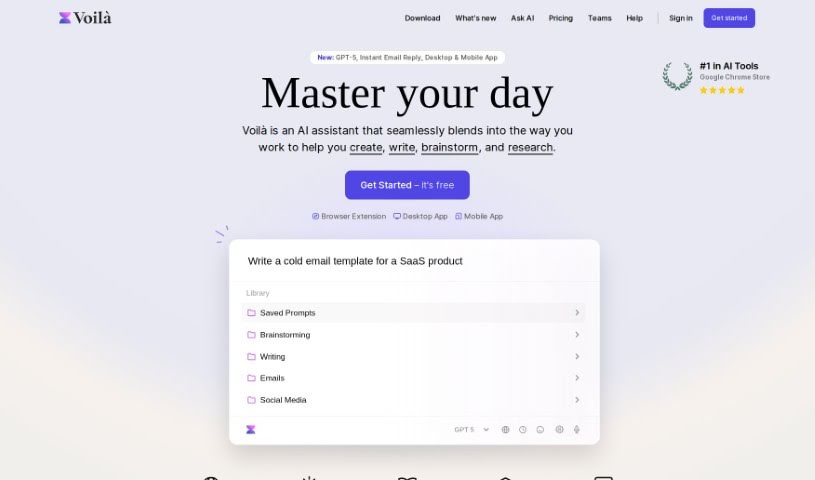
Voila is a really neat tool that works with Jupyter notebooks. It is an interactive dashboard builder that lets you turn your notebooks into actual web applications. It makes sharing your data science projects so much simpler. You can create these interactive dashboards right from your Jupyter notebooks, which is fantastic for presenting your work. Voila gives you a straightforward way to take your complex code and visualizations and transform them into web apps that are easy for anyone to use and share. Plus, you can tweak the layout and design, making your data analysis or machine learning models look great and feel user-friendly.

Text Generation View Tool →
Screenshot of Voxreplay

Voxreplay

Freemium

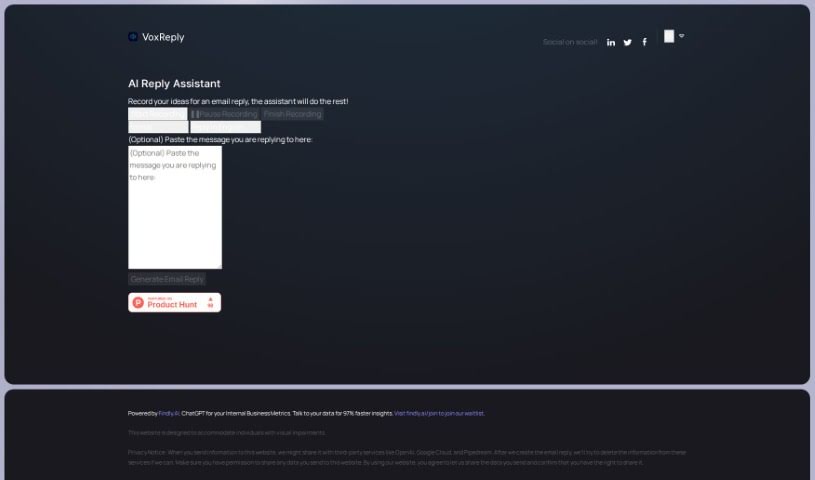
VoxReply is a smart writing assistant that lets you craft email replies simply by speaking. You can paste the email you need to answer, then just record your thoughts out loud. VoxReply takes your voice input and turns it into a well-written response that's grammatically correct and fits the context. You can even pick from different writing styles – think informal, business-like, friendly, or formal. Plus, it handles multiple languages, including English, Arabic, French, German, and Japanese, among others. This tool is especially helpful for visually impaired individuals, giving them a voice-driven way to create email replies. To make this work, VoxReply might share your input data with services like OpenAI, Google Cloud, and Pipedream. They do aim to remove this information from those external platforms once your email is ready, which is a good step for privacy.

Text Generation View Tool →
Screenshot of Write Tone

Write Tone

Freemium

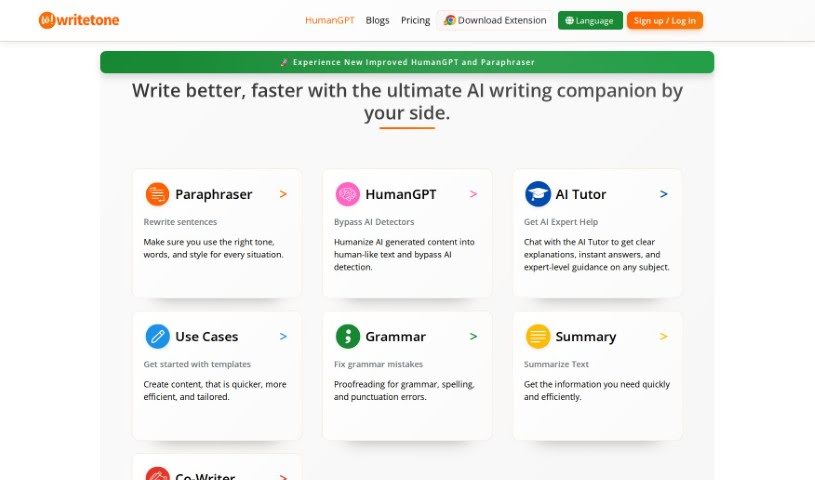
Write Tone is an AI-powered writing assistant designed to help you find just the right words, tone, and style for any situation. It offers a wide variety of tones, making it easier to express your thoughts and ideas in a way that truly sounds like you. The goal here is to help you create content that's clear, engaging, and sounds natural, steering clear of anything that feels generic or robotic.

Text Generation View Tool →
Screenshot of Writemail

Writemail

Freemium

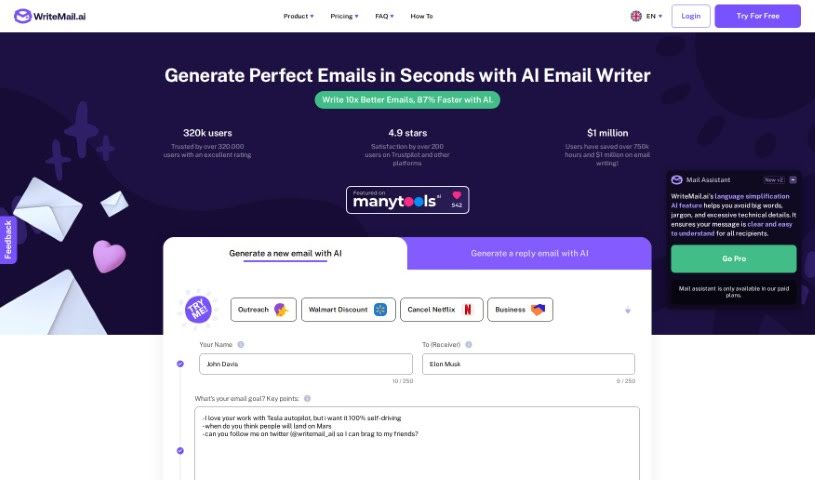
WriteMail.ai is a smart tool that uses AI to make your email communication better. It offers a bunch of helpful features. You can actually customize the tone and style of your emails, which is great for different situations – whether you need to sound super professional or just casual. The idea is to save you time by making sure your emails are clear and to the point. This way, people are more likely to do what you're asking. Plus, WriteMail.ai can even help you write follow-up emails to get more responses, and it has ways to personalize your messages to get more clicks and conversions. It also supports multiple languages and gives you AI-generated ideas for your content, helping you write emails faster and more effectively. All in all, it's designed to boost your productivity and the overall quality of your emails.

Text Generation View Tool →
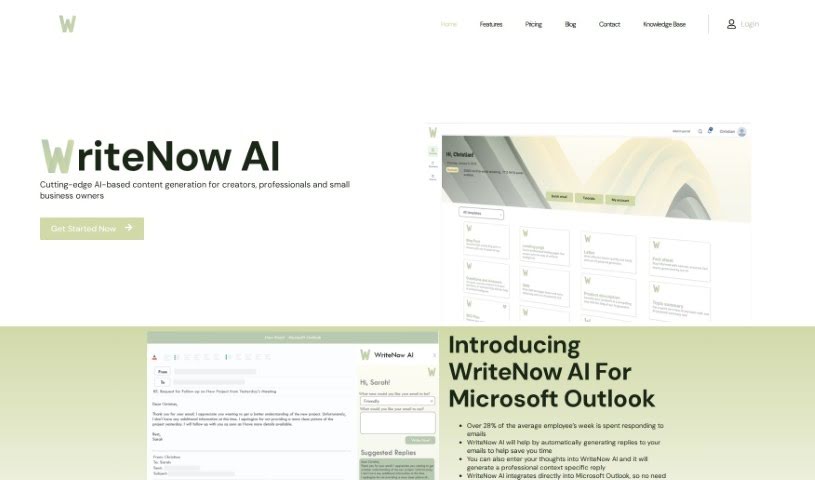
Screenshot of WriteNow AI

WriteNow AI

Freemium

WriteNow AI is a smart tool that uses artificial intelligence to help people create content. It's designed for anyone who makes things, whether you're a professional, run a small business, or are a creator. This handy tool can automatically write replies to your emails, which really saves you time and makes your communication more efficient. You just give WriteNow AI your thoughts, and it generates replies that fit the conversation perfectly. It works right inside Microsoft Outlook, so you don't have to jump between different programs. Plus, WriteNow AI uses GPT-3 technology to help you write longer pieces, like blog posts or essays, making it a great asset for all sorts of content creation tasks.

Text Generation View Tool →
Screenshot of Zomani

Zomani

Freemium

Zomani is a really capable AI tool that helps with both writing copy and creating images. It is a SaaS platform designed to make professionals more productive and their content writing process smoother. It offers smart writing help, checks your grammar and spelling, looks for plagiarism, helps you optimize your content, and even lets you collaborate with others easily. You can generate different versions of text, create AI images on the fly, and even set up custom AI chatbots for your business. Zomani is built to help with all sorts of content, adapt to your specific writing style, and keep your data safe with top-notch security measures. Plus, they offer different subscription plans – from Basic to Advanced – to fit individuals, pros, agencies, and larger businesses.

Text Generation View Tool →
Previous 6 of 6 Next

Stay Updated with AI Tools

Get weekly updates on the latest AI tools, trends, and insights delivered to your inbox

Join 25,000+ AI enthusiasts. No spam, unsubscribe anytime.