Coding has always been a bit of a challenge, but with the rise of AI programming tools, things are changing fast. These tools can help simplify coding tasks, find and fix bugs, and even generate code for you. They’re really changing how developers work. No matter if you’re a pro or just starting out, the right AI tools can seriously boost how much you get done.
But, as more developers start using these AI features, it’s clear that not all tools are created equal. The market is packed with options, from tools that help you complete code as you type to smart systems that generate documentation. Each one has its own pros and cons. Figuring out the best one for your own work can feel a bit overwhelming, especially since new tools and features are popping up so quickly.
To help you sort through everything, I’ve spent time testing and checking out the most promising AI programming tools out there. You’ll find a selection that not only makes your coding more efficient but also helps you take on challenges with more confidence. Whether you need a hand with debugging or want to automate tasks you do over and over, there’s an AI tool that’s perfect for you.
In today’s world, where every minute counts, using these tools can make a huge difference in hitting deadlines and moving projects forward. Come along as we look at the best AI programming tools designed to really ramp up your coding experience.
- Code Sandbox: Great for a code compilation environment.
- Warp Terminal: Helps streamline devops automation.
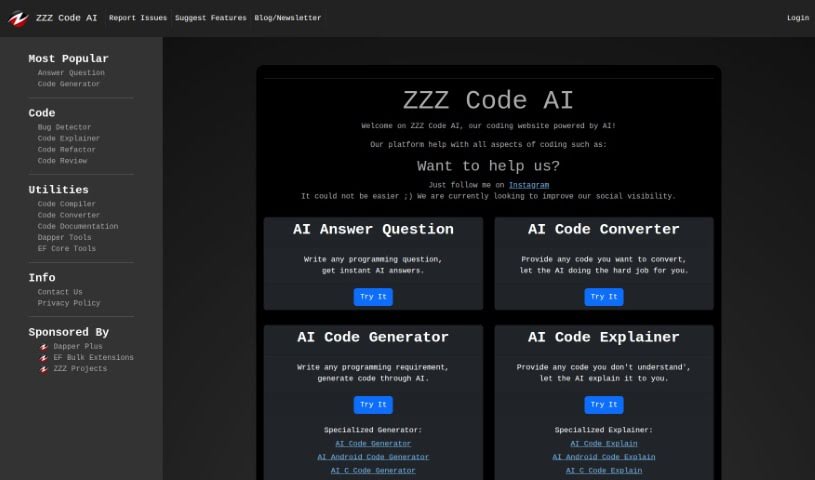
- ZZZ Code AI: Offers tools for code conversion and evaluation.
- Sourcegraph Cody: Provides intelligent code completion right in your IDEs.
- Code Rabbit: Enhances code quality through automation.
- Aider Chat: Offers improved pair programming with AI.
- Code Convert AI: Quickly converts code between multiple languages.
- Promptmetheus: Streamlines code generation prompts.
- JetBrains: Streamlines coding with smart suggestions.
- Gpt4V Online: Explains code using image analysis.
- Inngest: Streamlines error handling in workflows.
- HTTPie: Makes cli http requests for API development easier.
- Snappify: Helps you easily visualize and compare code snippets.
- Build Ship: Streamlines API development for apps.
- Peak U: Offers quick bug fixes across many languages.
AI programming tools use the same basic technology as AI writing software: large language models, or LLMs. These tools are built to help developers by suggesting code, assisting with debugging, and even writing entire functions based on what you tell them. Most of these tools connect to established LLM providers through APIs, which lets them offer their services fast without needing to build complicated models themselves.
When you use these tools, you usually describe the coding task or ask a specific question. The AI figures out what you need and then predicts the code or solution that best matches, drawing from a massive amount of programming knowledge. This includes sample code, libraries, and coding best practices learned from all the programming resources available online.
AI programming tools are showing up more and more in popular development environments, like Visual Studio Code and JetBrains IDEs. These platforms give you code suggestions as you type, offering developers insights while they’re writing. By teaming up with LLM creators, these applications provide extra features designed to improve the coding experience, cutting down on the need for extensive in-house research and development.
The training process LLMs go through is key to how effective these tools are. They study huge amounts of code, documentation, and programming texts to learn coding language patterns and conventions. This deep training helps them understand context and what you’re trying to do, making their suggestions more relevant to the task at hand.
So, to sum it up, AI programming tools use LLMs to make coding simpler. While they won’t replace human programmers, they’re great assistants that boost productivity and accuracy. As they keep getting better, these tools will continue to shape how we program, giving developers new ways to create and innovate.
| Rank | Name | Best for | Plans and Pricing | Rating |
|---|
| 1 | CodeSandbox | code compilation environment | N/A | 4.45 (11 reviews) |
| 2 | Warp Terminal | streamlining devops automation | N/A | 4.79 (28 reviews) |
| 3 | ZZZ Code AI | code conversion and evaluation tools | N/A | 4.17 (6 reviews) |
| 4 | Sourcegraph Cody | intelligent code completion in ides | N/A | 4.70 (10 reviews) |
| 5 | CodeRabbit | enhancing code quality with automation | N/A | 4.73 (37 reviews) |
| 6 | Aider Chat | enhanced pair programming with ai. | N/A | 3.59 (22 reviews) |
| 7 | CodeConvert AI | quickly convert code in multiple languages | N/A | 3.60 (5 reviews) |
| 8 | Promptmetheus | streamline code generation prompts | N/A | 4.17 (6 reviews) |
| 9 | JetBrains | streamlining code with smart suggestions | Paid plans start at $8.33/month. | 3.63 (8 reviews) |
| 10 | Gpt4V Online | code explanation through image analysis | Paid plans start at $8/month. | 4.40 (10 reviews) |
| 11 | Inngest | streamline error handling in workflows. | N/A | 4.69 (13 reviews) |
| 12 | HTTPie | cli http requests for api development | N/A | 4.73 (22 reviews) |
| 13 | Snappify | visualize and compare code snippets easily. | Paid plans start at $5/month. | 4.18 (11 reviews) |
| 14 | BuildShip | streamlined api development for apps | N/A | 4.20 (5 reviews) |
| 15 | PeakU | quick bug fixes across multiple languages. | N/A | 4.20 (5 reviews) |