Lumen5 (Video Generation)
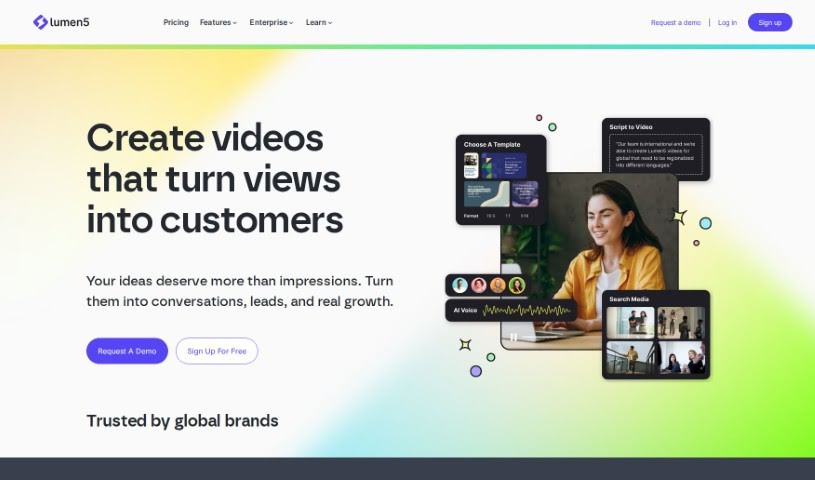
Screenshot of Lumen5

Lumen5

Discover what Lumen5 is and how its AI-powered platform turns text into polished videos with templates, a media library, and drag-and-drop editing.

Screenshot

What is Lumen5?

Lumen5 is a video creation platform that uses artificial intelligence to help people without video experience create videos in minutes. You provide text, and Lumen5’s AI identifies the important phrases, selects fitting visuals, and adds background music. The platform features a drag-and-drop editor, brand customization options, a large media library, and more advanced editing tools like trimming clips and adding text overlays.

Who created Lumen5?

Lumen5 was started by a team led by Eric Chu, who works as the Social & Digital Content Manager at Cisco. The company has grown considerably and incorporates user feedback into its platform development.

What is Lumen5 used for?

  • Create videos in minutes, even with no prior video experience.
  • Turn existing content, such as blog posts or articles, into video presentations.
  • Customize videos with a drag-and-drop editor to match your brand.
  • Access a large media library of images, video clips, and audio tracks.
  • Use advanced editing tools like trimming clips and adding text overlays.
  • Optimize videos for social media platforms.

Who is Lumen5 for?

Lumen5 is aimed at:

  • Media Relations and Content Managers
  • Global Advertising and Sponsorships teams
  • Social Media Directors
  • Senior Online Marketing Managers
  • Social Video Specialists
  • Senior Directors of Marketing

It also suits small business owners and social media influencers who want to create videos without technical expertise.

How to use Lumen5?

  1. Sign Up: Create a free account on Lumen5 to access the AI-powered video creation platform.
  2. Content Input: Paste your text content, such as a blog post or article. The AI analyzes the text and automatically builds a video presentation from it.
  3. Customization: Use the drag-and-drop editor to apply templates, add your logo, branding colors, captions, and call-to-action buttons.
  4. Media Library: Browse the media library for images, video clips, and audio tracks; the AI can also suggest media that fits your content.
  5. Advanced Editing: Trim clips, adjust transitions, add text overlays, and include animated elements.
  6. Finalizing: Export a finished video ready for social media.

Lumen5 offers different membership plans, from a free tier up through paid options, so you can choose the level that fits your needs.

Related

Related AI Tools

Discover more tools in similar categories

New tools, in your inbox.

Weekly picks of the best AI tools we've researched and added — no spam, unsubscribe anytime.

Join 25,000+ AI enthusiasts. No spam, unsubscribe anytime.