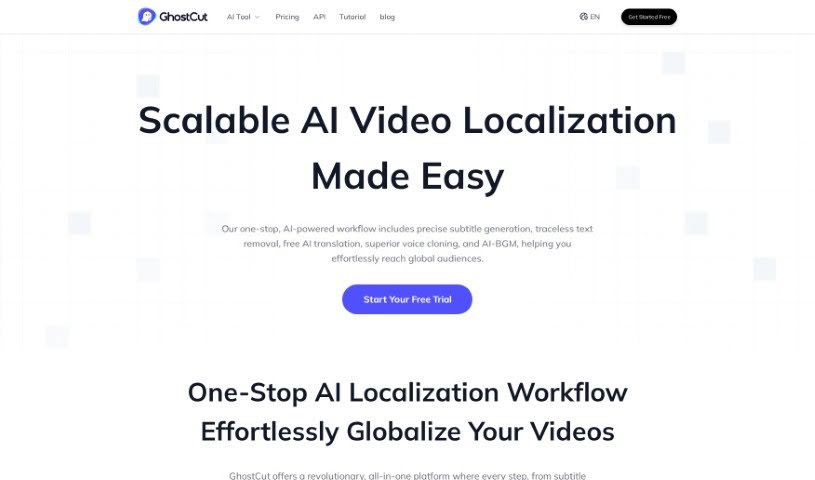
Screenshot of GhostCut

GhostCut

Discover GhostCut, a powerful AI video editor for creators, merchants, and MCNs in 2025. Learn its features like subtitle removal, translation dubbing, and multi-style generation, and see how it stacks up against other video creation tools.

Screenshot

What is GhostCut?

GhostCut is a professional video editing tool powered by AI, designed to help creators, merchants, and Multi-Channel Networks (MCNs) with localized video marketing. It offers a suite of features aimed at making your content ready for a global audience. You can use it for video translation dubbing, translating hard subtitles, and even removing subtitles altogether. A standout feature is its ‘Smart Text Removal’ tool, which cleverly gets rid of hardcoded subtitles from your videos. Plus, GhostCut has a ‘One-click Multi-style’ option that lets you generate several different versions of the same video, each with its own unique style. This really boosts content variety and sparks creativity. What sets GhostCut apart in the video editing space is its innovative AI technology and its all-around editing capabilities. It’s great for translating and dubbing videos, creating multiple styles from just one video, and generally supporting your localized video marketing efforts.

Who created GhostCut?

GhostCut was developed by an individual named Xiaobai. The platform first launched on May 12, 2023, bringing AI-powered video editing tools to creators, merchants, and Multi-Channel Networks (MCNs). GhostCut offers features like video translation dubbing, hard subtitle translation, and video subtitle removal, all designed to help with localized video marketing. It’s particularly known for its ability to remove embedded subtitles, provide one-click multilingual dubbing and translation, and transform a single video into various styles.

What is GhostCut used for?

GhostCut is incredibly versatile and can be used for many video editing tasks:

  • Effortlessly remove text from videos.
  • Utilize a variety of video templates.
  • Explore multiple creative styles for your videos.
  • Translate and dub videos to reach a global audience.
  • Perform subtitle removal for effective localized video marketing.
  • Engage in video de-duplication to create original content.
  • Enjoy one-click multi-style video editing.
  • Get assistance editing for specific social media platforms.
  • Focus on creating unique content.
  • Translate video subtitles into many different languages.
  • Perform video translation and dubbing.
  • Remove subtitles for global audiences.
  • Use video de-duplication for unique content creation.
  • Get help with localized video marketing.
  • Create one-click multi-style videos.
  • Reach a global audience with translated content.
  • Use smart text removal for professional video editing.
  • Automatically remove text from your videos.
  • Generate multiple versions of a single video in different styles.
  • Translate and dub videos with just one click.
  • Remove hardcoded subtitles from videos.
  • Create original, unique content using the video de-duplication tool.
  • Assist with localized video marketing by translating, dubbing, and removing subtitles.
  • Convert one video into multiple styles.
  • Help reach a global audience by translating and dubbing videos into different languages.
  • Access tutorials and resources to understand its features.
  • Edit videos for specific social media platforms.
  • Create content tailored for social media platforms.
  • Support localized video marketing efforts.
  • Perform one-click multi-style editing.
  • Get assistance with localized video marketing.
  • Reach global audiences through translation and dubbing.
  • Enable one-click video translation.
  • Perform video translation dubbing.
  • Carry out hard subtitle translation.
  • Execute video subtitle removal.
  • Utilize smart text removal.
  • Perform video de-duplication.
  • Translate subtitles to multiple languages.
  • Reach global audiences effectively.
  • Support social media videos.

Who is GhostCut for?

GhostCut is designed for:

  • Creators
  • Merchants
  • Multi-Channel Networks (MCNs)

How to use GhostCut?

To get the most out of GhostCut, here’s a straightforward guide:

  1. Upload Your Video: Start by copying the video link from any social media platform you use and then paste it directly into GhostCut. This is your first step to editing.
  2. Text Removal: GhostCut’s smart text removal tool is really handy. It automatically finds and gets rid of hardcoded subtitles from your video with just a single click, making your content cleaner.
  3. Multi-Style Editing: Want to try different looks? Use the ‘One-click Multi-style’ feature. It lets you create several versions of your video, each in a different style, which is fantastic for boosting creativity and variety.
  4. Translation and Dubbing: Reaching a global audience is easy. You can quickly translate and dub your video content into various languages.
  5. Video De-duplication: To ensure your content feels fresh and original, use the video de-duplication tool. It helps create unique versions, avoiding similarity issues with other videos out there.
  6. Localized Marketing: Tailor your video content for specific markets. GhostCut helps with this through its translation, dubbing, hard subtitle translation, and subtitle removal features.
  7. Tutorials: If you need a hand understanding how to use the features, GhostCut offers helpful tutorials and resources. They’re there to guide you and help you make the most of the tool.

By following these steps, you can really make the most of GhostCut’s innovative AI-powered editing tools. They’re designed to enhance your video content creation and marketing strategies, making your work more impactful and far-reaching.

Related AI Tools

Discover more tools in similar categories that might interest you

Stay Updated with AI Tools

Get weekly updates on the latest AI tools, trends, and insights delivered to your inbox

Join 25,000+ AI enthusiasts. No spam, unsubscribe anytime.