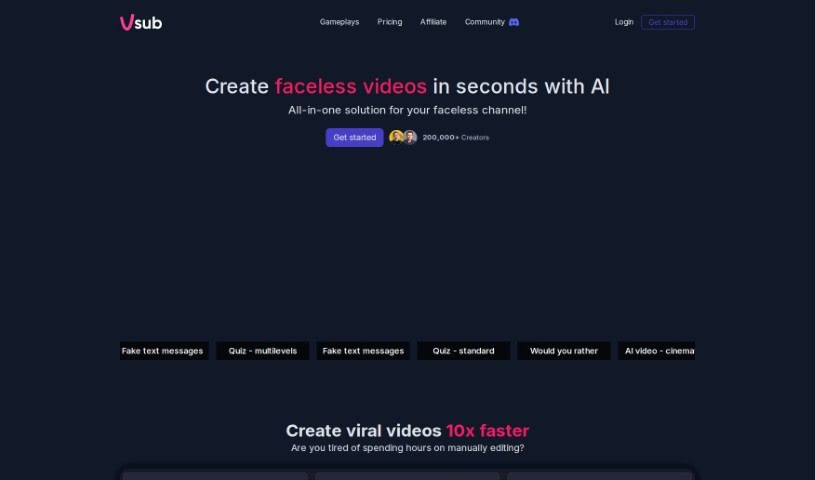
Screenshot of Vsub

Vsub

Discover what Vsub is and how to use it in 2025. We'll dive into its features, compare it to other video creation tools, and show you how to get the most out of it.

Screenshot

What is Vsub?

Vsub is a tool designed to make adding captions to your videos much simpler, all thanks to artificial intelligence. It’s a really neat solution that automatically generates subtitles, which means captioning your videos becomes a lot quicker and easier. Vsub is proud of its impressive 98.5% accuracy rate. This means the captions you get are high quality, helping viewers understand your content better and stay more engaged. With Vsub, creators can easily add animated subtitles with emojis, much like popular content creators do, or really make key points pop by highlighting important words automatically. The tool is super user-friendly, offering stylish templates for a professional look, and it lets you produce captioned content fast without the usual headaches of traditional captioning software. Over 2,500 creators already use Vsub to make their videos look better and connect more effectively with their audience.

Who created Vsub?

Vsub was developed by a team dedicated to transforming how we caption videos, using the power of AI. The tool guarantees fast and accurate auto-generated subtitles, boasting a remarkable 98.5% accuracy rate. It’s packed with user-friendly features like trendy templates and animated emojis, making it a go-to for more than 2,500 creators who want to boost video quality and really grab their audience’s attention.

What is Vsub used for?

  • Auto-Generated Captions: Vsub uses cutting-edge technology to automatically turn your videos into captioned content.
  • 98.5% Accuracy: You get high-quality captions that precisely match your videos.
  • Trendy Templates: Make your videos look great with stylish designs created by the Vsub team.
  • Animated Emojis: Add animated emojis to your captions for a fun, engaging touch.
  • Auto Highlight Keywords: Make your key messages stand out instantly, boosting viewer engagement.

Essentially, Vsub helps you:

  • Automatically caption your videos.
  • Get high-quality captions with 98.5% accuracy.
  • Improve your video’s appearance using trendy templates.
  • Create fun, engaging captions with animated emojis.
  • Emphasize key messages by auto-highlighting keywords.
  • Speed up your workflow and produce captioned content quickly.
  • Meet the needs of creators looking to improve video quality.
  • Connect better with your audience through captioned content.
  • Generate animated subtitles with emojis.
  • Elevate your video content and engage audiences more effectively.

In short, Vsub is all about:

  • Auto-Generated Captions
  • 98.5% Accuracy
  • Trendy Templates
  • Animated Emojis
  • Auto Highlight Keywords

Who is Vsub for?

  • Creators
  • Video editors
  • Content creators
  • Professionals specializing in AI-Powered Captioning

How to use Vsub?

Here’s a simple guide to using Vsub effectively:

  1. Sign Up and Log In: First, create your account on the Vsub platform, then log in to start using all the features.
  2. Upload Your Video: It’s easy to upload your video. Vsub supports a variety of video formats, so you’re covered.
  3. Generate Auto-Generated Captions: Vsub’s advanced AI technology will automatically caption your videos with impressive accuracy.
  4. Enhance with Trendy Templates: Pick from a range of trendy templates to give your videos that professional look and feel.
  5. Add Animated Emojis: Make your captions more engaging by adding animated emojis that really grab viewers’ attention.
  6. Auto-Highlight Keywords: Want to emphasize key points? Use the auto-highlight feature to make your most important messages stand out.
  7. Download or Share: Once your captions are just right, you can download the captioned video or share it straight with your audience.
  8. Explore Pricing Plans: Take a look at the pricing structure. It’s based on the credits you need for the different AI services you use during video creation.
  9. Utilize FAQ Section: Got questions? The Frequently Asked Questions section is there to help clarify anything about video creation, credits, or AI services.
  10. Experiment and Refine: Don’t be afraid to try out different features, templates, and settings in Vsub. This will help you fine-tune your captioning process and boost viewer engagement.

By following these steps, you can really make the most of Vsub to create engaging captioned videos easily and efficiently.

Related AI Tools

Discover more tools in similar categories that might interest you

Stay Updated with AI Tools

Get weekly updates on the latest AI tools, trends, and insights delivered to your inbox

Join 25,000+ AI enthusiasts. No spam, unsubscribe anytime.