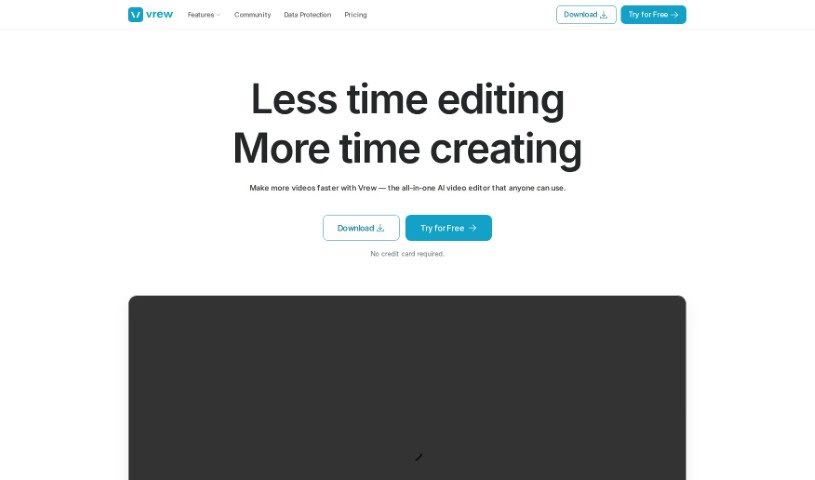
Screenshot of Vrew

Vrew

Discover Vrew, an AI-powered video editor. Learn its features, how to use it for YouTube, shorts, and more, and how it stacks up against other video editing tools in 2025.

Screenshot

What is Vrew?

Vrew is an AI-powered video editing software designed to make creating professional-looking videos much simpler. It is your smart assistant for video production. It’s packed with features like automatic subtitle generation that uses speech recognition, making it super easy to add text to your videos. You also get quick cut editing, a whole library of free stock images, videos, and music, and a handy interface that works like a document. Plus, it runs on Mac, Windows, and Ubuntu, so it’s pretty accessible. Whether you’re making YouTube videos, short clips, company promos, or educational content, Vrew can help.

One of its standout features is Scene Change Detection, which automatically finds where one scene ends and another begins, saving you a ton of manual work.

But what really sets Vrew apart is its transcript-based editing. Imagine editing your video just by editing the text! You can find and change specific moments simply by reading the transcript, rather than having to scrub back and forth through the video. This alone can save you a significant amount of time.

And if you’re worried about copyright, Vrew has you covered. It offers a vast collection of royalty-free stock resources. We’re talking over 100,000 stock images, thousands of videos, hundreds of music tracks, and plenty of sound effects. You’ll also find design text templates and fonts, all ready to use without any copyright worries, helping you create polished videos.

If you’re keen to try it out, the latest version is 1.0.11, and you can download Vrew for free from its website. It’s compatible with Mac, Windows, and Ubuntu, making it a versatile choice for many users.

Who created Vrew?

Vrew was developed by a company focused on AI-powered video editing. It first launched on February 4, 2022. The software is known for its automatic subtitle generation, a library of free stock resources, various export options, and its compatibility with Mac, Windows, and Ubuntu operating systems. While the founder and specific company details weren’t readily available, the software itself speaks volumes about its creators’ vision.

What is Vrew used for?

Vrew is incredibly versatile and can be used for a wide range of video projects:

  • Creating content in many different languages.
  • Producing YouTube videos.
  • Generating subtitles automatically.
  • Turning blog posts into videos.
  • Making short-form content for platforms like TikTok or YouTube Shorts.
  • Developing corporate promotional videos.
  • Creating educational or instructional videos.
  • Transforming live stream recordings.
  • Producing podcast videos.
  • Editing interview recordings.
  • Converting blog posts into video format.
  • Making character-driven videos.
  • Editing videos using a transcript.
  • Transforming live-stream videos.
  • Assisting with podcast video production.
  • Creating shorts.
  • Using its quick cuts functionality.
  • Optimizing videos for YouTube.
  • Creating educational content.
  • Transforming interview recordings.

Who is Vrew for?

Vrew is a great tool for a variety of people:

  • YouTubers
  • Content creators
  • Podcasters
  • Marketers
  • Business consultants
  • Small Business Owners
  • Engineers
  • Educators
  • Bloggers
  • Shorts Creators
  • Corporate professionals
  • Interviewers
  • Video editors
  • Corporate marketers
  • Livestreamers

How to use Vrew?

Getting started with Vrew is straightforward. Here’s a breakdown of how to make the most of its features:

  1. Automatic Subtitle Generation: Vrew’s AI speech recognition is fantastic for automatically generating subtitles. You can even provide your own script to ensure the subtitles perfectly match your video content.
  2. Transcript-Based Editing: This is a game-changer. You can edit specific parts of your video just by reading and editing the text transcript. It saves you so much time because you don’t have to manually search for the exact moments you want to change.
  3. Stock Resources: You get access to over 100,000 stock images, thousands of videos, around 200 music tracks, and 1,000 sound effects. Plus, there are design text templates and fonts. All of this is copyright-free, so you can use it freely.
  4. AI Voices: Need narration? Vrew offers over 200 high-quality AI voices in five different languages, perfect for adding voiceovers to your videos.
  5. Unique Features: Vrew has some really practical tools. You can create videos from text or PDFs, trim out silences quickly, import manuscripts for super accurate subtitles, and even get over 100 subtitle translations.
  6. Creative Potential: Really dive into your creativity with features for transforming live-streamed videos, editing interviews, converting blog posts into videos, and making those popular YouTube Shorts.
  7. Export Options: When you’re done, you can export your videos in various formats like XML, SRT, MOV, and TXT. It also supports file conversions for things like HEIC and MPEG.
  8. Compatibility: Vrew is a lightweight software that works smoothly on Mac, Windows, and Ubuntu systems, offering flexible video editing across different platforms.

By following these steps, you’ll find Vrew’s interface is really intuitive and its features are comprehensive, making it easy and fun to create professional-grade videos.

Related AI Tools

Discover more tools in similar categories that might interest you

Stay Updated with AI Tools

Get weekly updates on the latest AI tools, trends, and insights delivered to your inbox

Join 25,000+ AI enthusiasts. No spam, unsubscribe anytime.