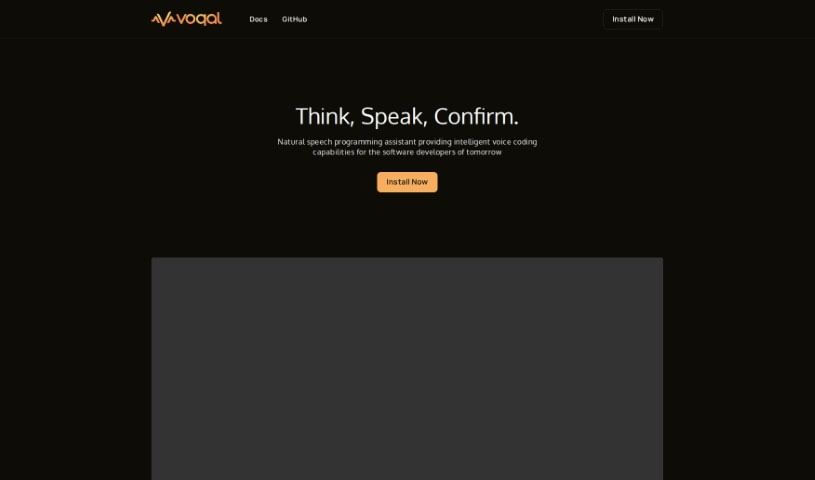
Screenshot of Voqal

Voqal

Discover what Voqal is and how to use it effectively in 2025. We'll explore its features and see how it stacks up against other software development tools.

Screenshot

What is Voqal?

Voqal is a really neat open-source assistant that lets software developers program using natural speech. It is a smart coding buddy that understands what you say. You can customize your Voqal Assistant to perfectly fit how you work, giving you a lot of flexibility. It has different modes, like an ‘Idle Mode’ so you can control your IDE (that’s your Integrated Development Environment) just by talking, and an ‘Edit Mode’ where you actually code by having a conversation. It’s pretty smart too, understanding context and letting you debug with your voice. While Voqal is designed to make programming in IntelliJ IDEs much smoother and boost your productivity, it’s good to know it relies on voice commands, so clear speaking is key for accuracy. Sometimes, it might even misunderstand what you’re saying.

Who created Voqal?

Voqal was developed by a team passionate about creating an open-source natural speech programming assistant. Their goal? To bring voice coding capabilities to software developers. They’ve built intuitive modes, like the handy Idle Mode for general IDE control and Edit Mode for coding through conversation. This company is really focused on pushing AI forward in programming, offering features like voice-driven development, language comprehension that understands context, and tools designed to boost productivity. Although the founding team’s details are kept private, Voqal first launched on December 11, 2023. Their big vision is to transform how we interact with IDEs, making them more like voice user interfaces (VUIs) for a coding experience that feels more natural and efficient.

What is Voqal used for?

Voqal is designed to be a versatile tool for developers, offering a range of capabilities:

  • It supports multilingual capabilities, so you can code in different languages.
  • You get context-aware assistance, meaning it understands what you’re working on.
  • It transforms IDEs into VUIs, making your development environment voice-friendly.
  • It enables programming via speech, letting you code without typing.
  • You benefit from context-sensitive language comprehension.
  • It facilitates natural language programming, allowing you to speak your code.
  • You can refactor code through dialogue, making changes conversationally.
  • It even offers rubber duck debugging capabilities, letting you talk through problems.
  • It facilitates productivity increases by speeding up common tasks.
  • You can use voice-controlled debugging to find and fix issues.
  • It’s optimized for IntelliJ IDEs, ensuring smooth integration.
  • It minimizes the need for typing, reducing physical strain.
  • It includes ‘vocal intents’ for quick shortcuts to common actions.

Who is Voqal for?

Voqal is primarily aimed at:

  • Software developers
  • Programmers
  • Computer Scientists
  • IT professionals

How to use Voqal?

Voqal is an open-source natural speech programming assistant designed to enhance the coding experience for software developers. Here’s a simple guide to get you started:

  1. Customization: First off, you’ll want to tailor your Voqal Assistant. This lets you set it up to perfectly match your specific software development needs, thanks to its powerful customization options.
  2. Modes: Voqal offers two main ways to interact:
    • Idle Mode: This mode lets you control your Integrated Development Environment (IDE) using plain language. You can navigate, run code, and debug without touching your keyboard.
    • Edit Mode: This is where the magic happens for coding. You start natural, progressive conversations, vocalizing your thoughts, and Voqal takes care of the typing for you.
  3. Confirmation: Once you’ve coded something, you can simply say ‘Looks Good’ to confirm your changes. If you want to undo it, just say ‘Cancel’. Either way, you’ll return to Idle Mode, keeping you in full control of your IDE.
  4. Advancements: To keep things running smoothly, you can easily switch Voqal to take advantage of the latest AI advancements and different compute providers.
  5. Features: Voqal comes packed with useful features. It understands context-sensitive language, lets you refactor code through conversation, and offers voice-controlled debugging. Essentially, it streamlines the development process and really cuts down on how much you need to type.
  6. Pros and Cons: It’s helpful to know the good and the not-so-good. On the plus side, Voqal transforms IDEs into VUIs, offers context-aware help, supports multiple languages, and is affordable. On the downside, it’s specifically for IntelliJ IDEs, you need to speak clearly for it to work accurately, it might sometimes misunderstand verbal instructions, and it can struggle with very complex commands or noisy environments.
  7. Subscription: You can try out three IDE instances for free. After that trial period, there’s a monthly fee to continue using it.

By following these steps and keeping the pros and cons in mind, developers can really make the most of Voqal to simplify their coding process and boost their productivity.

Related AI Tools

Discover more tools in similar categories that might interest you

Stay Updated with AI Tools

Get weekly updates on the latest AI tools, trends, and insights delivered to your inbox

Join 25,000+ AI enthusiasts. No spam, unsubscribe anytime.