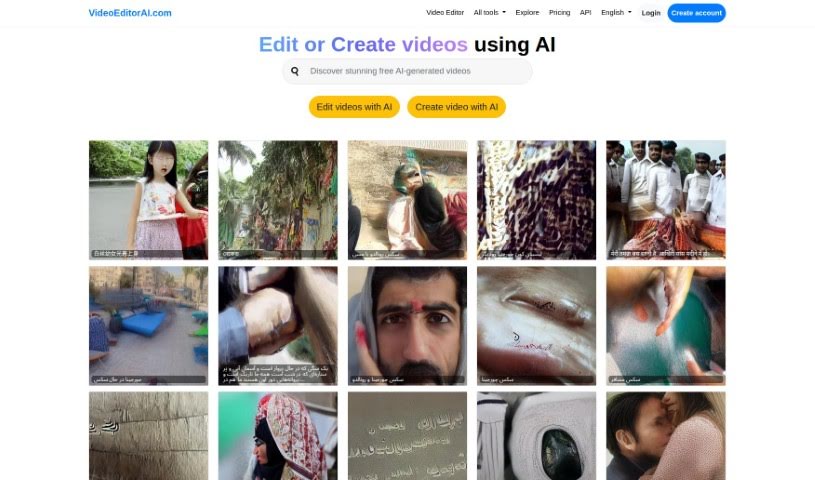
Screenshot of Videoeditorai.com

Videoeditorai.com

Discover Videoeditorai.com in 2025! Learn what this AI-powered platform is, how to use its features effectively, and how it stacks up against other video creation tools.

Screenshot

What is Videoeditorai.com?

VideoEditorAI.com is a really neat platform that uses advanced AI to completely change how we create and edit videos. It’s designed to be super easy to use, letting you simply tell the AI what you want, and it makes it happen. This makes putting together videos and producing content much more straightforward and efficient for everyone. Whether you’re creating videos for a global audience or just for fun, the platform supports many languages and offers a whole range of creative AI tools beyond just editing. Plus, with flexible pricing and a powerful API, VideoEditorAI.com is a great choice for both seasoned professionals and creative hobbyists.

Who created Videoeditorai.com?

Lou, the founder of VPS.org LLC, is the creative mind behind VideoEditorAI.com. Lou built this project using Django for the website and a special version of Text2Video-Zero to power the AI. The platform itself offers AI-driven video editing and creation tools, all wrapped up in an interface that’s easy for anyone to jump into. It’s built to help both professionals and hobbyists alike. With different pricing plans to fit various needs and a collection of AI tools for all sorts of creative projects, VideoEditorAI.com is really aiming to shake things up in how we make video content.

What is Videoeditorai.com used for?

  • It supports many different languages.
  • It uses AI to help with editing.
  • It offers a wide variety of creative tools.
  • It has an interface designed with the user in mind.
  • It’s easily accessible for everyone.

Who is Videoeditorai.com for?

  • People involved in Video Production
  • Those interested in Artificial Intelligence
  • Professionals in creative fields
  • Hobbyists who love making videos

How to use Videoeditorai.com?

Getting started with VideoEditorAI.com is pretty straightforward. Just follow these simple steps:

  1. Head over to VideoEditorAI.com: First things first, navigate to the official website.
  2. Sign Up or Log In: If you’re new, create an account. If you’re already a user, just log in.
  3. Choose How You Want to Edit:
    • Decide if you’re looking to edit videos you already have or if you want to start a new video project from scratch.
  4. Dive into AI-Powered Editing:
    • Take advantage of the AI tools that make modifying and creating videos much simpler.
  5. Pick Your Language:
    • You can select from a range of languages, making it a great tool for a global audience.
  6. Explore the Creative Tools:
    • There’s a diverse collection of creative tools available, perfect for all sorts of different creative projects.
  7. Enjoy the User-Friendly Interface:
    • You’ll benefit from an interface that’s easy to use, whether you’re a professional or just starting out.
  8. Check Out the Pricing:
    • Take a look at the different pricing plans to find one that best fits what you need.
  9. Consider API Integration:
    • If you want to boost your editing capabilities, you can explore the option for API integration.
  10. Start Creating and Editing:
    • Now you’re ready! Begin creating and editing your videos using the advanced AI technology, just the way you like.

Don’t forget to make the most of the flexible accessibility options, like the various pricing plans, and the wide array of creative tools VideoEditorAI.com offers. They’re all there to help you have the best video editing experience possible.

Related AI Tools

Discover more tools in similar categories that might interest you

Stay Updated with AI Tools

Get weekly updates on the latest AI tools, trends, and insights delivered to your inbox

Join 25,000+ AI enthusiasts. No spam, unsubscribe anytime.