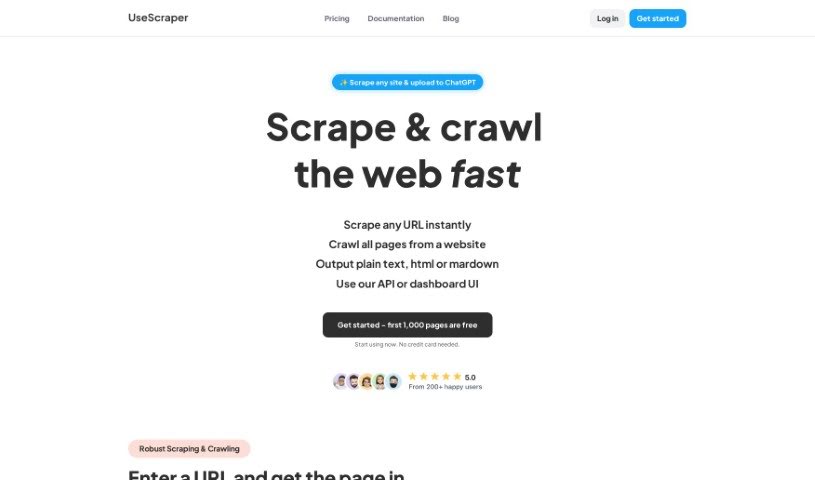
Screenshot of UseScraper

UseScraper

Discover what UseScraper is and how to use it effectively in 2025. We'll explore its features and see how it stacks up against other Software Development Tools.

Screenshot

What is UseScraper?

UseScraper is a really neat API built for efficient web crawling and scraping. It is a tool that can turn any website into plain text or markdown. This is super handy for things like training AI models or setting up RAG (Retrieval-Augmented Generation) systems. With UseScraper, you get features like full browser rendering, which means it can handle sites that use a lot of JavaScript. It also automatically rotates proxies to help you avoid getting blocked or rate-limited, and you can choose to extract content in markdown, plain text, or even HTML. The service is impressively fast, capable of processing thousands of pages every single minute. Plus, they offer flexible pricing plans and give you $25 in free credits to get started – no credit card needed!

Who created UseScraper?

UseScraper was actually founded by a team that already had a knack for building robust scraping and crawling tools. They designed it specifically for efficient data collection. Their cutting-edge API is built for super-fast web crawling and scraping. You’ll find it includes features like full browser rendering, automatic rotating proxies to keep you from hitting rate limits, and flexible ways to extract content – you can get it as markdown, plain text, or HTML. Users can pick from flexible pricing plans and even start with $25 in free credits, making it a really cost-effective and scalable option for anyone needing to scrape the web.

What is UseScraper used for?

  • Super-Fast Web Crawling: You can crawl and scrape thousands of web pages every minute with a crawler that scales instantly.
  • Markdown & Text Extraction: It perfectly converts website content into markdown or plain text, which is ideal for use with AI systems.
  • Full Browser Rendering: You can use headless Chrome browsing to render and scrape even complex websites that rely on JavaScript.
  • Automatic Rotating Proxies: Get past scraping blocks with auto-rotating proxies that prevent rate limiting.
  • Flexible Pricing & Free Credits: You can access UseScraper’s services without any upfront cost and get started with $25 in free credits.
  • Crawl Multiple Websites at Once: You can include several websites in a single crawl job request.
  • Exclude Specific URLs: You have the option to exclude certain URLs from a crawl.
  • CSS Selectors for Clean Content: You can write CSS selectors to remove repetitive content from pages.
  • Webhook Notifications: Get notified about your crawl job’s status and completion using a webhook.
  • Data Storage Access: Crawler results are stored in a data store that you can access via an API.
  • Auto-Expiry for Data: You can set data saved in your own data store to expire automatically.

Who is UseScraper for?

  • People developing AI systems
  • Data scientists
  • Web Developers
  • AI developers
  • Marketers
  • Business analysts

How to use UseScraper?

To get the most out of UseScraper, here’s a simple step-by-step guide:

  1. Sign Up: First, create a free account on UseScraper. When you sign up, you’ll automatically get $25 in free credits, and there’s no need to provide a credit card upfront.

  2. Enter URL: Next, just enter the URL of the website you’re interested in scraping. UseScraper’s powerful Scraper and Crawler engines will quickly grab the webpage content, or even the entire site if you need it.

  3. Content Extraction: The tool can pull content from each webpage in various formats, like HTML, plain text, or markdown. The markdown conversion is especially well-suited for AI systems.

  4. Render JavaScript: UseScraper uses a real Chrome browser that can render JavaScript. This means it can successfully process even the most complicated webpages.

  5. Automatic Proxies: To help you avoid rate limiting and potential blocks from websites, UseScraper uses auto-rotating proxies. This makes scraping much smoother.

  6. Explore Features: You’ll find lots of features to make web crawling easier. For example, you can include multiple websites in one crawl job, exclude specific URLs, set data to expire automatically, and get notified about job status via webhook.

  7. Cost-effective: UseScraper offers plans that are cost-effective and scalable, designed to fit different needs. You’re sure to find an option that works best for you.

  8. Top Features:

    • Hyper-Fast Web Crawling: You can process thousands of pages every minute thanks to the instantly scalable web crawler.
    • Markdown & Text Extraction: It converts website content perfectly into markdown or plain text, which is ideal for AI applications.
    • Full Browser Rendering: Use headless Chrome for rendering and scraping complex websites that use JavaScript.
    • Automatic Rotating Proxies: Get past scraping blocks with proxies that prevent rate limiting.
    • Flexible Pricing & Free Credits: Access UseScraper’s services with no upfront cost and get $25 in complimentary credits to start.

By following these steps and making use of UseScraper’s key features, you can efficiently crawl and scrape websites to gather the data you need for all sorts of purposes.

Related AI Tools

Discover more tools in similar categories that might interest you

Stay Updated with AI Tools

Get weekly updates on the latest AI tools, trends, and insights delivered to your inbox

Join 25,000+ AI enthusiasts. No spam, unsubscribe anytime.