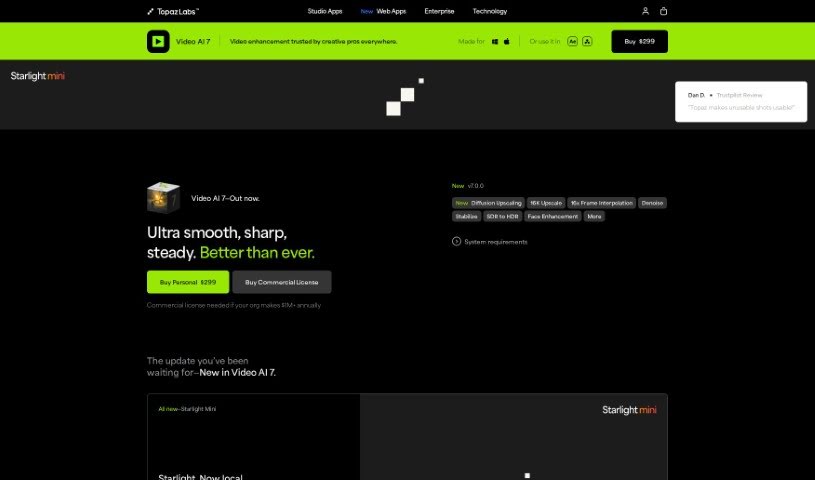
Screenshot of Topaz Labs Video AI

Topaz Labs Video AI

Discover Topaz Labs Video AI in 2025! Learn what it is, how to use its features effectively, and how it stacks up against other video editing tools.

Screenshot

What is Topaz Labs Video AI?

Topaz Labs Video AI is a really impressive tool that can instantly upscale your videos to 16K resolution. What’s great about it is that it achieves this high-quality upscaling without losing any visual detail. This software doesn’t just boost resolution; it also cleverly fixes artifacts that often pop up with older upscaling methods, all with a single click. You can easily get your videos looking sharp at 4K, 8K, and even all the way up to 16K, with amazing visual quality. Video AI also includes special models like Aion AI, which is fantastic for achieving ultimate slow-motion effects, and Chronos AI, perfect for smooth frame rate conversions up to 120fps. It fits right into your existing workflow, working directly on your Mac or PC either as a standalone program or as a plugin for even more efficiency.

Who created Topaz Labs Video AI?

Omri Ohana is the creator behind Topaz Labs Video AI, as we learned from the promotional materials for Video AI 5. Topaz Labs itself is well-known for its innovative AI software, including Video AI and Photo AI. These tools are actually trusted by major film studios and many creative professionals.

Who is Topaz Labs Video AI for?

  • Videographers
  • Filmmakers
  • Content creators
  • Video editors
  • Digital artists
  • Game developers
  • Social media managers
  • Broadcast Engineers
  • Restoration Experts
  • Marketing professionals

How to use Topaz Labs Video AI?

Here’s how you can get started with Topaz Labs Video AI:

  1. Get the Software: You can buy Topaz Labs Video AI online for $299. It offers different models, like Apollo and Chronos, which provide features such as matching frame rates and creating slow-motion effects.
  2. Installation: Download and install the software on your Mac or PC. You can use it as a standalone application, or as a plugin for programs like DaVinci Resolve and After Effects, which makes integrating it into your workflow super smooth.
  3. Using the Features:
    • Aion AI Model: This model is your go-to for ultimate slow-motion, letting you interpolate up to 16x the original frame rate.
    • Chronos AI Model: You’ll love how it smoothly converts videos from 24fps to 60fps, and you can even push it up to 120fps and beyond for seriously enhanced video quality.
  4. Workflow Integration: You can use Topaz Video AI directly on your computer to process multiple clips in a sequence, or use it as a plugin to manage your workflow more efficiently.
  5. Facial Recognition Technology: The software is smart enough to automatically spot people and faces. This means it can make precise corrections that are perfectly tailored to each person in your video. It uses facial recognition that’s aware of the video’s timeline, allowing for automatic and instant corrections.
  6. Performance Optimization: Topaz Labs has teamed up with big hardware companies like Nvidia, AMD, and Intel. This partnership ensures that Video AI runs really well on your system, giving you high-performance results.
  7. Licensing Options: Topaz Labs offers a few different licensing choices:
    • Personal Use: This is great for personal projects and commercial use if your organization’s annual revenue is under $1 million.
    • Commercial Use: If your organization makes over $1 million annually, you’ll need this license. They have different pricing tiers, with Video AI Pro starting at $1,099.

By following these steps, you can really make the most of Topaz Labs Video AI to improve your videos with its advanced features and easily fit it into your current workflow.

Related AI Tools

Discover more tools in similar categories that might interest you

Stay Updated with AI Tools

Get weekly updates on the latest AI tools, trends, and insights delivered to your inbox

Join 25,000+ AI enthusiasts. No spam, unsubscribe anytime.