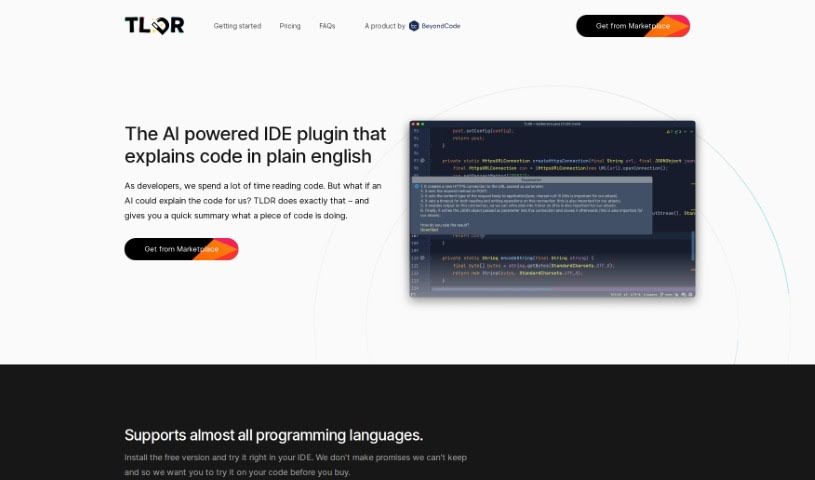
Screenshot of Tldrdev.ai

Tldrdev.ai

Discover Tldrdev.ai in 2025! Learn what this AI-powered IDE plugin is, how to use its features effectively, and how it stacks up against other software development tools.

Screenshot

What is Tldrdev.ai?

Tldrdev.ai is an IDE plugin built to help developers understand code more easily, thanks to AI. It is a translator for your code. It takes complicated code and turns it into simple English explanations. It works with lots of different programming languages and fits right into your JetBrains IDE. You can use it for free, or if you need more, there are paid plans that offer things like smoother rate limiting and priority support. The AI behind Tldrdev.ai is always getting smarter, so it’ll only get more accurate and capable over time.

Who created Tldrdev.ai?

Tldrdev.ai was started by a team that created a really innovative IDE plugin. Their goal was to make it super easy for developers to understand code. This plugin uses AI to translate complex code into plain English, and it supports many programming languages. It also integrates really smoothly with JetBrains IDEs. Tldrdev.ai comes in both free and paid versions, offering features like graceful rate limiting and priority support, which is great for both individual developers and larger organizations. They’re constantly working on the AI technology, so it’s always improving and gaining new abilities.

What is Tldrdev.ai used for?

  • It turns code into simple, easy-to-understand English explanations using AI.
  • It supports most programming languages, with only a few exceptions.
  • It’s super easy to install and use as a plugin right inside your JetBrains IDE.
  • You’ve got options for pricing, including a free tier and subscription plans.
  • The AI technology is always being updated to be more accurate.
  • It really saves developers time by making code much simpler to grasp.
  • You can use it to figure out regular expressions, understand SQL queries, or get a handle on new codebases.
  • It’s a good fit for both individual developers and entire organizations.
  • Professionally, it can save you hours every single month.
  • You get priority email support, which is a nice bonus.

Who is Tldrdev.ai for?

  • Individual Developers
  • Organizations

How to use Tldrdev.ai?

Tldrdev.ai is a really cool IDE plugin designed to make understanding code effortless for developers. Here’s a simple guide to get you started:

  1. Installation:

    • First, install the TLDR AI plugin directly within your JetBrains IDE. You can find it in the JetBrains plugin marketplace.
    • Pick the version that best suits you: there’s a Free option, an Individual plan for $4.90 per user, or an Organization plan for $9.90 per user.
  2. Features:

    • TLDR AI uses smart AI technology to translate complex code into plain English, making it super easy to understand.
    • It works with a wide variety of programming languages, so it should cover most of your coding needs.
    • The plugin integrates seamlessly into your JetBrains IDE, making your whole coding experience smoother.
  3. Pricing:

    • You can start off easily with the free version, which comes with limited credits.
    • If you’re coding regularly, the Individual plan is a great choice for better AI performance.
    • Organizations can really benefit from the Organization plan, which includes handy extras like priority support.
  4. Functioning:

    • When you select code, the plugin sends it over to AI servers for processing.
    • The AI then creates easy-to-understand explanations in plain English, helping you get the code.
  5. Continuous Improvement:

    • TLDR AI is always being developed, so expect regular updates and better capabilities.
    • As the AI technology evolves, you’ll see improvements in accuracy and functionality.
  6. FAQs:

    • Check out the FAQ section on TLDR’s website for more details. You’ll find info on how it works, which languages it supports, payment options, and pricing.
    • If you have any questions or need technical help, just reach out to TLDR support.

By following these steps, you can really use TLDR AI to make your coding experience better, save time, and understand code much more effectively.

Related AI Tools

Discover more tools in similar categories that might interest you

Stay Updated with AI Tools

Get weekly updates on the latest AI tools, trends, and insights delivered to your inbox

Join 25,000+ AI enthusiasts. No spam, unsubscribe anytime.