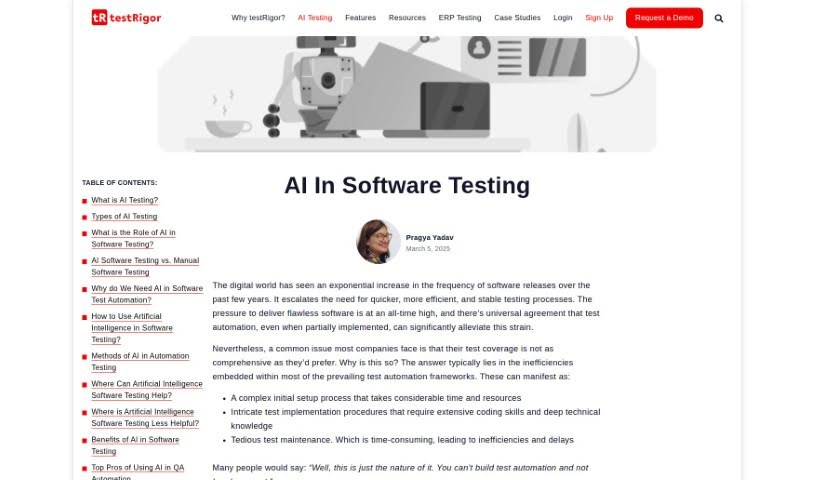
Screenshot of testRigor AI-Based Automated Testing Tool

testRigor AI-Based Automated Testing Tool

Curious about testRigor's AI-based automated testing? This guide explains what it is, how it works, and who can benefit, comparing it with other software development tools for 2025.

Screenshot

What is testRigor AI-Based Automated Testing Tool?

AI-powered automated testing tools, and testRigor is a prime example, are really changing the game for software testing. Unlike older testing platforms, these tools weave AI right into everything they do. This means they can actually see and understand different kinds of content – like text, images, and even the writing inside images – within your applications. This is a huge help for making sure visual interfaces work just right. Plus, the AI can figure out how to create tests all by itself. It looks at your website, sees how people use it, and then builds the right test cases based on that. It’s a much faster way to create tests, cuts down on manual work, and makes sure you’re testing more thoroughly. All in all, it makes software testing much more efficient and effective.

Who created testRigor AI-Based Automated Testing Tool?

The company behind testRigor, the AI-Based Automated Testing Tool, has made a point of integrating AI deeply into their testing solutions. They use several Machine Learning models to really boost how efficient QA testing can be. Some of the standout features include its ability to recognize text, images, and even text within images. It can also create tests automatically by analyzing websites, spot unexpected pop-ups, sort different kinds of images, and turn code into tests that actually run. This smart tool means you’ll spend a lot less time on upkeep compared to other automation tools out there.

Who is testRigor AI-Based Automated Testing Tool for?

  • Software Testers
  • Quality Assurance Engineers
  • DevOps Engineers
  • Product Managers
  • Software Developers
  • Business Analysts
  • Project Managers
  • Test Automation Engineers
  • UX/UI Designers
  • Technical Support Specialists

How to use testRigor AI-Based Automated Testing Tool?

Here’s a straightforward guide to using an AI-based automated testing tool like testRigor:

  1. Recognizing Text, Images, and Image Inscriptions:
    • You can use the AI to spot all sorts of content – text, images, and even text within images. This is super helpful for testing interfaces that rely a lot on how things look and how users interact with text.
  2. Website Analysis for Automatic Test Creation:
    • Just let the tool look over your websites or applications. It’ll figure out the site’s structure, what it does, and how users interact with it, then automatically create the right test cases for you.
  3. Spotting Sudden Pop-ups and Banners:
    • The AI is smart enough to notice unexpected things like pop-ups or banners that pop up during testing. It can then adjust how the test runs on the spot, making sure you still get accurate results even with these interruptions.
  4. Classifying Different Image Types:
    • The AI can sort through the various images in your application. This helps you understand the user interface better and makes interactions during testing smoother, which is great for accessibility testing too.
  5. Turning Code into Executable Test Cases:
    • You can use the record-and-playback feature to change code into test cases that are easy for anyone to read and run. This makes creating tests much simpler, especially for team members who aren’t technical experts, and ensures you have solid test coverage.
  6. Detecting Broken Pages:
    • This tool can find issues like pages that are broken because of missing or incorrect CSS. Fixing these problems improves the user experience, and it’s something traditional automated tools might miss.
  7. Building Tests Based on How Users Actually Interact:
    • You can create tests by looking at how real users behave in your live production environment. This helps you simulate actual user actions and uncover issues that might not show up in more abstract or theoretical test scenarios.

By following these steps, you can really make the most of the AI features in tools like testRigor to make your software testing more efficient and effective.

Related AI Tools

Discover more tools in similar categories that might interest you

Stay Updated with AI Tools

Get weekly updates on the latest AI tools, trends, and insights delivered to your inbox

Join 25,000+ AI enthusiasts. No spam, unsubscribe anytime.