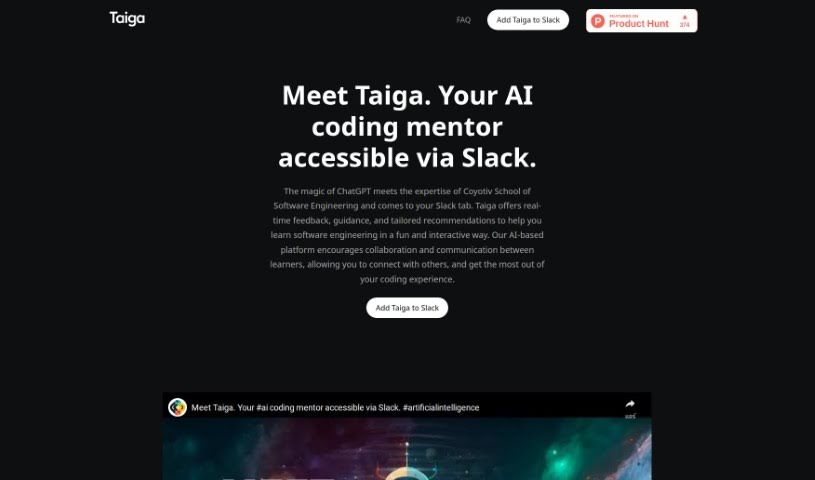
Screenshot of Taiga

Taiga

Discover Taiga, your AI coding mentor for 2025. Learn how it uses ChatGPT and expert insights to provide real-time feedback, guidance, and tailored recommendations for software engineering, all within Slack. See how it stacks up against other development tools.

Screenshot

What is Taiga?

Taiga is your personal AI coding mentor. It brings together the power of ChatGPT with the practical expertise from Coyotiv School of Software Engineering. What does that mean for you? It means getting instant feedback, helpful guidance, and advice specifically tailored to software engineering, right inside your Slack conversations. Taiga is built to make learning programming topics easier, offering step-by-step help, real-time answers with practical examples, and personalized chats that feel like talking to a seasoned mentor. It fits right into Slack, works on pretty much any device you have, and really encourages everyone to learn together.

Who created Taiga?

Taiga comes from MVP Strasse by Coyotiv. This is a team that’s really focused on building scalable engineering environments and processes. They created Taiga specifically to boost the learning experience for students at their own Coyotiv School of Software Engineering. Their goal was to share this innovative approach with all learners, making advanced coding guidance more accessible.

What is Taiga used for?

  • Get instant answers with real-life examples.
  • Enjoy a learning experience that feels like a personal conversation.
  • Integrates smoothly with Slack.
  • Works on multiple devices, so you can learn anywhere.

Who is Taiga for?

  • Software engineers
  • Programmers
  • Anyone new to coding
  • Even experienced programmers looking for a quick reference

How to use Taiga?

Getting started with Taiga is pretty straightforward:

  1. Set Up: First, add Taiga to your Slack workspace. Just click the “Add to Slack” button and give it the necessary permissions.
  2. Start Talking: You can invite Taiga to any Slack channel, send it a direct message, or chat privately. Ask your programming questions and get that personalized feedback.
  3. Work Together: Share what you’re learning and any insights you have with your teammates. This really helps everyone collaborate and get the most out of their learning.
  4. Access Anywhere: Taiga is available on desktops, laptops, tablets, and mobile phones. This means you can learn and get help whenever and wherever it’s convenient for you.
  5. Instant Help: You’ll get real-time answers with practical examples. This helps you understand programming concepts more deeply without having to spend ages searching.
  6. Personalized Learning: Taiga adapts to you, offering explanations and guidance tailored to your specific learning style and what you prefer.

Just a heads-up: since Taiga is an AI, it’s always learning, so while it’s designed to be super helpful, you might occasionally see minor inaccuracies. Ready to boost your programming skills? Sign up now and let Taiga guide your journey!

Related AI Tools

Discover more tools in similar categories that might interest you

Stay Updated with AI Tools

Get weekly updates on the latest AI tools, trends, and insights delivered to your inbox

Join 25,000+ AI enthusiasts. No spam, unsubscribe anytime.