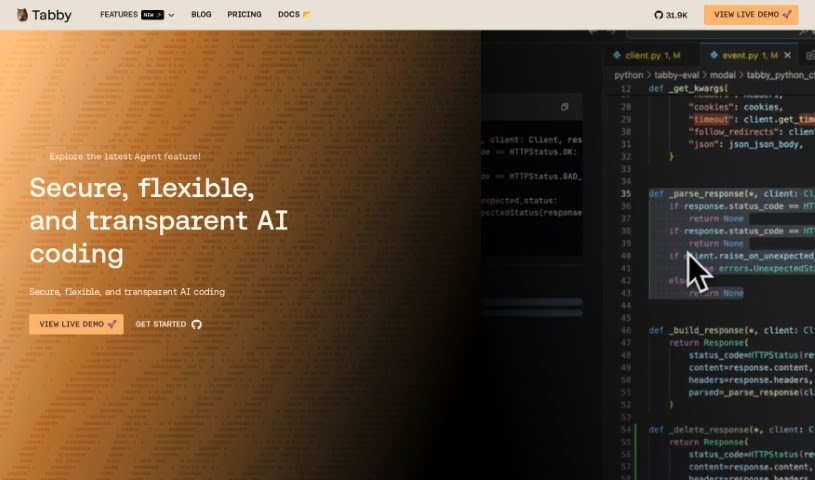
Screenshot of Tabby

Tabby

Discover Tabby, your open-source AI coding assistant for 2025. Learn its features, how to set it up, and how it stacks up against other code generators.

Screenshot

What is Tabby?

Tabby is an AI coding assistant that’s open-source and you can host it yourself. Its main goal is to make coding faster, safer, and more customizable, really improving your overall experience. It’s built with Rust, which is known for being super reliable and efficient. Setting up Tabby is a breeze; you just use a TOML config file to tailor the deployment exactly how you like it. Security and compliance are big priorities here. Since the codebase is open-source, you can check it out on GitHub anytime. Plus, you have the option to host your own version, giving you complete control over your coding setup. Tabby also offers plenty of helpful resources, like detailed documentation, tutorials, and a community you can connect with on Slack. You can also keep up with the latest news and updates by checking out the Tabby blog, status page, and media kit.

Who created Tabby?

Tabby was created to make coding smoother and more efficient. As an open-source, self-hosted AI coding assistant, it focuses on speed and reliability, thanks in large part to its use of the Rust programming language. It’s designed for easy configuration using a TOML file, and it really emphasizes security and compliance with its open-source codebase. You’re welcome to audit the entire codebase on GitHub, and you can even host your own deployment. The platform also provides thorough documentation, a helpful community, a blog for updates, a status page, and a media kit for any media-related needs.

What is Tabby used for?

Tabby is great for a few key things:

  • Making your coding experience better and smoother.
  • Ensuring your coding process is both quick and dependable.
  • Offering simple setup options through a TOML file.
  • Focusing on security and compliance with its open-source code.
  • Letting you audit the Tabby codebase on GitHub to check its security and compliance.
  • Creating a coding environment that feels personalized and just right for you.
  • Providing extensive documentation, including tutorials and a playground where you can experiment.
  • Connecting you with a supportive community through Slack.
  • Offering resources to help you get started and improve your coding skills.
  • Keeping you updated with the latest news and developments via the Tabby blog.
  • Making configuration easy with TOML.
  • Giving you control over how it’s deployed.
  • Prioritizing security and compliance.
  • Ensuring transparency with an open-source codebase.
  • Supplying comprehensive documentation and tutorials.
  • Offering community support through Slack.
  • Providing regular updates on the blog.
  • Making a media kit available for media-related needs.

How to use Tabby?

Tabby is an open-source, self-hosted AI coding assistant that’s designed to make your coding experience smoother and better. Here’s a simple, step-by-step guide to get you started:

  1. Configuration:
    • First things first, you’ll want to configure Tabby. It’s pretty straightforward using a simple TOML config file. This lets you set up the deployment exactly how you prefer it.
  2. Coding Experience:
    • You’ll really benefit from the speed and safety that Rust, the programming language powering Tabby, offers. This means you get a coding process that’s both quick and reliable.
  3. Security and Compliance:
    • Tabby puts a big emphasis on security and compliance. It does this by offering an open-source codebase, which means you can audit the entire thing on GitHub for transparency. You can also host your own deployment, which gives you complete control over your coding environment.
  4. Resources:
    • There’s a wealth of information available. You can access comprehensive documentation that includes explanations, tutorials, and even a playground for you to try things out. Plus, you can join the Tabby community on Slack to collaborate and share knowledge with others.
  5. Stay Updated:
    • To keep up with the latest news and developments, make sure to visit the Tabby blog. You can also check the status page to monitor Tabby’s uptime, and there’s a media kit available if you have any media-related needs.
  6. Summary:
    • Essentially, Tabby gives you a coding environment that’s customizable, safe, and fast. It features easy configuration, strong security measures, and a supportive community to help you along your coding journey.

By following these steps, you can effectively use Tabby to make your coding workflow more efficient and take advantage of its features designed to improve your coding experience.

Related AI Tools

Discover more tools in similar categories that might interest you

Stay Updated with AI Tools

Get weekly updates on the latest AI tools, trends, and insights delivered to your inbox

Join 25,000+ AI enthusiasts. No spam, unsubscribe anytime.