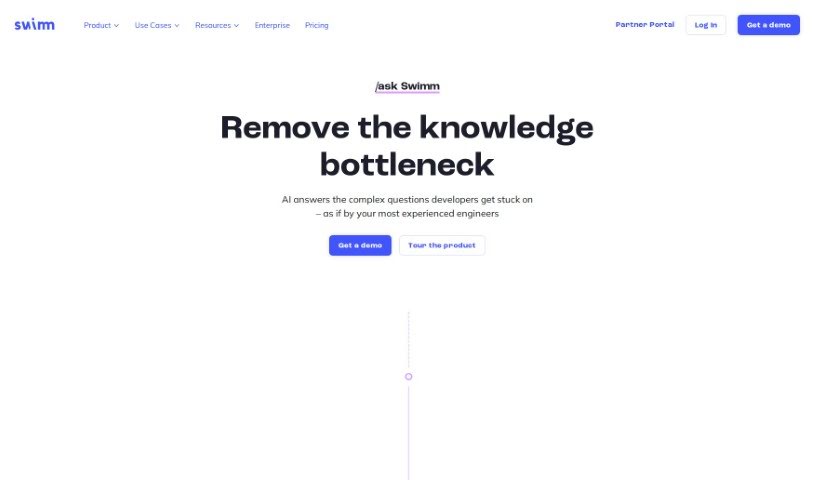
Screenshot of Swimm

Swimm

Discover what Swimm is and how to use it to boost your software development workflow in 2025. We'll explore its key features and compare it to other popular software development tools.

Screenshot

What is Swimm?

Swimm AI is a really useful tool designed to make code documentation much smoother, help teams work together better, and even automate the creation of code explanations. It is a smart assistant for your code. It has features that let you start documentation right from your pull requests, automatically generate explanations for code snippets, and it keeps everything secure with encryption. When you bring Swimm AI into your development process, your team can get a much clearer picture of code changes, keep track of how your codebase grows over time, and cut down on the time spent on manual documentation.

What makes Swimm AI different from regular chatbots is that it offers complete solutions for coding questions and creates documentation without a hitch, helping you avoid those common coding mistakes. It really saves developers time by automating the process of generating code explanations and documentation directly from pull requests. This means developers can spend more of their energy actually coding. Plus, teams can really benefit from Swimm AI by improving how they collaborate, understand code, and generally make the whole code documentation process more efficient.

Who created Swimm?

Oren Toledano is the founder behind Swimm. The company officially launched on July 6, 2023. Essentially, Swimm is a tool built to simplify code documentation, boost team collaboration, automate the documentation process, and provide detailed explanations for your code. You’ll find it offers handy features like seamless integration with GitHub, meaning you don’t have to write documentation manually. It also works with various IDEs and supports continuous documentation, so your docs are always up-to-date.

What is Swimm used for?

  • It makes code documentation much simpler.
  • It helps teams collaborate more effectively.
  • It generates clear explanations for your code.
  • It automates the entire documentation process.
  • You can document changes directly from pull requests.
  • It helps you keep track of how your codebase evolves.
  • It provides explanations specifically for code snippets.
  • Your data is kept secure through encryption.
  • It boosts developer productivity.
  • It integrates smoothly with GitHub.
  • It helps create a clear, connected story of code changes.
  • It offers a continuous documentation feature to keep things current.

Who is Swimm for?

  • Software developers
  • Programmers
  • Technical Writers
  • Documentation Specialists
  • Team Leads
  • Project managers
  • Developers (again, it’s that useful!)
  • Software engineers
  • Development teams in general

How to use Swimm?

To get the most out of Swimm, here’s a simple breakdown of how to use it:

  1. Integration is Key: First, connect Swimm with your current IDE. You can do this by installing the available IDE plugins for popular environments like Visual Studio Code and JetBrains. Once it’s integrated, you can activate Swimm right within your IDE to start automating documentation generation from pull requests and much more.
  2. Getting Started Smoothly: Head over to Swimm’s page to create an account. After signing up, install the necessary IDE plugins or link it up with GitHub using Swimm’s dedicated GitHub app. For a really thorough guide on using all its features, be sure to check out the detailed ‘Getting Started Guide’ on Swimm’s documentation website.
  3. Making Documentation Better: Make good use of Swimm’s features, like starting documentation directly from a pull request. This really helps you understand the history and evolution of your codebase. Let Swimm handle the automatic generation of code explanations; it’s a great way to make the documentation process more efficient and less of a chore.
  4. Learning Made Easy: Take advantage of Swimm’s helpful resources, such as their blogs, learning center, and extensive doc site. These are fantastic for deepening your understanding of code documentation. The learning center covers a wide range of topics, including how to collaborate on code, visualize your codebase, and boost overall developer productivity.
  5. Boosting Collaboration: Swimm AI really helps foster collaboration by making it effortless to generate code explanations. This means documentation becomes a natural, integrated part of your team’s workflow. By analyzing pull requests, Swimm provides a clear, cohesive picture of code modifications, which is a huge help for effective team collaboration.
  6. Security and Your Privacy: You can feel confident about your data privacy with Swimm AI. It follows standard security and privacy policies, encrypts your user data, and adheres to all data usage guidelines. Swimm AI’s security measures are in place to ensure your documentation and code always remain secure.

By following these steps, you’ll find that you can really streamline your code documentation process, improve how your team collaborates, and save valuable time thanks to Swimm AI’s efficient features and integrations.

Related AI Tools

Discover more tools in similar categories that might interest you

Stay Updated with AI Tools

Get weekly updates on the latest AI tools, trends, and insights delivered to your inbox

Join 25,000+ AI enthusiasts. No spam, unsubscribe anytime.