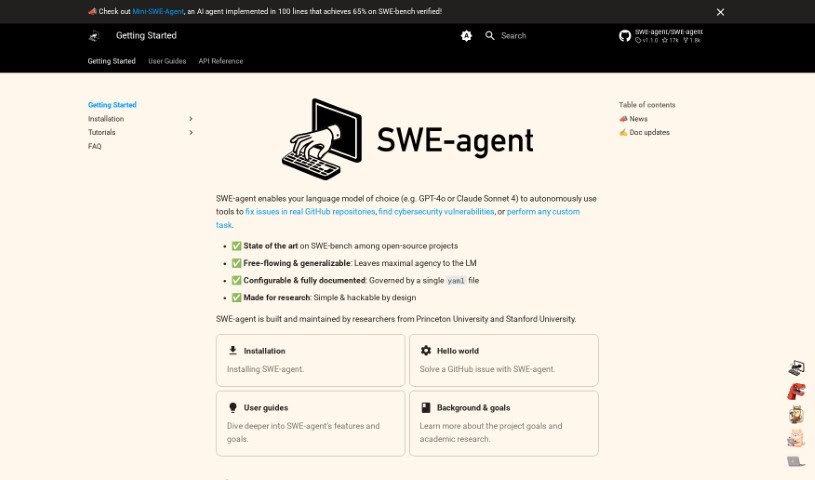
Screenshot of SWE-agent

SWE-agent

Discover what SWE-agent is and how to use it effectively in 2025. We'll explore its features, compare it to other software development tools, and guide you through getting started.

Screenshot

What is SWE-agent?

SWE-agent is a really neat tool that turns language models, like GPT-4, into actual agents. It is giving these models the ability to fix problems directly in GitHub repositories, tackle coding challenges, and even handle tricky cybersecurity tasks using its special EnIGMA mode. What’s great is you can tweak it a lot without needing to dive into the code itself, offering a ton of flexibility. You can explore the project’s goals, the research behind it, how the code works, and even learn how to change SWE-agent’s behavior. Basically, SWE-agent lets you build your own agents by providing all the development info you need, making it super versatile for coding, cybersecurity, and a whole lot more.

Who created SWE-agent?

The team behind SWE-agent comes from Princeton University’s Natural Language Processing Group. You can find the project on GitHub, where it’s hosted under the name “princeton-nlp/SWE-agent.” It’s pretty popular, with 13.7k stars and 1.4k forks so far.

How to use SWE-agent?

Getting the most out of SWE-agent is pretty straightforward if you follow these steps:

  1. Getting Started (Installation): You’ve actually got three main ways to begin using SWE-agent. Plus, there’s even a way to run it right in your browser without any installation at all! You can find all the detailed setup instructions through the link provided.
  2. Putting it to Work (Usage): We’ve put together tutorials, tips, and tricks to help you really make the most of SWE-agent. This section will walk you through how to use the tool effectively for all sorts of things, like fixing issues in GitHub projects, solving coding puzzles, and even tackling those tough cybersecurity challenges with the EnIGMA mode.
  3. Customizing SWE-agent (Configuration): You can tweak SWE-agent extensively without ever needing to change the actual code. Learn how to efficiently modify its behavior to perfectly match what you need. This part gives you insights into customizing the tool to really boost its performance for your specific tasks.

By following these steps, you’ll be able to use SWE-agent effectively for all sorts of tasks and customize it exactly how you like.

Related AI Tools

Discover more tools in similar categories that might interest you

Stay Updated with AI Tools

Get weekly updates on the latest AI tools, trends, and insights delivered to your inbox

Join 25,000+ AI enthusiasts. No spam, unsubscribe anytime.