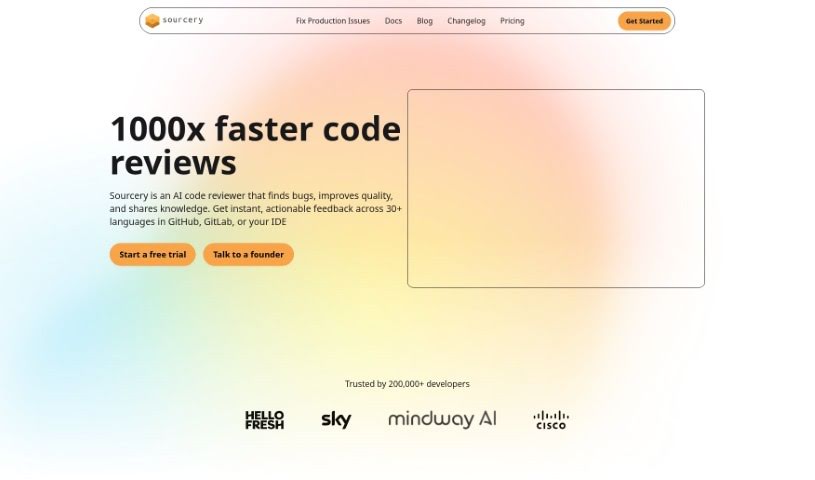
Screenshot of Sourcery

Sourcery

Discover what Sourcery is and how to use it effectively in 2025. We'll explore its features and compare it to other code generators, giving you the insights you need.

Screenshot

What is Sourcery?

Sourcery is an AI-powered tool designed to make your code better and speed up how you build things. Think of it like a helpful coding partner that’s always ready with quick, accurate answers to your coding questions. It’s great for getting up to speed with new projects, understanding older code, or learning new concepts. Sourcery can automate a lot of those repetitive tasks, like writing tests, creating docstrings, and even doing code reviews. By handling these with just a click, it really saves developers time and makes their work simpler. Plus, it helps you refactor your code by suggesting best practices, offering improvements, and giving you feedback in real-time. This means you can keep your code quality high, speed up reviews, and get feedback right away. It also helps with documentation, automatically generating docstrings and tests, which makes your code easier to read and ensures you have good test coverage. Many engineers from well-known companies like Hello Fresh, Sky, Mindway, and Cisco trust Sourcery. It’s a really useful tool if you want to improve your code, get smarter insights, automate boring tasks, and keep making your projects better.

Who created Sourcery?

A team of developers built Sourcery because they wanted to improve code quality and make the development process smoother. They launched the platform on June 19, 2024. It works like an AI pair programmer, offering automated help for things like code reviews, writing tests, and refactoring code. The tool helps keep code quality high, cuts down on review delays, and gives you immediate feedback. Thousands of engineers from companies like Hello Fresh, Sky, Mindway, and Cisco rely on Sourcery to make their code better and automate repetitive tasks efficiently.

What is Sourcery used for?

Sourcery is used for a bunch of things to help developers:

  • Automating repetitive tasks: It can write tests and create docstrings for you.
  • Code reviewing: Get immediate, accurate answers to your coding questions.
  • Understanding code: It helps you navigate and grasp new code bases, older code, and new concepts.
  • Refactoring: It suggests best practices and improvements for your code.
  • Real-time feedback: Get insights that are almost like a human review, helping you maintain code quality and reducing review delays.
  • Documentation: Automatically generates docstrings and tests to make your code more readable and ensure good test coverage.
  • Improving efficiency: It’s a trusted tool for thousands of engineers from companies like Hello Fresh, Sky, Mindway, and Cisco, helping them enhance code quality and automate tasks.
  • Simplifying workflows: Its user-friendly interface and smart capabilities make it easier to improve code and automate repetitive tasks.
  • Saving time: It streamlines tasks with a single click, saving developers valuable time and effort.
  • Boosting speed: It helps enhance code quality and speed up the entire development process.
  • Continuous improvement: It helps maintain peak code quality, reduces review delays, and provides immediate feedback.

Who is Sourcery for?

  • Software developers
  • Engineers
  • Development teams

How to use Sourcery?

Here’s how you can get the most out of Sourcery:

  1. Install it: First, you’ll want to install Sourcery. You can do this in your Integrated Development Environment (IDE) or as a command-line interface (CLI) tool.
  2. Set Your Standards: Tell Sourcery what your project’s coding standards and best practices are. This includes rules for code quality, how it should be formatted, and any optimizations you prefer.
  3. Let it Review: Sourcery will automatically check your code against the standards you’ve set. It’ll give you feedback, suggest improvements, and even offer fixes to make your code better.
  4. Automate Fixes: Use Sourcery to handle those repetitive jobs like writing tests, creating docstrings, and doing code reviews. This saves you time and keeps things consistent.
  5. Get Refactoring Help: Sourcery can help you refactor your code by giving you tips, suggesting ways to improve it, and offering real-time insights to boost code quality.
  6. Generate Documentation: The tool can automatically create docstrings and tests. This makes your code easier to understand and ensures you have thorough test coverage.
  7. Keep Improving: Use Sourcery regularly to maintain the best possible code quality, speed up your review process, and get immediate feedback on your work.

By following these steps, developers can really use Sourcery’s AI features to make coding tasks smoother, improve code quality, and speed up the development process effectively.

Related AI Tools

Discover more tools in similar categories that might interest you

Stay Updated with AI Tools

Get weekly updates on the latest AI tools, trends, and insights delivered to your inbox

Join 25,000+ AI enthusiasts. No spam, unsubscribe anytime.