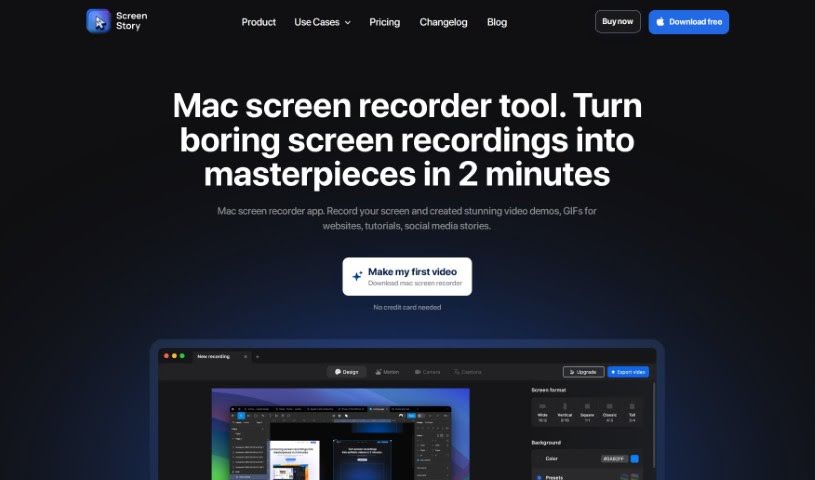
Screenshot of Screen Story

Screen Story

Discover what Screen Story is and how to use it effectively in 2025. We'll explore its features and see how it stacks up against other video creation tools.

Screenshot

What is Screen Story?

Screen Story is a handy tool for Mac users that lets you record your screen. It’s designed to help you create really nice video demos, GIFs, and even stories for social media, all without needing to be a video editing pro. It is your go-to for making polished videos easily. It automatically zooms in on what you’re doing, makes your cursor movements look smooth, and offers lots of ways to export your videos. You can record pretty much anything on your screen, tweak the look and feel, use your selfie camera, share links to your recordings in the cloud, adjust cursor settings, add motion blur, and even use external devices to shoot your video. Plus, you can trim and split clips to make them even better.

Who created Screen Story?

Pavel Harmansky, the founder of OnlyMonster, is the creative mind behind Screen Story. He launched the app on December 1, 2023. OnlyMonster is all about growing and improving the app, aiming to give users a straightforward tool for making videos efficiently, so you don’t need those advanced editing skills.

Who is Screen Story for?

  • UI Designers
  • Marketers
  • Lead Designers
  • Developers
  • Tutors
  • Entrepreneurs
  • Designers

How to use Screen Story?

Using Screenstory is pretty straightforward. Here’s a quick rundown:

  1. Download and Install:
    • First, grab the Mac screen recorder app from its official website. It’s a simple download.
    • Then, just install it on your Mac. The best part? You don’t need to enter any credit card details to get started.
  2. Recording:
    • Once Screenstory is open, you get to choose what you want to capture – either your whole screen or just a specific window.
    • The tool is smart; it automatically zooms in on your actions and makes sure your cursor moves look really smooth.
    • You can record videos and GIFs in different formats like GIF or MP4, and it supports 60 FPS and even 4K resolution.
  3. Customization:
    • Want your videos to match your brand? You can pick backgrounds that fit your guidelines.
    • Using your selfie camera is easy, and you can add engaging animations to it.
    • Features like motion blur, cursor settings, and the ability to use external devices can really boost your video quality.
  4. Editing:
    • Need to clean up your recording? You can trim and split videos to cut out anything unnecessary, making your content much more engaging.
    • You can add your selfie video and adjust it so it doesn’t block the mouse cursor.
    • There’s also a handy teleprompter feature, so you can write and read your notes while you’re recording.
  5. Sharing:
    • Sharing your recordings is a breeze. You can instantly send them to clients, colleagues, or friends using cloud sharing links.
    • You can also copy the video straight to your clipboard for super quick sharing on social media or in chat messages.
  6. Additional Features:
    • For easier video editing and repurposing, you get access to project master files.
    • You can also benefit from AI captions, multi-camera layouts, and the ability to record mobile apps.
  7. Plans and Trials:
    • There are different plans available, so you can pick the one that best suits your needs, whether you prefer monthly or yearly subscriptions.
    • And of course, you can try the app out for free before you decide to buy.
  8. Future Updates:
    • Keep an eye out for upcoming updates! We’re planning to add features like AI captions, more multi-camera layouts, and other enhancements to make video creation and editing even better.

By following these steps, you’ll be able to create, customize, and share high-quality videos with Screenstory on your Mac in no time.

Related AI Tools

Discover more tools in similar categories that might interest you

Stay Updated with AI Tools

Get weekly updates on the latest AI tools, trends, and insights delivered to your inbox

Join 25,000+ AI enthusiasts. No spam, unsubscribe anytime.