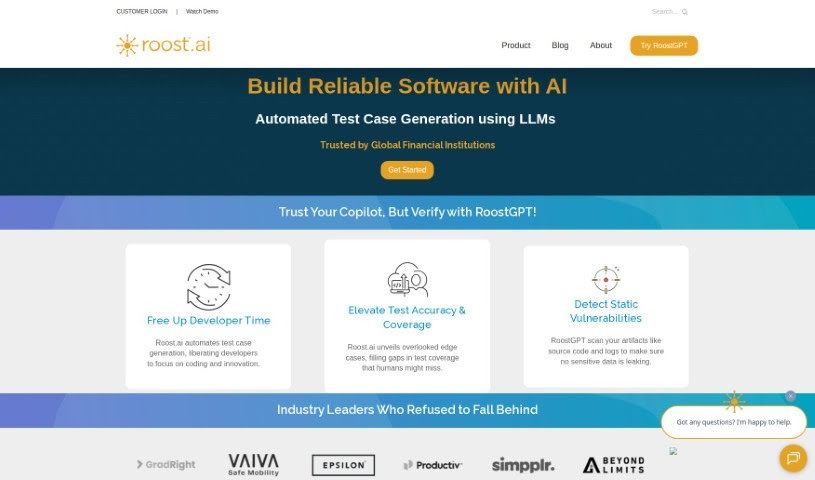
Screenshot of Roost AI

Roost AI

Discover what Roost AI is and how to use it effectively in 2025. We'll explore its features and see how it stacks up against other Software Development Tools.

Screenshot

What is Roost AI?

Roost AI is a tool built to help developers be more productive. It uses Generative AI to create sophisticated test cases, and it’s smart enough to automate testing in complex software environments. It is a helpful assistant that understands your software’s context. It can do things like turn your user stories into test cases, automatically generate tests, automate contract testing, and speed up acceptance testing with preview URLs. Plus, it can spin up temporary test environments whenever you need them and works with various testing processes and frameworks. Roost AI also plays nicely with popular cloud services and DevOps tools, which really helps to smooth out the software testing process and improve the overall quality of your software. However, it’s not perfect. Some things to keep in mind are that it needs you to input user stories and have access to code repositories. It also relies on CloudFormation or Terraform, can be a bit tricky for newcomers, needs your existing IaC scripts, and is heavily focused on cloud services. We also don’t have cost information readily available, there’s no offline mode, and you might run into some integration hiccups.

Who created Roost AI?

Roost AI first came out on March 20, 2023. The documents we have don’t actually mention who founded Roost AI. The company offers different plans – Start-up, Business, and Enterprise – each with its own set of features and pricing. Their product, RoostGPT, uses Generative AI specifically for creating test cases and automating them. The main goal is to boost developer productivity and make software quality better.

What is Roost AI used for?

Here’s a rundown of what Roost AI can do:

  • Turn your user stories into test cases.
  • Automatically generate test cases.
  • Automate contract testing.
  • Speed up acceptance testing using preview URLs.
  • Provide temporary test environments on demand.
  • Map things out automatically and perform intelligent testing.
  • Make use of your existing IaC scripts.
  • Insert tests into your user stories and code repositories.
  • Automatically discover your environment’s configuration.
  • Run tests automatically on changes, using your existing frameworks.

Who is Roost AI for?

Roost AI is a great fit for:

  • Software developers
  • QA testers
  • DevOps professionals
  • QA Engineers
  • DevOps Engineers
  • Software testers
  • Developers
  • Software Testers
  • DevOps engineers

How to use Roost AI?

To get the most out of Roost AI, here’s a simple guide:

  1. First, pick the plan that best suits what you need – whether it’s Start-up, Business, or Enterprise. Each one comes with different features and limits.
  2. Next, dive into using RoostGPT’s Generative AI. It’s fantastic for creating test cases, automating contract testing, and getting fast acceptance tests with preview URLs.
  3. Take advantage of features like converting user stories into test cases, mapping things out automatically, discovering your environment’s configuration, and running tests automatically on changes using the frameworks you already have.
  4. Make sure you connect Roost AI with your existing DevOps tools and cloud services. This really helps streamline your software testing and boost your software quality.
  5. It’s also good to be aware of some potential downsides. For example, it needs you to input user stories and have access to your code repository. It also relies on CloudFormation or Terraform, and it can be a bit complex for people just starting out.
  6. You might also face challenges with integration, its focus on cloud services, and the fact that there isn’t an offline mode.
  7. Finally, keep an eye on Roost AI’s latest updates and improvements. This will help you get the most out of it for your software testing.

By following these steps and keeping both the good and not-so-good points in mind, you can really make Roost AI work well for your software testing processes.

Related AI Tools

Discover more tools in similar categories that might interest you

Stay Updated with AI Tools

Get weekly updates on the latest AI tools, trends, and insights delivered to your inbox

Join 25,000+ AI enthusiasts. No spam, unsubscribe anytime.