10LevelUp
Video Generation Video Editing
Learn More
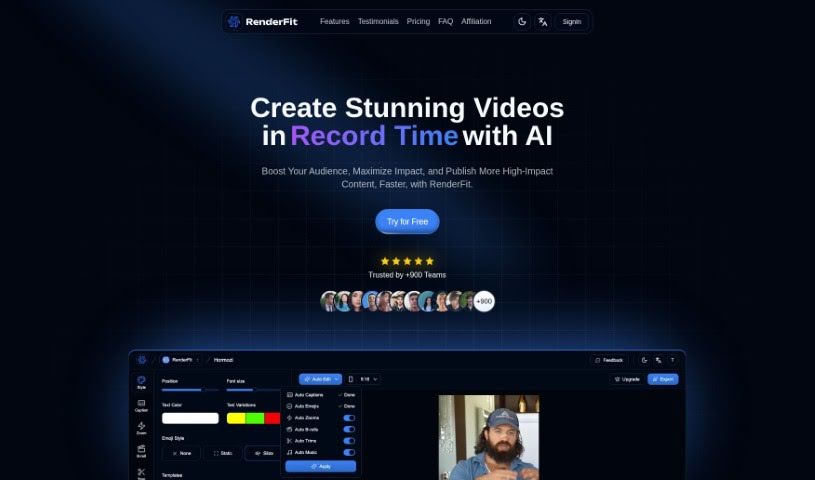
Discover Renderfit in 2025! Learn what this AI-powered video captioning tool is, how to use its features effectively, and how it stacks up against other video editing tools.
Renderfit is an AI-powered platform designed to make enhancing your videos super easy with automated captioning. It is your go-to tool for adding captions, emojis, and customizing your video’s look and feel. It offers a real-time preview so you can see exactly how your video will turn out, and it’s known for being fast, reliable, and secure, whether you’re creating content or handling transactions. You just upload your video, pick a style or template, tweak the captions and emojis, and then download your finished video with subtitles.
Lots of users have shared great feedback, saying Renderfit really helps boost engagement and makes their videos more accessible.
Renderfit was actually created by Nolan Bright and launched on February 10, 2024. This company specializes in AI-powered captions, letting you easily integrate emojis and fully customize your video editing. The whole idea behind Renderfit is to help content creators make their videos stand out effortlessly. It comes with handy features like a real-time preview, quick rendering, and it really boosts accessibility. Over 300 content creators already trust Renderfit, and they offer different subscription plans to fit everyone, from personal projects to growing businesses and creators who need a lot of output.
Renderfit is pretty versatile! Here’s what it helps you do:
If you create content, Renderfit is likely for you. Specifically:
Using Renderfit is pretty straightforward. Just follow these simple steps:
Remember, Renderfit offers AI-Powered Captions, emoji integration for extra expressiveness, all sorts of customization options, real-time previews, fast rendering, and it’s reliable and secure for all your content creation needs. This tool makes the whole subtitling process much simpler, boosting visibility and user engagement, which is why it’s perfect for creators on platforms like TikTok, Instagram, and YouTube Shorts. So, why not embrace the ease of automating your video captions and really elevate your content without all the hassle?
Discover more tools in similar categories that might interest you
Get weekly updates on the latest AI tools, trends, and insights delivered to your inbox
Join 25,000+ AI enthusiasts. No spam, unsubscribe anytime.