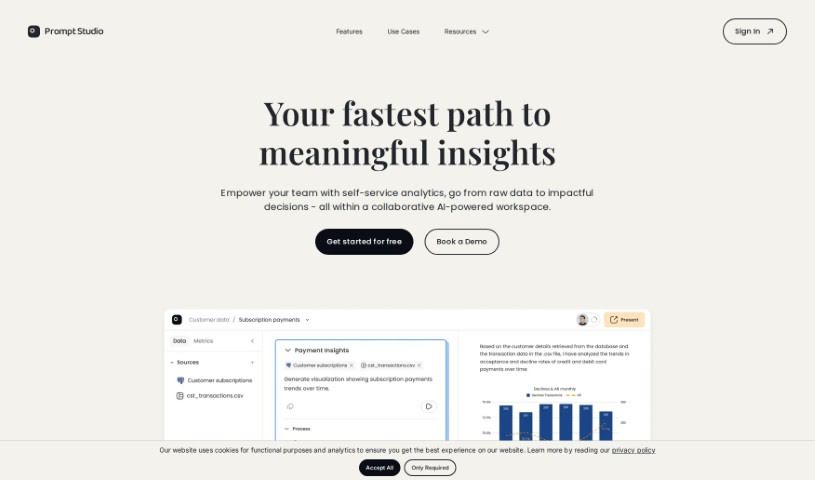
Screenshot of Prompt Studio

Prompt Studio

Discover what Prompt Studio is and how to use it effectively in 2025. We'll explore its features and see how it stacks up against other software development tools.

Screenshot

What is Prompt Studio?

Prompt Studio is a handy tool built to make testing and validating generative AI use cases for businesses much simpler. It really helps with prompt engineering by giving you a visual editor to design AI features you can reuse. With Prompt Studio, you can easily plug AI tools into your own applications and workflows, either through an SDK or a REST API. The best part? Prompt Studio handles all the tricky integration, hosting, and deployment stuff for you. This means you stay in charge and can fine-tune language models with your own examples to get even better results. It’s also great for teams, making prompt development, prototyping, and testing a collaborative effort, which speeds things up and makes the whole process more efficient. Plus, Prompt Studio has role-based permissions to control who can access what, and it’s GDPR compliant, so your privacy and data security are well looked after. They offer different pricing plans to fit what you need, from a free version to try things out, to pro and enterprise options with more customization and support.

Who created Prompt Studio?

Prompt Studio was started by a group of software engineers who wanted to make prompt engineering for generative AI applications easier for everyone. Their company provides visual editor tools specifically for designing AI features, and they take care of all the integration, hosting, and deployment. This lets users fine-tune large language models and work together on developing and testing prompts. Prompt Studio offers an SDK/REST API so you can easily integrate AI tools into your applications, allowing for quick deployment of AI tools through a low-latency API. They also have various pricing plans, including a free tier if you just want to give the tool a spin.

What is Prompt Studio used for?

  • Quickly try out and confirm AI use cases: Get ideas up and running fast to see if they work.
  • Design reusable AI features: Build AI components visually and then easily plug them into your apps.
  • Fine-tune LLMs with your best examples: Make your AI models perform better by showing them what good looks like.
  • Speed up development: Get things done faster without needing to wait for developers.
  • Collaborate on prompts: Work with your team on developing, prototyping, and testing prompts together.
  • Integrate AI tools: Seamlessly connect AI tools into your existing applications and workflows using an SDK or REST API.
  • Explore generative AI: Use template Promptbooks to discover different ways generative AI can be used.
  • Manage access: Control who can do what with role-based permissions.
  • Get started easily: Quickly understand features with an overview in Promptbooks.
  • Customize and get support: The Enterprise plan offers custom AI models, special features, and dedicated support.

Who is Prompt Studio for?

  • Prompt engineers
  • Software engineers

How to use Prompt Studio?

Here’s a simple, step-by-step guide to using Prompt Studio:

  1. Building Promptbooks:

    • Start by writing your prompt and choosing a language model (LLM).
    • Run the prompt to see what output you get.
    • You can then make edits, add references, or go back to previous versions, all right there in the same editor.
  2. Tweaking the Prompts:

    • If you have a prompt that’s okay but could be better, you can easily adjust the AI settings to improve the results.
    • It’s designed for easy, quick, and efficient experimentation to make your prompts even better.
  3. Sharing Prompts:

    • Once you’re happy with your prompt engineering work, you can save your AI tool so you can use it again later.
    • You can also share what you’ve created with others and build on it together.
  4. Connecting Prompt Studio:

    • Prompt Studio is built to be used by both people and machines.
    • You can easily connect your Promptbooks to other systems using a fully-managed AI backend.
    • Deploy your Promptbooks through a low-latency API. It even integrates with the N8N automation framework and lets you customize your preferred language models (LLMs).
  5. Additional Features:

    • Work with your team on developing, testing, and prototyping prompts.
    • Use the developer tools to add AI features to your current workflows with the SDK/REST API.
    • Check out template Promptbooks to explore generative AI use cases, and get a quick start with demo Promptbooks.
    • Keep things organized with role-based permissions and make sure your data is secure with GDPR compliance.
  6. Pricing Options:

    • You can pick the Free plan for the basics, the Pro plan for more features and control, or the Enterprise plan if you need custom solutions and premium support.

By following these steps, you’ll be able to use Prompt Studio effectively to create, improve, and share AI prompts that meet your business needs.

Related AI Tools

Discover more tools in similar categories that might interest you

Stay Updated with AI Tools

Get weekly updates on the latest AI tools, trends, and insights delivered to your inbox

Join 25,000+ AI enthusiasts. No spam, unsubscribe anytime.