What is Powder?
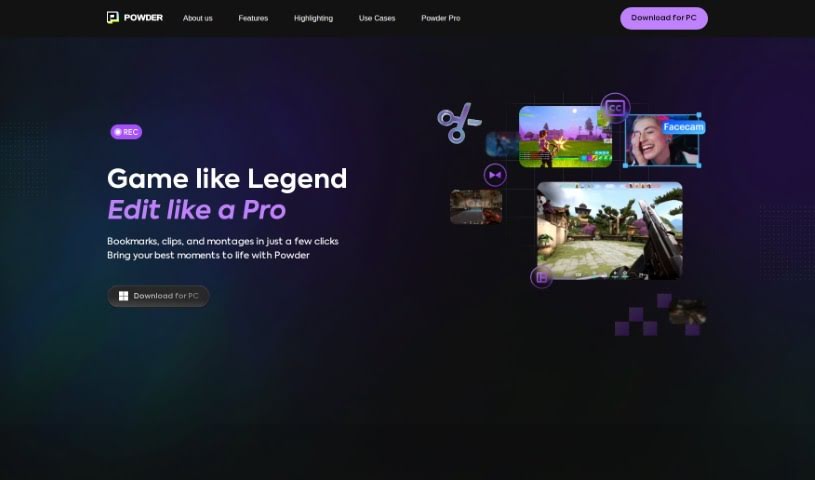
From what I’ve gathered, Powder is a handy tool built for gamers. It uses AI to help you turn those super long gaming streams into short, shareable clips for social media. It is an automatic clip generator that polishes your best moments so they’re ready to share in just a few clicks. With Powder, you can record your gaming sessions, easily grab those standout moments, edit your game clips and montages, and even analyze your content without any limits. It’s a PC app that works exclusively on Windows. You get features like screen recording, automatic clip creation for popular games, and smart AI video editing tools.
Who created Powder?
A team of developers created Powder with a clear goal: to help gamers transform long streams into short, shareable clips using AI. This company is all about providing tools for video editing, managing social media, and working with LLMs. Powder is available as a PC app, but only for Windows users. Gamers can use it for free, and if you’re a professional content creator or part of an organization, there are paid subscription options with even more features. The platform can automatically generate highlights for many popular games and offers a bunch of tools for creating and editing clips.
What is Powder used for?
- Turn long streams into short, shareable social clips using AI.
- Find your best moments and search through clips using keywords.
- Create automatic montages that are perfectly optimized for social media.
- Boost your reach and save a ton of time.
- Record your gaming sessions with a screen recorder that’s light on your PC’s resources.
- Automatically spot and clip those standout moments from your screen recordings or streams.
- Edit your game clips and montages using vertical templates and AI-powered subtitles.
- Analyze your content without limits, right on your Windows PC using local AI.
- Automate the process of creating shareable clips and montages for really engaging content.
- Speed up how quickly you generate clips, making your workflow more efficient and saving you time.
- Automatically transform your gameplay recordings and streams into polished clips that are perfect for sharing with friends or on social media.
- Generate highlights for popular games like Fortnite, Valorant, Counter-Strike 2, League of Legends, Rocket League, Call of Duty, Helldivers 2, and many more.
- Create compelling clips and montages with a little help from AI.
- Efficiently screen-record your gaming sessions.
- Use AI to clip those standout moments from your gaming sessions.
- Edit game clips and montages with easy-to-use vertical templates and AI subtitles.
- Analyze your content without any limits, all locally on your Windows PC.
- Automate the creation of clips and montages to save time and work more efficiently.
- Produce a large volume of engaging, shareable clips from your long video recordings.
- Save precious time by letting AI handle clip creation instead of rewatching footage.
Who is Powder for?
- Professional content creators
- Organizations
- Companies
How to use Powder?
Here’s how you can get started with Powder:
- Download and Install:
- First, download Powder onto your Windows PC.
- Then, sign up using either your email address or your Razer ID.
- Record Gameplay:
- You can capture your gaming sessions directly using Powder’s built-in screen recorder.
- Alternatively, you can import a VOD by providing a stream link.
- Clip and Edit:
- Let Powder’s AI do the work of identifying and clipping those notable moments from your recordings.
- After that, you can edit these clips into videos that are ready for social media, using Powder’s templates and AI subtitles.
- Generate Content:
- Powder’s AI runs locally on your PC, which means you can do unlimited analysis without worrying about cloud computing costs.
- Automate your clip generation to ensure you always have a steady stream of content to help your channel grow.
- Additional Features:
- If your specific game isn’t listed, you can use the “Universal Game Support” feature to create clips.
- If you’d like to request that a new game be added, just send an email to [email protected].
- For any issues you run into or if you have feedback, you can reach out to [email protected].
- Enjoy the Benefits:
- You’ll save a lot of time thanks to fast clip generation.
- You can create up to 100 clips from a single long video.
- Experience faster content growth and also save money.
Just remember, Powder is free for gamers. If you’re a professional content creator or an organization, you can get access to more features by request. Start creating awesome gaming content effortlessly with Powder!