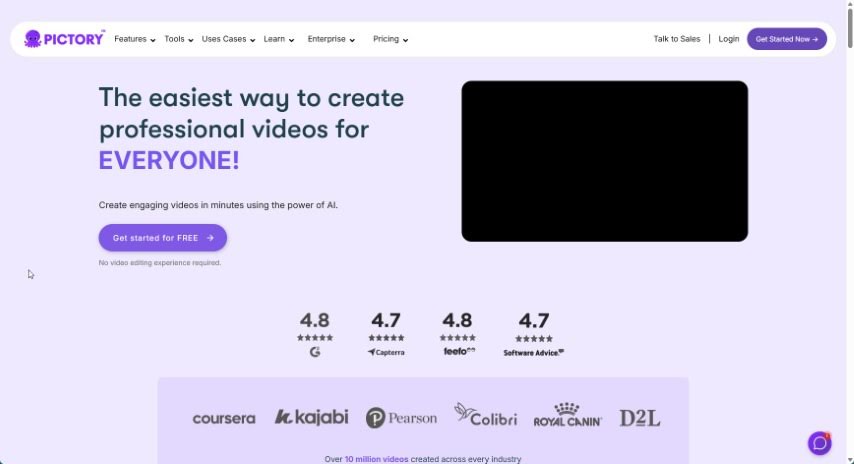
What is Pictory?
Pictory is a really handy platform that helps you create professional-looking videos. You can start with just a script, or it can automatically turn your blog posts into engaging videos. It’s also great for pulling out the best moments from longer recordings, perfect for social media. Plus, you can easily add captions to boost how many people see your videos and keep them watching longer. If you work with others, Pictory makes collaboration simple, and they even offer support for non-profits. To help you get the most out of it, Pictory offers courses like “YouTube Mastery” and “Video Marketing Made Easy,” which are designed to help you grow your YouTube channel and get better at video marketing. They’ve also recently introduced Pictory GPT for Videos and Pictory AI, which are fantastic for turning long content into short, shareable social videos.
Who created Pictory?
Pictory was developed by a dedicated team, spearheaded by someone known as “Pictory’s YouTube expert.” This expert created the “YouTube Mastery” course, which dives deep into finding your niche, attracting viewers, growing your subscriber base, and making money from your channel. They also partnered with a leading video marketing expert to create the “Video Marketing Made Easy” course. This course is all about using video to bring in more leads and boost sales. Both of these valuable courses are available if you’re on certain Pictory plans.
What is Pictory used for?
Pictory is incredibly versatile. Here’s a breakdown of what you can do with it:
- Quick Video Creation: Turn your scripts into videos in just minutes.
- Blog to Video: Transform your blog posts into videos to improve your SEO and keep visitors on your site longer.
- Social Media Clips: Easily convert long videos into engaging, branded clips for social media.
- Highlight Extraction: Automatically pull out key moments from Zoom, Teams, webinars, and podcasts to create social media content.
- Captioning: Add captions automatically to increase your video’s reach and watch time.
- Team Collaboration: Work together with colleagues from different departments using the Teams Plan.
- YouTube Growth: Learn how to set up and grow a successful YouTube channel with the “YouTube Mastery” course.
- Sales & Leads: Boost your leads and sales through effective video marketing strategies with the “Video Marketing Made Easy” course.
- Original Content: Create unique videos using your own assets, powered by AI visual search and voiceover technology.
- Content Repurposing: Turn long-form content, like articles or videos, into short, engaging social media posts.
- Idea to Video: Generate compelling videos from simple ideas or existing assets in just minutes.
- Professional Quality: Produce professional-quality videos complete with realistic AI voices, matching footage, and background music.
- SEO & Engagement: Make your blog posts more discoverable and engaging by turning them into videos.
- Social Media Snippets: Automatically create short, branded video clips from recordings of Zoom calls, Teams meetings, webinars, and podcasts.
- Departmental Collaboration: Facilitate teamwork by allowing colleagues from different company departments and even external partners to collaborate.
- Video Marketing Impact: Drive more leads and sales by using video marketing effectively.
- Workflow Innovation: Revolutionize your video creation process with AI visual search and incredibly realistic AI voiceovers.
- Script-Based Videos: Craft professional videos from scripts, featuring lifelike AI voices, relevant footage, and background music.
- Blog Post Videos: Turn your blog posts into videos that improve SEO and reduce bounce rates.
- Long-Form to Social: Transform lengthy videos into engaging, branded clips perfect for social media sharing.
- Reach & Watch Time: Increase your video’s reach and keep viewers engaged by adding captions automatically.
- Team Collaboration Features: The Teams Plan allows colleagues to easily share assets and ideas, fostering collaborative creativity.
- Recording Highlights: Automatically extract highlights from Zoom, Teams, webinars, and podcasts into short, branded video snippets for social media.
- AI-Powered Content Generation: Create engaging videos from a script, URL, or even just a prompt, using AI visual search and premium assets for original content.
- Boost Sales with Video: Enhance your lead generation and sales figures through strategic video marketing.
- YouTube Channel Success: Learn the ins and outs of setting up and growing a successful YouTube channel with the “YouTube Mastery” course.
- Educational Content: Support teachers in creating educational materials by adding visuals that perfectly match their transcripts.
- Quick Video Creation: Generate engaging videos from your ideas or assets in mere minutes.
- Content Repurposing: Convert long-form content, such as blog posts, into short, shareable social video posts.
- Professional Script Videos: Turn scripts into professional-quality videos, complete with AI voices, matching footage, and music.
- SEO-Friendly Blog Videos: Automatically create captivating videos from blog posts to improve SEO and reduce bounce rates.
- Social Media Snippets: Extract highlights from Zoom, Teams, webinars, and podcast recordings into short, branded video snippets for social media.
- Automatic Captioning: Add captions automatically to boost reach and watch time.
- Team Creativity: Promote creativity and collaboration within teams by enabling the sharing of assets and ideas.
- Instant Support: Get help quickly via the chat box directly within your Pictory account.
- Automated Highlight Extraction: Automatically extract key moments from Zoom, Teams, webinars, and podcast recordings.
- Collaborative Asset Sharing: Share assets and ideas among colleagues to foster collaborative creativity.
- Sales & Lead Generation: Boost your leads and sales through effective video strategies.
- YouTube Monetization: Learn to identify profitable niches, attract viewers and subscribers, and monetize your YouTube channel.
- Professional Script Videos: Create professional-quality videos from scripts, featuring AI voices, matching footage, and music.
Who is Pictory for?
Pictory is a great tool for a variety of users, including:
- Creators looking to produce engaging video content.
- Video Marketers aiming to enhance their campaigns.
- Non-profits seeking to share their message effectively.
- Content Creators of all types.
- Marketers wanting to improve engagement and reach.
- YouTubers focused on channel growth and monetization.
- Video Editors needing efficient tools.
- Social Media Managers aiming to create compelling posts.
- Marketing Professionals looking to leverage video for business growth.
How to use Pictory?
Using Pictory is straightforward. Just follow these simple steps:
- Sign Up: First, create an account on the Pictory website.
- Start a Project: Begin by setting up a video project. This involves adding your script, selecting video clips, and choosing music from Pictory’s extensive library.
- Download Your Video: Once your project is ready, click “Download” on your dashboard to generate your video.
- Refine and Generate: Feel free to make any adjustments you like and generate multiple versions until you’re completely satisfied. Don’t worry, each version still counts as just one video project.
- Free Trial: With the free trial, you can create up to 3 video projects to get a feel for Pictory before deciding to upgrade to a paid plan.
- Get Support: If you ever need help or have questions, simply log into your account and use the chat box located in the bottom-right corner for quick assistance.
- Cancel Anytime: If you change your mind, you can easily cancel your plan at any time directly within the app.
- Payment Options: Pictory accepts major debit and credit cards, PayPal, and offers secure payment processing through Stripe and PayPal.
- Non-Profit Inquiries: Non-profit organizations can inquire about special discounts by contacting support through the chat feature.
- Skill Enhancement: Take advantage of Pictory’s courses, like “YouTube Mastery” and “Video Marketing Made Easy,” to boost your video creation skills and accelerate your channel growth.
By following these steps, you’ll be able to effectively use Pictory to create engaging videos with remarkable ease.