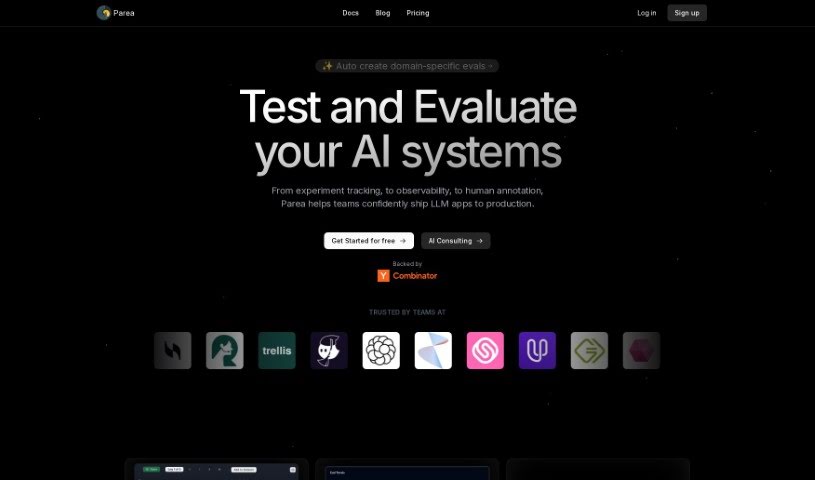
What is Parea AI?
Parea AI is a platform built to help developers make their Language Model (LLM) applications perform better. It is a smart assistant for your AI projects. It offers tools that let you really dig into prompt engineering. You can try out different versions of your prompts, see how well they work, and even optimize them with just one click. It also helps you manage your OpenAI functions. Plus, there’s a test hub where you can easily compare prompts, and a studio feature for keeping track of all your prompt versions. You also get API and analytics access, which is super handy for collecting data and making improvements. Parea AI also offers support, can help develop features specifically for you, and really focuses on making sure your testing is thorough, your versions are controlled, and your prompts are optimized to boost your LLM applications.
Who created Parea AI?
Parea was actually created to help developers fine-tune their Language Model applications. It gives them tools to experiment with prompts and evaluate how well they’re performing, ultimately making AI-powered products better. The platform officially launched on June 7, 2023. Its main goal is to make it easier for teams to manage their prompt engineering workflow and get better LLM results without a lot of hassle. The company really focuses on helping developers find the prompts that work best by letting them experiment and compare. They provide a comprehensive test hub for evaluation, where you can even set your own metrics. With API access, analytics, dedicated support, and custom feature development, Parea AI is a really useful tool for any developer looking to improve their LLM applications.
What is Parea AI used for?
Parea AI is incredibly versatile and can help with a bunch of things:
- Debugging: Figure out what’s going wrong.
- Experiment tracking: Keep a record of all your tests.
- Observability: Get a clear view of how your AI is performing.
- Human annotation: Let people provide feedback or label data.
- Prompt Playground & Deployment: Test prompts in a sandbox and then put them to use.
- Comparison of score distributions: See how different prompts stack up against each other.
- Prompt optimization: Make your prompts work better.
- Evaluation of sample performance over time: Track how well things are doing as time goes on.
- Collecting human feedback: Gather opinions from users.
- Incorporating logs from staging & production into test datasets: Use real-world data for your tests.
- Annotating and labeling logs: Make your log data more useful.
- Tracking performance over time: Monitor improvements or changes.
- Debugging failures: Pinpoint and fix issues.
- Testing prompts on large datasets: See how your prompts handle lots of data.
- Experiment with different prompt versions: Try out various ways to ask your AI.
- Evaluate and compare prompt performance: See which prompts are the best.
- Identify most effective prompts for production use-cases: Find the prompts that work best in real applications.
- Optimize prompts with a single click: Make quick improvements.
- Support CSV import of test cases: Easily bring in your own test data.
- Customizable evaluation metrics: Set your own standards for success.
- Manage and create OpenAI functions: Organize and build functions for OpenAI.
- View all prompt versions in one place: Keep everything organized.
- Access prompts programmatically: Use prompts through code.
- Gather observability and analytics data: Collect information on performance and usage.
- Evaluate and compare prompt performance across test cases: See how prompts do on different scenarios.
- Identify the most effective prompts for specific production use-cases: Find the best prompts for real-world tasks.
- Optimize prompts with one click to improve LLM results: Make quick, effective prompt improvements.
- Support CSV import of test cases and customizable evaluation metrics: Easily import data and set your own success criteria.
- Manage and create OpenAI functions with the studio feature: Organize and build functions using the studio.
- Access prompts programmatically for observability and analytics data: Use code to get performance and usage insights.
- Gather insights on costs, latency, and prompt efficacy for optimization: Understand expenses, speed, and how well prompts work to make them better.
- Receive dedicated support and tailored feature development: Get help and custom features built for you.
- Enhance developer productivity with API and analytics access: Make developers more efficient with API and analytics tools.
Who is Parea AI for?
Parea AI is designed for:
- Developers
- AI professionals
How to use Parea AI?
Here’s a straightforward way to get the most out of Parea:
- Get Started with Integration: First, connect Parea to your OpenAI client. You can use the SDKs provided for Python or JavaScript – they make it pretty simple.
- Experiment and Evaluate: Dive into the platform’s features. Try out different versions of your prompts and see how they perform across various test cases. This is where you really start to see what works.
- One-Click Optimization: Once you’ve found prompts that are doing well, use the one-click optimization feature. It’s designed to boost the results of your Language Model applications.
- Import Test Cases: If you have your own test data, you can import it via CSV into the test hub. This lets you compare prompts using evaluation metrics that you customize yourself.
- Manage Functions in the Studio: Use the studio feature to manage and create your OpenAI functions. It’s also where you can see all your prompt versions in one convenient place.
- Programmatic Access and Data Gathering: Access all your prompts using code. This also lets you gather observability and analytics data, giving you deeper insights for optimization.
- Leverage Support and Custom Features: Don’t hesitate to use Parea’s dedicated support. They can also help with tailored feature development, which is great for getting the most out of the tool.
- Boost Performance with Rigorous Practices: Take advantage of Parea’s focus on rigorous testing, version control, and prompt optimization. These practices are key to effectively and efficiently boosting your LLM applications.
By following these steps, you’ll be able to really improve your prompt engineering workflow and build some impressive AI-powered products. It’s all about making the process smoother and the results better.