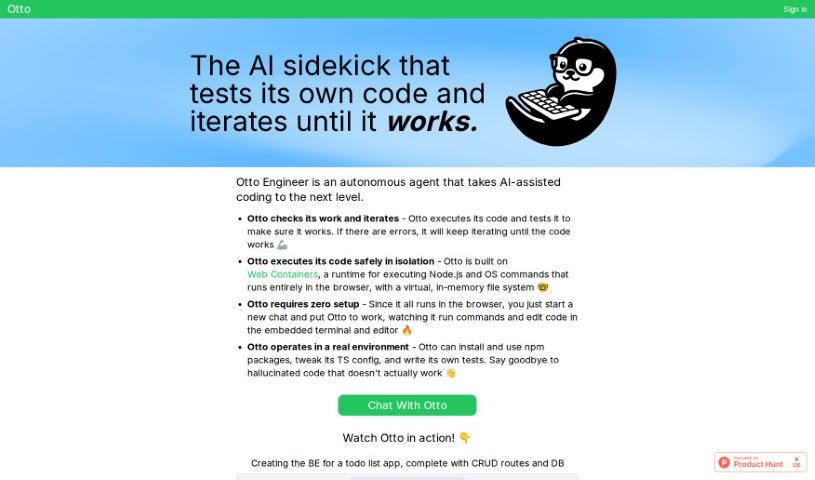
Screenshot of Otto Engineer

Otto Engineer

Discover what Otto Engineer is and how to use it effectively in 2025. We'll explore its features and see how it stacks up against other Software Development Tools.

Screenshot

What is Otto Engineer?

Otto Engineer is your AI coding buddy. It’s a smart assistant designed to make software engineering much simpler. What’s really neat is that it can handle a lot of the heavy lifting for you – like running your code, testing it out, fixing any errors that pop up, and then tweaking the code until it works just right. The best part? You don’t need to install anything; it all happens right in your web browser. Otto uses something called Web Containers technology, which is like a secure sandbox for your code. This means it can run code safely and in isolation, so you don’t have to worry about security issues. It’s capable of creating tricky utility types, fixing errors by trying different approaches, writing its own tests, and generally working like a real coding environment.

Who created Otto Engineer?

Otto Engineer was launched on March 27, 2024, by a founder who prefers to remain anonymous. The company offers this AI-powered autonomous coding assistant specifically to streamline the software engineering process. As mentioned, it runs directly within your browser, meaning no setup is needed on your end. Otto’s core functions include executing code, performing tests, managing errors, and iterating on the code until it’s functioning correctly. This seamless operation is thanks to Web Containers technology, which guarantees secure execution without any system vulnerabilities.

What is Otto Engineer used for?

Otto Engineer can tackle a variety of tasks to help you code more efficiently:

  • Building Backends: It can create the backend for a todo list app, complete with all the necessary CRUD routes and database connections.
  • Data Transformation: You can use it to implement and test logic for transforming data.
  • TypeScript Utilities: It’s great for creating complex TypeScript utility types.
  • Rapid Prototyping: Need to quickly generate starter code with any combination of libraries and business logic? Otto can do that, and you can download it all in one click!
  • Debugging: It can autonomously debug and solve tricky TypeScript issues and other bugs you might encounter.
  • Generating Working Code: Implement utilities and mini libraries automatically.
  • Avoiding ‘Hallucinated’ Code: By creating complicated utility types, it helps eliminate code that doesn’t work as expected.
  • Code Modification: You can modify code directly within the embedded terminal and editor.
  • Running Commands: Execute commands and edit code using the integrated terminal and editor.
  • Self-Testing: Otto can even write its own tests to ensure code quality.

How to use Otto Engineer?

Getting started with Otto Engineer is straightforward:

  1. Start a Chat: Simply begin a new chat to get Otto’s help. There’s no setup required, so you can jump right in.
  2. Autonomous Coding in Action: Otto acts as your autonomous coding assistant. It handles tasks like running code, conducting tests, managing errors, and iterating through the code until it’s fully functional.
  3. Secure with Web Containers: Otto uses Web Containers technology. This means your code runs securely in isolation, using a virtual, in-memory file system that prevents system vulnerabilities.
  4. Browser-Based Environment: It operates within your browser, primarily supporting Node.js. You can install npm packages, tweak TS configurations, write tests, and create utility types all within this environment.
  5. Testing and Error Resolution: Otto tests code by executing it and iterating until errors are resolved. It handles errors autonomously through this continuous iteration process.
  6. Safety First: Thanks to Web Containers technology, Otto ensures your code is safe by running it in isolation, protecting against system vulnerabilities.
  7. Utility Types & Code Tweaks: Otto can create complex utility types to prevent ‘hallucinated’ code. Plus, you can modify code directly in the embedded terminal and editor.

By following these steps, you’ll be able to use Otto Engineer effectively for a more streamlined and efficient software development experience.

Related AI Tools

Discover more tools in similar categories that might interest you

Stay Updated with AI Tools

Get weekly updates on the latest AI tools, trends, and insights delivered to your inbox

Join 25,000+ AI enthusiasts. No spam, unsubscribe anytime.