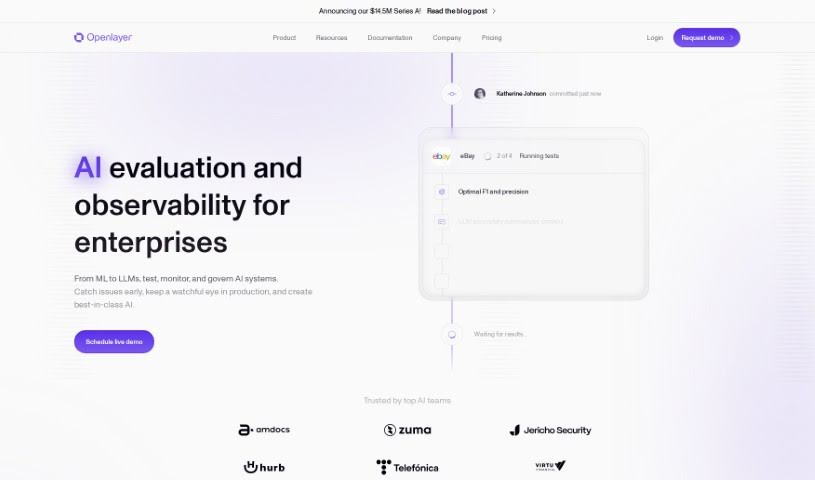
Screenshot of Openlayer

Openlayer

Discover what Openlayer is and how to use it effectively in 2025. We'll explore its features and see how it stacks up against other Software Development Tools.

Screenshot

What is Openlayer?

Openlayer is a platform built to help developers and data scientists keep their machine learning models running smoothly and reliably. It is a guardian for your AI. It comes packed with features like automatic testing, real-time monitoring to catch issues as they happen, version control so you can track changes, and secure storage for your data. The cool part? You can connect your AI models to Openlayer with just a little bit of code. This lets you constantly test your models, run checks on data quality, performance, and any ‘drift’ (when a model’s behavior changes over time) for each version you create. Plus, you get instant alerts via Slack or email if anything goes wrong or the system goes down. Essentially, Openlayer is all about making sure your machine learning models are dependable and perform at their best.

Who created Openlayer?

OpenLayers, the AI evaluation platform designed to help maintain high-quality machine learning models, was developed by a team from an innovative company focused on pushing AI technology forward. This platform offers a suite of features, including automatic testing, real-time monitoring, version control, and secure data storage, making it a really useful tool for both developers and data scientists. Because it can perform detailed analyses on data quality, performance, and drift, OpenLayers ensures that AI models are continuously tested and perform efficiently. The instant alerts it provides are key to quickly fixing any problems that pop up, preventing disruptions for the people who use these AI models.

What is Openlayer used for?

Openlayer is incredibly versatile for anyone working with machine learning. Here’s a breakdown of what it helps you do:

  • Boost Development: It supports test-driven development and helps you analyze the quality of your ML data, which is crucial for understanding your data intelligence.
  • Ensure Trustworthy Models: It helps developers and data scientists build and maintain machine learning models that are high-quality and reliable.
  • All-in-One Management: You get automatic testing, real-time monitoring, version control, and secure data storage specifically for your AI models.
  • Continuous Testing: Keep your AI models in top shape with ongoing tests that look at data quality, performance, and drift.
  • Instant Problem Alerts: Get real-time notifications for any issues or downtimes, so you can catch errors before they affect your users.
  • Seamless Version Tracking: Easily track and compare different versions of your models, datasets, and even prompts.
  • Developer-Friendly: It’s built with developers in mind, offering easy onboarding, a commit-style versioning system, and smooth notifications.
  • Secure Data Handling: Your data is kept safe with a SOC 2 Type 2 compliant platform, and there’s even an option for on-premise hosting.
  • Community Support: Connect with a community of developers and teams on Discord to get help and improve your AI products together.
  • Valuable Insights: It’s a great asset for tracking progress, collaborating with others, and gaining deeper insights into how your ML models are performing.
  • Test-Driven Development: It supports test-driven development and data quality analysis, which are fundamental in the ML field.
  • Comprehensive Testing: It provides automatic testing, real-time monitoring, version control, and secure data storage for your AI models.
  • In-depth Analysis: It allows for continuous testing of AI models, focusing on data quality, performance, and drift.
  • Proactive Issue Detection: It sends instant alerts for issues or downtimes, helping you catch errors before they impact end users.
  • Efficient Version Comparison: It makes tracking and comparing model versions simple, using a commit-style versioning system.
  • Real-time Updates: You get seamless notifications for real-time updates on model performance and any data anomalies.
  • Secure Deployment: It offers a secure deployment platform that is SOC 2 Type 2 compliant, with an on-premise hosting option available.
  • Hands-on Help: There’s a supportive community on Discord where developers can get hands-on assistance.
  • Better Collaboration: It’s beneficial for tracking progress and collaborating effectively when developing AI models.
  • Automatic Model Testing: It handles the automatic testing of machine learning models.
  • Real-time Model Monitoring: It provides real-time monitoring of machine learning models.
  • Model Version Control: It offers version control for machine learning models.
  • Secure Model Data Storage: It ensures secure data storage for machine learning models.
  • ML Data Quality Analysis: It performs data quality analysis for machine learning models.
  • ML Model Performance Analysis: It conducts performance analysis for machine learning models.
  • ML Drift Analysis: It carries out drift analysis for machine learning models.
  • Issue & Downtime Alerts: It sends alerts for issues and downtimes in machine learning models.

Who is Openlayer for?

Openlayer is designed for a range of professionals involved in the machine learning lifecycle:

  • Data scientists
  • Machine learning engineers
  • Data Science Directors
  • ML Teams
  • Developers
  • Data Analysts
  • Data Scientist
  • Data Science Director
  • Enterprise Partner
  • Machine learning engineer

How to use Openlayer?

Getting started with OpenLayers is pretty straightforward. Here’s a step-by-step guide:

  1. Set Up Your Development Environment: First, create a new HTML file for your project. You can then include the necessary OpenLayers scripts. You have two options: download them directly or use a CDN link.
  2. Create a Map: In your HTML file, define a <div> element where you want the map to appear. Then, using JavaScript, initialize the map object. You’ll need to set the view and add layers, like the familiar OpenStreetMap.
  3. Add Interactivity: Make your map more engaging by adding elements like markers, popups, overlays, or vector shapes. You can use JavaScript to handle user actions, such as clicks or drags.
  4. Style and Add Controls: To improve the user experience, add helpful controls like zoom buttons, a scale line, or a full-screen option. You can also customize the map’s look and feel with different styles and layers.
  5. Geolocation and Routing: If you need to, you can implement geolocation to find users on the map. You can also integrate routing services to show directions between different points.
  6. Handle Events: Use event listeners to make your map respond to various actions, like clicks, zoom changes, or when the map is moved.
  7. Integrate with APIs: You can explore integrating OpenLayers with other APIs to add more features, such as displaying weather data overlays or using geographic information services.
  8. Test and Deploy: Before you share it, thoroughly test your application to make sure it works correctly on different devices and browsers. Once you’re happy with it, you can deploy your OpenLayers map to a web server so others can access it.

By following these steps, you’ll be able to effectively use OpenLayers to build dynamic and interactive maps for your web applications.

Related AI Tools

Discover more tools in similar categories that might interest you

Stay Updated with AI Tools

Get weekly updates on the latest AI tools, trends, and insights delivered to your inbox

Join 25,000+ AI enthusiasts. No spam, unsubscribe anytime.