What is Omni?
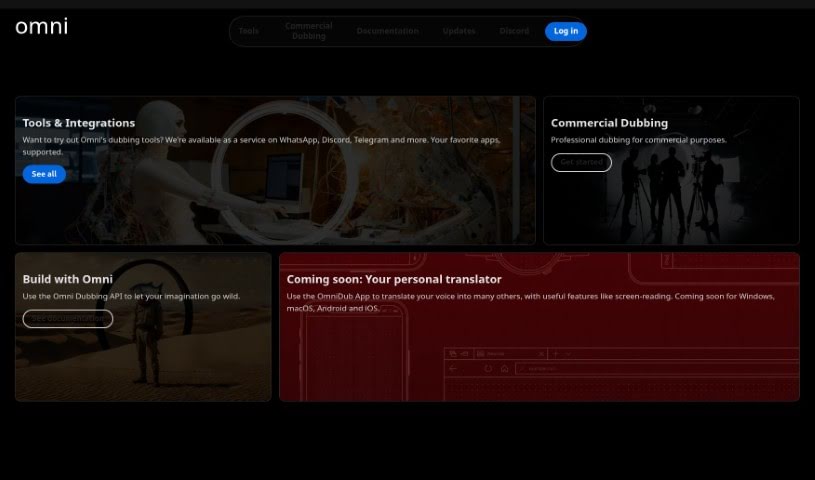
Omni is a really neat AI tool from GrayHat Developers. Its main goal is to make video and audio dubbing much smoother and better. It is a way to easily create dubbed videos in different languages, generate subtitles, produce voiceovers, and even use AI to make the lipsync match perfectly, making your content accessible to a wider audience. Plus, Omni has a cloud service that lets you dub videos super fast, and there’s even a plugin for Adobe Premiere Pro to make the whole dubbing process even easier.
If you’re interested, you can join a waitlist for early access. They also have a product roadmap on their website, so you can see what future updates and features are planned.
Who created Omni?
Omni was developed by GrayHat Developers. They’re a company that really focuses on using advanced technology to improve how we work with media. Omni, which launched on February 7, 2024, is an AI-driven tool designed to simplify video and audio dubbing. It helps by translating languages, creating voiceovers, generating subtitles, and using AI for accurate lipsync. Omni also offers a cloud-based service for quick, high-speed video dubbing, which is great for both professional work and when you’re on the go.
What is Omni used for?
Omni is a versatile tool that can help with a lot of different tasks related to video and audio:
- Subtitles: It’s great for creating subtitles for your videos.
- Dubbing: You can use it to create dubbed versions of your videos in various languages.
- Voiceovers: Omni helps you generate voiceovers to go along with your videos.
- Lipsync: It uses AI to make sure the lipsync in your dubbed videos looks natural.
- Workflow Efficiency: It’s designed to streamline your video and audio dubbing processes, making them much more efficient.
- On-the-Go Dubbing: The cloud service supports dubbing even when you’re not at your main workstation.
- High-Speed Dubbing: Get your videos dubbed quickly thanks to its cloud-based technology.
- Productivity Boost: It’s a big help for boosting productivity in any media-related work.
- Professional Dubbing: It’s suitable for professional-grade dubbing, especially for commercial projects.
- Adobe Premiere Pro Integration: There’s a plugin for Adobe Premiere Pro that makes integrating Omni into your existing workflow really smooth.
- Translation: It handles the translation of videos from one language to another.
- Creative Projects: You can use the Omni Dubbing API for your creative projects.
- Future Features: Keep an eye out for a personal translator feature that will include screen-reading capabilities.
- OmniDub App: You can use the OmniDub App for personal translation.
- AI in Media: It’s a great way to harness the power of AI in your media work.
- Creating Voiceovers and Subtitles: Omni makes it easy to create both voiceovers and subtitles.
Who is Omni for?
Omni is a fantastic tool for anyone working with video and audio, especially:
- Media professionals looking to streamline their dubbing workflow.
- Translators who need to localize content efficiently.
- Content creators aiming to reach a global audience.
- Digital marketers wanting to make their video campaigns more accessible.
- Video editors seeking integrated dubbing solutions.
- Language translators who need specialized tools for their craft.
How to use Omni?
Using Omni for video and audio dubbing is pretty straightforward. Here’s a breakdown of how it works:
- Translate Your Video: First, Omni helps you translate your video content from one language to another, making it accessible to a wider audience.
- Produce Subtitles: The tool also supports subtitle production, which is super helpful for viewers who prefer reading along or need captions.
- Generate Voiceovers: You can create voiceovers with Omni to complement the dubbing process, adding a professional touch.
- AI-Powered Lipsync: Omni uses AI to handle the lipsync, ensuring the on-screen characters’ mouths match the new audio, which really improves the viewing experience.
- Use the Adobe Premiere Pro Plugin: If you’re an Adobe Premiere Pro user, you can utilize the Omni plugin to seamlessly integrate dubbing directly into your editing projects.
- Leverage the Cloud Service: Omni offers a cloud-based service that provides efficient, high-speed dubbing, so you don’t need powerful local hardware.
- Dub On-the-Go: The cloud service also means you can do video dubbing even when you’re out and about.
- Share Your Feedback: You can share your thoughts and feedback through their platform, helping them improve the product.
- Join the Waitlist: Since the tool is still being developed, you can join the waitlist on their website to get early access.
By using these features, Omni really simplifies the dubbing process, makes your content more accessible, and helps boost productivity for anyone working with video and audio dubbing tasks.