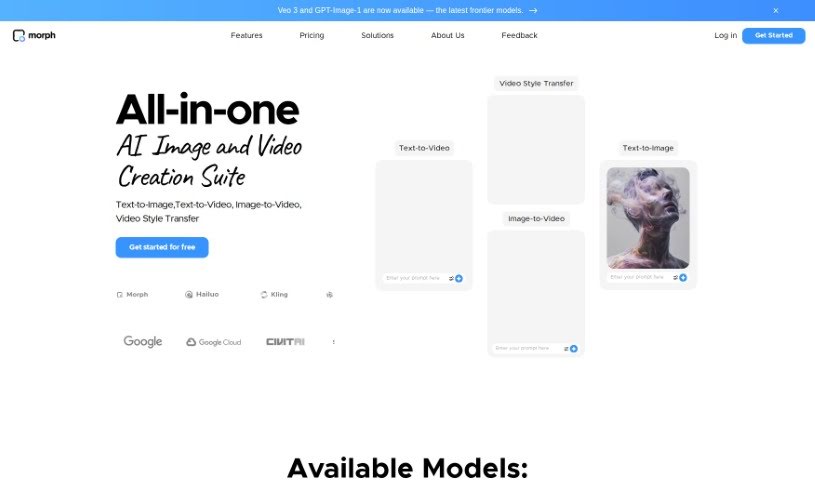
What is Morph Studio?
Morph Studio is an AI tool designed to make creating videos from text inputs much simpler. It uses Text-to-Video AI to help you bring your creative ideas to life just by writing prompts. Essentially, this tool turns your written words into video content, offering a really unique and fresh way to create. You can actually try out a beta version of Morph Studio right now through Discord to see what it can do. It’s perfect for anyone who prefers writing things out or doesn’t have much video editing experience, as it really simplifies the whole process of making engaging videos.
Who created Morph Studio?
Morph Studio was founded by someone whose name isn’t mentioned in the available information. The company got its start on October 10, 2023. At its core, Morph Studio is an AI tool that lets you create videos from text. It offers a bunch of cool features, like turning text into video, transforming still images into moving visuals, applying different styles to your videos, boosting video quality up to 4K, syncing lips to dialogue, and even splitting videos for different effects. The main goal here is to make video creation easier for everyone using AI.
What is Morph Studio used for?
- Text to Video: Just type anything you can imagine, and watch your words transform into detailed animations. It’s a fantastic way to bring any idea to life.
- Image to Video: Take a still image and make it dynamic. You can control camera angles, how much motion there is, and how long the video runs.
- Video Style Transfer: Want a different look? You can easily change your videos to styles like anime, cartoon, cyberpunk, or comic book.
- Video Enhancer: Make your videos look sharper by upscaling them to 4K resolution at 60fps, improving details and overall quality.
- Lip Sync: Write a script, choose a voice, and the tool will perfectly sync the character’s speech.
- Video Splitter: Need short clips? This feature automatically splits your videos into smaller segments, giving you more control.
- Content Creation: It really simplifies making videos with its AI suite.
- Demonstration Showcase: You can check out sample videos to get a feel for what’s possible.
- Text to Video: Type anything and see your words come to life, turning every idea into stunningly detailed animations. You can iterate as fast as your imagination allows.
- Image to Video: Turn still images into dynamic visuals with full control over camera angles, motion intensity, and video duration.
- Video Style Transfer: Adapt your videos to various styles such as anime, cartoon, cyberpunk, or comic book for a unique and engaging look.
- Video Enhancer: Upscale videos to 4K resolution and 60fps with stunning details and consistency.
- Lip Sync: Write a script and pair it with a voice of your choice for perfect synchronization.
- Video Splitter: Automatically split your videos into short clips to customize each segment individually for a diverse viewing experience.
- Text to Video: Type anything and see your words come to life, turning every idea into stunningly detailed animations.
- Video Style Transfer: Adapt video to various styles like anime, cartoon, cyberpunk, or comic book for a unique look.
- Video Enhancer: Upscale videos to 4K resolution and 60fps, enhancing details and consistency.
- Lip Sync: Write a script and pair it with a voice choice using an advanced lip sync model.
- Video Splitter: Automatically split videos into short clips to customize each segment individually.
- Professional Content Creation: Effortlessly produce professional content with Morph Studio’s AI video creation suite.
- Speed of Imagination: Iterate at the speed of imagination to turn ideas into animations.
- Tailored Outcome: Tailor video outcomes to precise needs with control over various aspects.
- Engaging Look: Instantly give content a unique and engaging look with style adaptation.
Who is Morph Studio for?
- Content creators
- Freelancers
- Marketers
- Educators
- Small Business Owners
- Video editors
How to use Morph Studio?
Here’s how you can get started with Morph Studio:
- Text to Video: Just type in your text, and watch as your words magically transform into detailed animations. It’s a great way to see your ideas come alive.
- Image to Video: Take any still image and turn it into a dynamic visual. You have control over camera angles, how intense the motion is, and how long the video lasts.
- Video Style Transfer: Want to give your video a different vibe? You can easily change its style to anime, cartoon, cyberpunk, or comic book for a really unique look.
- Video Enhancer: Need better quality? You can enhance your videos to 4K resolution and 60fps, adding more detail and polish with just a click.
- Lip Sync: Write your script and then sync it perfectly with a voice you choose, making character speech feel natural.
- Video Splitter: This feature automatically breaks your video down into clips, letting you customize each part for a more varied viewing experience.
More Details to Know:
- We offer both monthly and annual subscription options.
- You’ll be able to see your subscription renewal dates.
- If you change plans, any unused credits will either roll over or expire, depending on the specifics.
- You can easily cancel, upgrade, or downgrade your subscription plan whenever you need to.
Basically, Morph Studio makes creating content much easier by turning your text into engaging videos quickly. If you want to dive deeper into all the specific functions, you can explore the tool itself or join its Discord beta version.