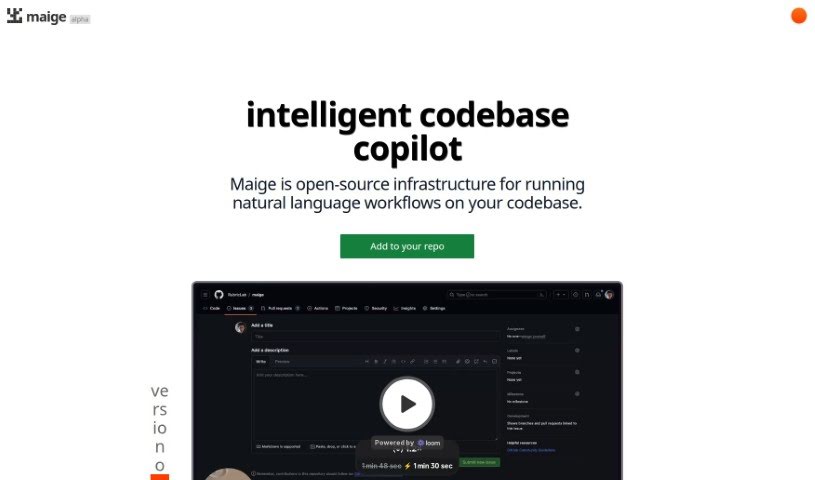
Screenshot of Maige

Maige

Discover Maige in 2025! Learn what this AI tool is, how to use its features for classifying and labeling software issues, and how it stacks up against other development tools.

Screenshot

What is Maige?

Maige is an open-source infrastructure built to handle natural language workflows directly on your codebases. Essentially, it’s designed to classify and label issues within software projects, powered by GPT technology. It works specifically with GitHub repositories, offering handy features like automatically labeling new issues as they come in, letting you label existing issues with a simple command, and allowing you to set up custom instructions for how issues should be classified. The tool was developed by Ted Spare and is already being used by companies like Highlight.io, PrecedentCal.com, and Trigger.dev. While there’s a free trial available, details on potential premium features or paid plans aren’t readily available.

Who created Maige?

Ted Spare is the creator behind Maige. He launched it on March 27, 2023, as an AI tool focused on classifying and labeling software project issues, primarily using GPT technology. Maige integrates smoothly with GitHub and has been adopted by organizations such as Highlight.io, PrecedentCal.com, and Trigger.dev. The tool is built to automate issue labeling and offers a range of capabilities. These include auto-labeling, auto-assignment, auto-comments, custom instructions, code review, and even code generation, all available under different pricing structures.

What is Maige used for?

Maige is a versatile tool that helps manage your software projects in several ways:

  • It classifies and labels issues within your software projects.
  • It automatically labels new issues that appear in your GitHub repositories.
  • You can label existing issues simply by commenting ‘Maige label this’.
  • It monitors your workflows and provides feedback through a dedicated dashboard.
  • It integrates seamlessly with GitHub for efficient issue management.
  • It’s designed to run natural language workflows directly on your codebases.
  • It can assign tasks, add comments, and review code based on rules you specify.
  • It can automatically set up a code sandbox environment for testing.
  • You can customize workflows using simple text-based rules.
  • It operates flexibly using the GitHub API.
  • It automatically labels new issues in GitHub repositories.
  • It assigns tasks based on the rules you set for issues and pull requests.
  • It can comment on issues and pull requests within your GitHub repositories.
  • It reviews code in GitHub repositories.
  • It can run simple code snippets based on predefined rules.
  • It’s useful for labeling UI-related issues to specific users.
  • It can label .env pull requests with ‘needs-approval’.
  • It reviews all incoming pull requests according to your CONTRIBUTING.md guidelines.
  • You can customize workflows using text instructions.
  • It helps create a code sandbox environment for testing purposes.

Who is Maige for?

Maige is a great tool for:

  • Software developers
  • Software engineers
  • Anyone who uses GitHub

How to use Maige?

Using Maige, an AI tool designed to classify and label issues in software projects, is straightforward. Here’s a quick guide:

  1. Connect Your Repo: Start by connecting Maige to your repository. This process sets up a webhook, creates codebase embeddings, and prepares a sandbox environment for you.
  2. Write Your Rules: Clearly describe the actions you want Maige to take for issues and pull requests. Maige can handle labeling, assigning, commenting, reviewing, and even running code snippets, all according to the rules you define.
  3. Watch It Run: Guide your team on how to use these workflows, keep an eye on how they’re running, and provide feedback through the dashboard.
  4. Integration: Maige integrates smoothly with GitHub, making full use of the GitHub API to power its features.
  5. Customization: Maige is highly customizable, allowing you to automate tasks like issue labeling, assignment, and code review based on your specific needs.
  6. Pricing: You can begin by trying Maige for free. If you find it valuable, the Standard Plan is available for $30.00 USD per month, offering features like auto-labeling, auto-assignment, and code review.

Remember, Maige is designed to simplify issue management by automating tasks like labeling and assignment using GPT technology. For specific actions, such as automatically labeling new issues or labeling existing ones, Maige works effectively within GitHub repositories.

Related AI Tools

Discover more tools in similar categories that might interest you

Stay Updated with AI Tools

Get weekly updates on the latest AI tools, trends, and insights delivered to your inbox

Join 25,000+ AI enthusiasts. No spam, unsubscribe anytime.