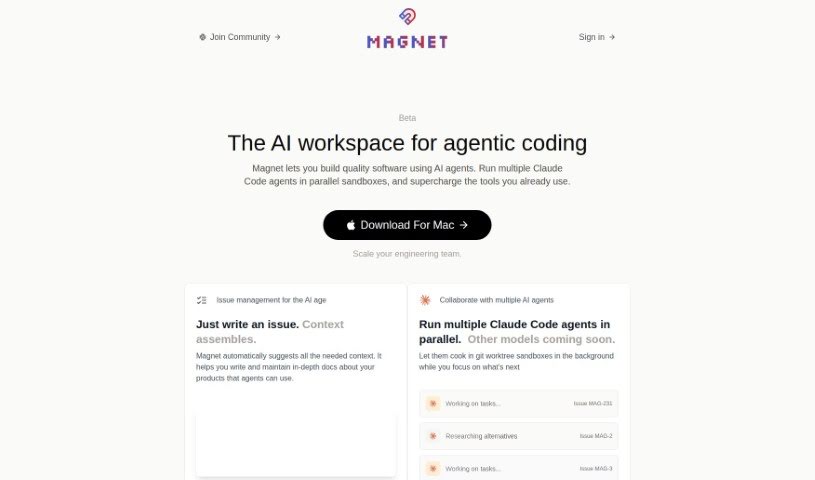
Screenshot of Magnet

Magnet

Discover what Magnet is and how to use it effectively in 2025. We'll explore its features, compare it to other Software Development Tools, and show you how to get the most out of this AI coding assistant.

Screenshot

What is Magnet?

Magnet is your AI coding sidekick, built to make software development smoother. It taps into OpenAI’s powerful APIs, like GPT-3.5 and GPT-4, to give you smart, context-aware suggestions right when you need them. It’s like having a supercharged coding partner who understands your project’s nuances. Magnet offers features designed to boost your workflow, including the ability to consider multiple files at once for better context, intelligent recommendations, and ways to improve how you collaborate with your team. You can start using it for free if you have a supported OpenAI API key. If you want even more power, like unlimited GPT-4 access and seamless integration with tools like Linear, GitHub, and Notion, their premium plan is available for $20 a month. What really sets Magnet apart from typical IDEs is how it reimagines the interface, weaving AI capabilities directly into your coding experience. It also offers handy features like integrating with your existing issues, suggesting code changes, and using tool-based agents for coding tasks.

Who created Magnet?

Magnet: This AI coding assistant was developed by an organization focused on AI-driven solutions for software development. It officially launched on June 18, 2024. Magnet’s core mission is to streamline the software development process by providing context-specific suggestions and leveraging the power of GPT-3.5 and GPT-4. The team behind Magnet aims to reshape how developers interact with their tools by integrating advanced AI capabilities, ultimately leading to a more efficient and enjoyable coding experience.

What is Magnet used for?

Magnet is designed to assist developers with a wide range of tasks, including:

  • Connecting with and managing issues from platforms like GitHub.
  • Providing suggestions based on the relevant context of your project.
  • Offering intelligent recommendations for code changes.
  • Assisting with the creation and management of pull requests.
  • Enabling tool-based agentic coding for more automated tasks.
  • Accessing and working with your local files directly.
  • Seamless integration with GitHub for version control.
  • Connecting with Linear for project and issue tracking.
  • Integrating with Notion for documentation and spec referencing.
  • Helping to fix bugs in your codebase.

How to use Magnet?

Getting the most out of Magnet is pretty straightforward. Here’s a simple guide:

  1. First, you’ll need an OpenAI API key. This key unlocks Magnet’s advanced AI features, letting you use both GPT-3.5 and GPT-4.
  2. Next, connect the developer tools you already use, like Linear, GitHub, and Notion. This helps Magnet understand your project’s context much better.
  3. When you’re working on a coding task, select the specific files or directories on your computer that are relevant. This gives Magnet the context it needs to provide accurate help.
  4. Magnet supports multi-threading, which means you can work on several coding tasks or problems concurrently. This is great for tackling complex issues or collaborating.
  5. If you encounter a coding issue, you can link related Linear or GitHub issues directly to Magnet. This provides the AI with extra background information, leading to more helpful suggestions.
  6. Need to reference project specifications? Connecting your Notion docs helps Magnet understand your requirements more deeply, making its recommendations more precise.
  7. Magnet also offers helpful prompt templates. These can guide you in identifying areas for improvement, suggesting new features, or debugging errors in your code.
  8. If you find yourself using Magnet a lot, especially with GPT-4, consider upgrading to Magnet PRO for $20 per month. It gives you unlimited GPT-4 usage and unlocks those extra integrations with Linear, GitHub, and Notion.
  9. Remember, Magnet isn’t a replacement for your main IDE. Instead, it’s designed to enhance your existing tools by reimagining interfaces with AI. It offers smart, context-aware recommendations and makes coding collaboration within your team much smoother.

Related AI Tools

Discover more tools in similar categories that might interest you

Stay Updated with AI Tools

Get weekly updates on the latest AI tools, trends, and insights delivered to your inbox

Join 25,000+ AI enthusiasts. No spam, unsubscribe anytime.