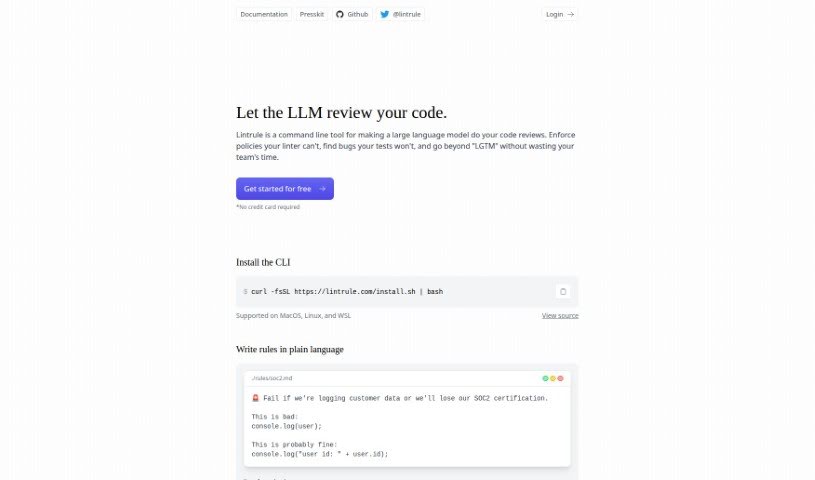
Screenshot of Lintrule

Lintrule

Discover what Lintrule is and how to use it effectively in 2025. We'll explore its features and see how it stacks up against other Software Development Tools.

Screenshot

What is Lintrule?

Lintrule is a handy command-line tool that lets you conduct code reviews using large language models. It is going a step beyond what traditional linters can do. It’s great for enforcing policies that those older tools just can’t handle, and it’s also really good at spotting bugs that automated tests might miss. You can write and set up your rules using plain language, which really helps improve your code’s quality and how efficiently you work.

It works smoothly on MacOS, Linux, and WSL. Plus, you can easily connect it with platforms like GitHub to make your code review process much more streamlined.

Want to keep costs down while using Lintrule? A good tip is to only run it on pull requests, rather than every single commit. You can also make things more efficient by combining details into a single rule, but always keep an eye out for potential false positives, especially with more complex rules. Tailoring rules to specific files is another smart way to manage costs effectively.

Who created Lintrule?

Lintrule comes from a company based in San Francisco, California. They launched it back in 2023. Essentially, it’s a command-line interface that taps into large language models to help with code reviews, enforce policies, and find bugs. What’s really neat is that it lets you write your rules in plain language, making code reviews more efficient and boosting overall quality.

What is Lintrule used for?

  • It enforces policies that standard linters can’t manage.
  • It finds bugs that automated tests might miss.
  • You can improve code quality by easily configuring rules.
  • It lets you customize code reviews using simple, plain language rules.
  • It makes code reviews more efficient and context-aware.
  • It integrates smoothly with platforms like GitHub.
  • You can reduce false positives by making your rules more specific.
  • It allows you to apply rules to specific files for more targeted enforcement.
  • It streamlines code reviews by running checks all at once.
  • It enhances code quality assurance by catching bugs other tools miss.
  • It identifies bugs that automated tests might overlook.
  • It improves code quality by using large language models.
  • You can write and configure rules using plain language.
  • It allows rules to be applied to specific files.
  • It makes code reviews more efficient.
  • It detects bugs that other linters might miss.
  • It runs checks in parallel to keep review completion times consistent.
  • It streamlines and automates code review processes, especially with GitHub integration.
  • You can customize checks and rules within your codebase.
  • It enforces policies that are too tricky for traditional linters.
  • It provides comprehensive code reviews by finding bugs missed by automated tests.
  • It improves code quality by using large language models.
  • It makes code reviews more efficient by letting you set up rules in plain language.
  • It identifies bugs that other linters might overlook.
  • It streamlines code review processes by doing automated reviews.
  • You can customize checks and rules based on what your project needs.
  • It lets you apply rules to specific files for a more focused review.
  • It runs checks in parallel to ensure reviews are completed consistently.
  • It integrates with popular platforms like GitHub for smoother code review processes.
  • It conducts code reviews using large language models.
  • It applies rules to improve code quality and efficiency.
  • It runs checks in parallel for efficient review completion.
  • It’s compatible with MacOS, Linux, and WSL environments.
  • It integrates with platforms like GitHub for streamlined code review processes.
  • It enforces policies by interpreting and enforcing rules with large language models.
  • You can customize checks and rules very specifically.
  • It enforces policies that traditional linters can’t handle.
  • It identifies bugs that automated tests overlook.
  • It lets users write and configure rules in plain language.
  • It improves code quality and efficiency.
  • It integrates with platforms like GitHub.
  • It offers customizable checks and rules.
  • It runs checks in parallel.
  • It helps with code quality assurance.
  • It enforces policies using large language models.
  • It automates code reviews using large language models.
  • It enforces policies that traditional linters can’t handle.
  • It identifies bugs overlooked by automated tests.
  • It improves code quality and efficiency.
  • It runs checks in parallel for consistent review completion time.
  • It’s compatible with MacOS, Linux, and WSL environments.
  • It customizes rules for specific files.
  • It identifies bugs missed by other linters.

Who is Lintrule for?

  • Software developers
  • Programmers
  • Quality Assurance Engineers
  • Code Reviewers
  • Computer Programmers
  • Quality Assurance Analysts
  • Software engineers
  • Quality assurance professionals

How to use Lintrule?

Ready to use Lintrule for your code reviews? Here’s a simple step-by-step guide:

  1. Install Lintrule: Just run a script from the Lintrule website directly in your command line on MacOS, Linux, or WSL.
  2. Set up your rules folder: Use the rules init command to create a .rules folder in your codebase.
  3. Log in: Run rules login. This will create a .rules/no-bugs.md file, which is where your first rule will go.
  4. Write your rules: You can configure rules by simply writing them in plain language and adding them to your codebase.
  5. Run checks: Use rules check. By default, it looks at changes since your last commit, but you can also specify different diffs if you need to.
  6. Target specific files: To make rules run only on certain files, just add the file paths to the frontmatter when you configure the rule.
  7. Manage rules: Use the Lintrule dashboard to efficiently manage and configure rules that are specific to your projects.
  8. Tweak for false positives: If you notice too many false positives, you can write more specific rules and refine them to reduce these occurrences.
  9. Consider costs: Keep in mind that Lintrule services are priced at $1 per 1,000 lines of code changed. This can vary depending on how you use it and the scope of your project.

Lintrule offers a great set of features, including policy enforcement, bug identification, rule customization, seamless integration with platforms like GitHub, and parallel checks to make your code review processes super efficient.

Related AI Tools

Discover more tools in similar categories that might interest you

Stay Updated with AI Tools

Get weekly updates on the latest AI tools, trends, and insights delivered to your inbox

Join 25,000+ AI enthusiasts. No spam, unsubscribe anytime.